How to Get G2 Login Without Phone Number: Easy OTP Guide | OTP
How to Get G2 Login Without Phone Number
Trying to complete G2 verification without giving a personal phone number can be confusing, especially when a verification screen asks for an SMS code. You may want to keep your personal number private, use a separate number for online services, or simply not have access to a suitable mobile number at the moment.
There is an important distinction, though: G2's documented account-creation options include signing up with LinkedIn or a business email, so a phone number is not necessarily required for every G2 account flow.
If a particular G2 verification flow does ask for phone-based verification, a virtual or temporary SMS number may be an option where that number type is accepted. OTPGET provides virtual numbers designed to receive supported SMS verification codes, giving users a separate number instead of exposing their personal one.
Here is what to know before trying it, how the process generally works, and what to do if a G2 verification code does not arrive.
Why Does G2 Ask for Phone Verification?
Phone verification is commonly used by online services as an additional way to confirm that someone has access to a particular phone number. A service can send a one-time password, or OTP, by SMS and ask the user to enter that code.
The underlying concept is simple:
- You enter an eligible phone number.
- The platform sends an SMS containing a temporary verification code.
- You retrieve the code.
- You enter it into the verification screen.
- The platform checks whether the code is valid.
G2's published documentation explains that account verification is intended to confirm professional identity and relevant experience, particularly for its review ecosystem. Its documented signup methods include LinkedIn and business email, with LinkedIn used to verify profile and company information.
If you encounter an additional phone-verification prompt, the exact reason and requirements can depend on the particular G2 flow you are using. It is therefore better to treat phone verification as a flow-specific requirement rather than assuming every G2 login requires an SMS OTP.
Can You Get a G2 Login Without Using Your Personal Phone Number?
Yes, potentially, depending on the G2 flow you are using. G2's documented signup options include LinkedIn and business email, which means users do not necessarily need to provide a personal phone number simply to create an account.
If the particular process you are completing presents a phone-verification step, there are several different situations to consider:
- You do not have a personal number available.
- You have a number but prefer not to use it for a particular online service.
- You want a separate number for verification messages.
- You need to receive an SMS OTP without relying on your physical SIM.
A virtual or temporary number can sometimes address the latter situations. However, acceptance is controlled by the website receiving the number. A temporary number is not automatically accepted by every verification system.
This is where OTPGET can be useful. OTPGET provides virtual phone numbers intended for SMS OTP verification, with availability depending on the country, service, number type, and current inventory.
What Is OTPGET?
OTPGET is a virtual-number and OTP-verification service. Its platform provides temporary virtual numbers for receiving SMS verification codes, as well as rental numbers and related verification tools.
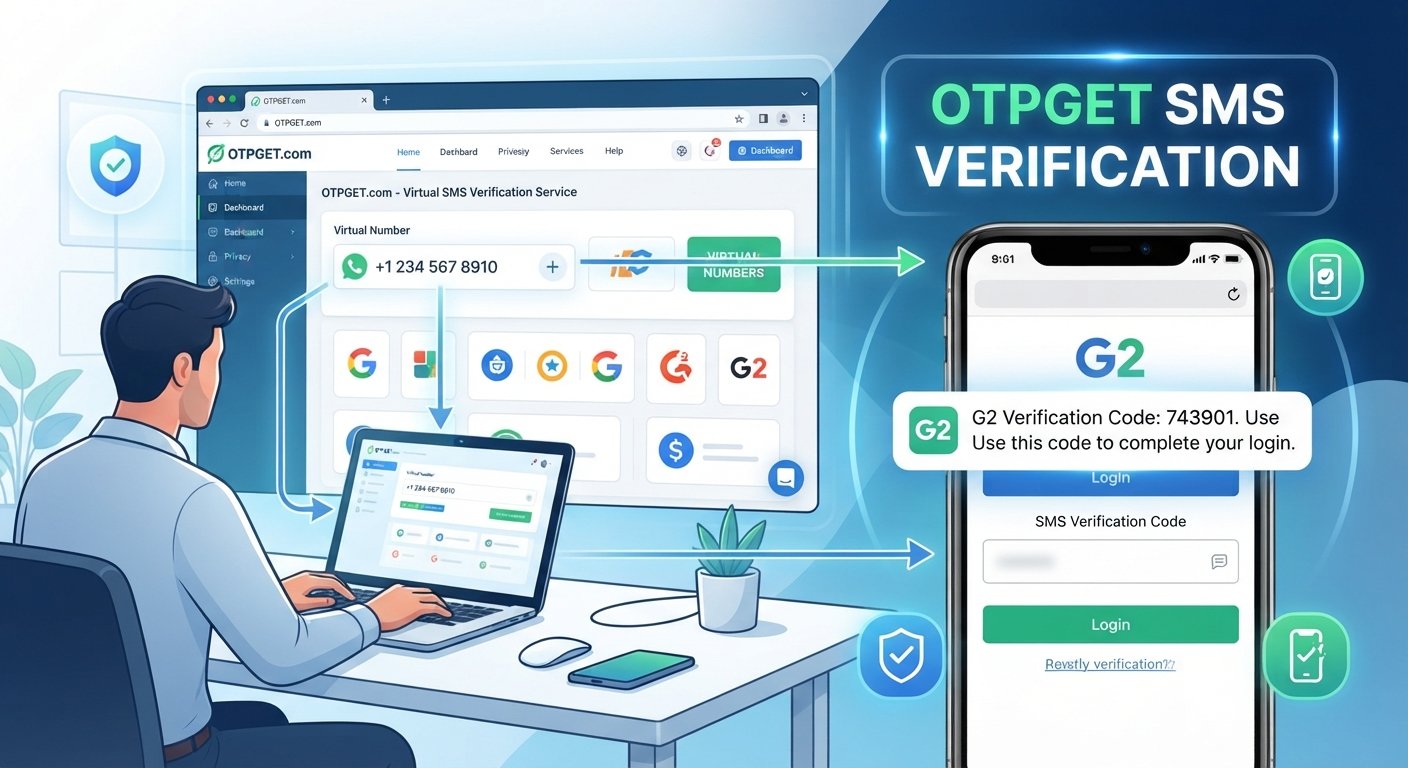
The basic idea is straightforward: instead of entering your personal mobile number, you can obtain an available virtual number for an eligible verification purpose. If the relevant service accepts that number and sends an SMS, the incoming code can be viewed through OTPGET.
OTPGET's published documentation describes a process where users select an available country and service, request a number, and then check the activation status for an incoming SMS.
That makes the service potentially useful when your goal is to keep personal and online verification activity separate.
There is an important limitation: OTPGET does not control G2's verification system. If G2 does not accept a particular virtual number, country, carrier, or number type, the verification may not work.
How to Get G2 Login Without Phone Number Using OTPGET
If a G2 verification screen specifically requires an SMS-capable phone number, the general process is:
1. Open OTPGET
Visit OTPGET and access the virtual-number service.
2. Select an available country
Choose a country and number option that is available for your legitimate verification purpose. Availability can change, so do not assume that every country or service will always have stock.
3. Check whether the relevant service is available
If G2 is listed as a supported option in the OTPGET interface, select it. If it is not listed, do not assume that another service listing will work for G2.
4. Obtain the number
Request the available number and copy it carefully.
5. Enter the number in the G2 verification field
Use the number in the normal G2 verification process. Do not enter false personal information or use the number to impersonate someone else.
6. Request the verification code
If G2 accepts the number for that particular verification flow, request the SMS code through the normal G2 interface.
7. Monitor OTPGET for the incoming SMS
Return to OTPGET and check the relevant activation or SMS area for the incoming message. OTPGET's documentation describes status checking for temporary SMS orders.
8. Enter the legitimate code into G2
If a valid verification code arrives, enter it into the G2 verification screen and continue with the normal account or login process.
If G2 rejects the number or no message arrives, do not repeatedly attempt to defeat the verification system. Instead, try an eligible alternative number, check the available options, or use another G2-supported account-verification method where appropriate.
Why Use OTPGET Instead of Your Personal Phone Number?
There are legitimate privacy and convenience reasons someone might prefer a separate verification number.
Privacy separation: A separate number can help keep your personal mobile number out of a particular online registration or verification workflow.
Dedicated verification: Keeping verification messages separate from ordinary personal SMS can make them easier to manage.
No physical SIM for the verification step: A virtual number can be useful when you need SMS access but do not have a suitable physical SIM available.
Convenience: Instead of purchasing another physical SIM solely for a short verification task, a virtual number may be a simpler option when the target service accepts it.
Still, a virtual number should not be treated as an anonymity guarantee. Online platforms may use other signals and verification methods, and the number itself does not override those checks.
What If the G2 Verification Code Does Not Arrive?
An absent G2 OTP does not necessarily mean that you did something wrong. Several things can interfere with SMS verification.
Common possibilities include:
- The selected number type is not accepted.
- The country selection does not match the verification requirement.
- The number has already been used or has restrictions.
- SMS delivery is temporarily delayed.
- The number has expired.
- The relevant service is temporarily unavailable.
- G2 has rejected the number before sending an SMS.
- There is a temporary issue on the platform or SMS provider side.
Try these troubleshooting steps:
- Check the number carefully. Make sure you entered the complete number and correct country code.
- Check OTPGET's status. Look for an incoming message or activation-status update.
- Avoid repeatedly requesting codes. Multiple rapid requests can create confusion or trigger additional verification steps.
- Try another eligible number if available. A different number type may be accepted where the first one was not.
- Check the available service options. If G2 is not available in the relevant OTPGET selection, do not assume compatibility.
- Use G2's supported signup methods when possible. G2 documents LinkedIn and business email as account-creation options.
- Contact the relevant support channel if you believe the verification flow is malfunctioning.
OTPGET's published terms also explain that temporary-number orders have specific cancellation and refund conditions, so users should review those terms before ordering.
Common Mistakes to Avoid
When using a temporary SMS number for legitimate verification, avoid these common errors:
- Entering the wrong country or phone number.
- Assuming every virtual number will work with every website.
- Waiting until a temporary number expires before completing verification.
- Repeatedly requesting OTPs when the first request is still pending.
- Sharing a received verification code with another person.
- Using a temporary number for an account that requires permanent recovery access.
- Providing fake identity or employment information.
- Creating accounts for abusive, fraudulent, or impersonation-related purposes.
- Treating an OTP service as a way to bypass G2's security or moderation controls.
OTPGET's own terms prohibit illegal, fraudulent, abusive, or harmful use of its services.
Is Using a Temporary or Virtual Number Safe?
A virtual number can be practical, but it has limitations.
The main privacy advantage is separation. Your personal number does not have to be used for every online verification request when an alternative number is permitted.
The bigger consideration is account recovery.
A temporary number may not remain available indefinitely. If you use one for an account that later requires SMS-based password recovery, login confirmation, or security checks, you may not have access to that number anymore.
For that reason, a temporary SMS number is generally better suited to a short verification task than to an account where the phone number is intended to remain a permanent recovery method.
If long-term access matters, consider whether G2 provides another supported recovery or authentication method for your account. G2's documentation explains that password management can depend on how the account was created, including business email, LinkedIn, or Google in applicable flows.
Most importantly, use any number only for an account and activity that you are legitimately authorized to access.
OTPGET as a Practical Option
If your main concern is exposing your personal number during an eligible SMS verification process, OTPGET can be a practical alternative to consider.
The service is designed around virtual numbers and SMS OTP reception, allowing users to obtain an available number and monitor incoming verification messages. Its documentation also describes both temporary-number and longer-term rental options.
The key benefit is flexibility: you can keep a verification number separate from your everyday mobile number when the target service permits that type of number.
However, compatibility should always be checked rather than assumed. G2 controls its own verification requirements, and a number that works for one website may not work for another.
Need a separate number for verification? Explore OTPGET and check whether a suitable number is available for your verification flow.
Frequently Asked Questions
1. Can I create a G2 account without my personal phone number?
Yes, depending on the account flow. G2's documented signup methods include LinkedIn and business email, so a personal phone number is not necessarily required for account creation.
2. Does G2 always require phone verification?
No assumption should be made that every G2 account or login requires an SMS verification step. G2 documents LinkedIn and business email as signup methods. If a particular flow presents an additional phone-verification requirement, follow the requirements shown for that flow.
3. What is a G2 verification code?
A G2 verification code, when an SMS verification step is presented, is a temporary code sent to an eligible phone number. It is entered into the verification screen to confirm access to that number.
4. Can OTPGET receive G2 OTP codes?
OTPGET provides virtual numbers designed to receive supported SMS verification codes. Whether a particular OTPGET number can receive a G2 code depends on G2's acceptance of that number and the applicable verification flow.
5. What should I do if my G2 OTP does not arrive?
Check the number, country selection, OTPGET status, and available service options. You can also try another eligible number if available. Avoid repeatedly requesting codes in quick succession.
6. Can I use a temporary phone number for G2?
A temporary number may work if the relevant G2 verification flow accepts it, but this is not guaranteed. Number availability, country, carrier, and G2's verification requirements can affect the result.
7. Is a virtual number suitable for long-term account recovery?
Not necessarily. Temporary numbers can expire or become unavailable. For an account that you may need to recover later, use a permanent recovery method supported by the platform whenever possible.
8. Why might G2 reject a temporary number?
A verification system may reject a particular number because of its type, previous use, country, carrier, or other platform-specific checks. The rejection does not necessarily mean that all virtual numbers are unsupported.
Conclusion
Getting a G2 login or completing G2 account verification does not automatically mean you need to expose your personal phone number. G2's documented signup options include LinkedIn and business email, while specific verification flows can have their own requirements.
If you encounter an SMS verification step and want to keep your personal number separate, OTPGET offers virtual numbers that can receive supported verification messages. The important point is to check availability and compatibility rather than expecting every number to work with every G2 flow.
Used responsibly, a virtual number can provide a convenient layer of separation for online verification. Just remember that temporary numbers are not a substitute for permanent account-recovery methods, and they should never be used to bypass security, impersonate others, or violate platform rules.
Need a separate number for verification? Explore OTPGET and check what number options are available for your legitimate verification flow.
8. Suggested CTA
Need a separate number for online verification?
Keep your personal phone number separate when an eligible service requires SMS verification. Explore OTPGET to check available virtual numbers and find an option that fits your verification flow.
Explore OTPGET and check available verification numbers.
9. FAQ Schema-Ready Q&A Section
Q: Can I create a G2 account without my personal phone number?
A: Yes, depending on the account flow. G2 documents LinkedIn and business email as signup options, so a personal phone number is not necessarily required.
Q: Does G2 always require phone verification?
A: No. G2's documented signup options include LinkedIn and business email. Additional verification requirements can depend on the particular account or verification flow.
Q: What is a G2 verification code?
A: A G2 verification code is a temporary code used during an applicable verification process. If SMS verification is presented, the code can be sent to an eligible phone number.
Q: Can OTPGET receive G2 OTP codes?
A: OTPGET provides virtual numbers for supported SMS verification. Whether a specific number receives a G2 OTP depends on G2's verification requirements and acceptance of that number.
Q: What should I do if my G2 OTP does not arrive?
A: Check the number, country selection, service availability, and OTPGET status. If available, you can try another eligible number rather than repeatedly requesting codes.
Q: Can I use a temporary phone number for G2?
A: A temporary phone number may work when the relevant G2 verification flow accepts that number type, but compatibility is not guaranteed.
Q: Is a virtual number suitable for long-term account recovery?
A: Usually, a temporary number is better suited to short verification tasks. For long-term recovery, use a permanent recovery method supported by the platform when possible.
Q: Why might G2 reject a temporary number?
A: G2 may reject a number because of its type, country, previous use, carrier, or other verification checks. A rejected number does not necessarily mean every virtual number will be rejected.