How to Verify LinkedIn Without Your Own Phone Number Using OTPGET
How to Verify LinkedIn Without Your Own Phone Number
Need to verify a LinkedIn account but would rather not share your personal phone number?
You are not alone. A personal number can feel too private to use for every online service, especially when you want to keep your professional activity separate from your personal communications.
If LinkedIn presents a phone-based verification step, one practical option is to use an appropriate alternative number that can receive SMS. Services such as OTPGET can help by providing access to phone numbers for receiving verification OTPs, without requiring you to expose your primary personal number.
The important point is that this is about privacy-conscious verification—not bypassing LinkedIn's security requirements. LinkedIn controls which verification methods and numbers it accepts, and the available process can vary.
Why LinkedIn May Ask for Phone Verification
Phone verification is commonly used as an additional layer of account security.
A verification code sent by SMS can help confirm that the person attempting to complete an account action has access to the phone number being used. Depending on the situation, LinkedIn may request phone verification during account setup, security checks, or other account-related processes.
The exact reason for a verification request can vary, but the basic process is familiar:
- LinkedIn asks for a phone number.
- An SMS verification code is sent to that number.
- You enter the LinkedIn verification code where requested.
- LinkedIn processes the verification.
For users who prefer not to provide their personal number, the challenge is finding a legitimate alternative that can actually receive the required SMS.
Can You Verify LinkedIn Without Using Your Personal Phone Number?
Potentially, yes—but it depends on LinkedIn's verification flow and whether the alternative number is accepted.
LinkedIn's available verification options can vary based on factors such as your account circumstances, region, and the security requirements presented during verification. Not every account will necessarily have the same options.
If LinkedIn allows you to enter an alternative phone number, you can consider using a number that is capable of receiving the required SMS verification code.
This distinction matters. An alternative number is not a way to bypass authentication. You still need to complete LinkedIn's legitimate verification process, and LinkedIn ultimately determines whether the number and verification attempt are accepted.
Why Some Users Prefer Not to Use Their Personal Number
There are several reasonable reasons someone may want to keep their personal phone number separate from online verification.
Protecting personal contact information
Your primary number is personal information. You may not want to provide it to every website or online service that requests phone verification.
Using an appropriate alternative number can reduce the number of places where your personal contact details are shared.
Separating professional and personal communication
Your LinkedIn activity may be part of your professional life, while your primary phone number may be reserved for family, friends, and personal services.
Keeping those channels separate can make your digital life easier to manage.
Reducing unnecessary exposure
The fewer online services that have your personal number, the less often you need to consider how that information is stored or used.
This does not mean an alternative number makes verification risk-free. It simply gives you another option when you prefer not to use your main number.
Handling temporary verification needs
Sometimes you need a phone number specifically to receive an OTP during a verification workflow. If you do not want that process tied to your primary number, an alternative number may be more suitable.
Using an Alternative Number to Receive a LinkedIn OTP
When LinkedIn's verification flow permits an alternative number, the basic concept is straightforward.
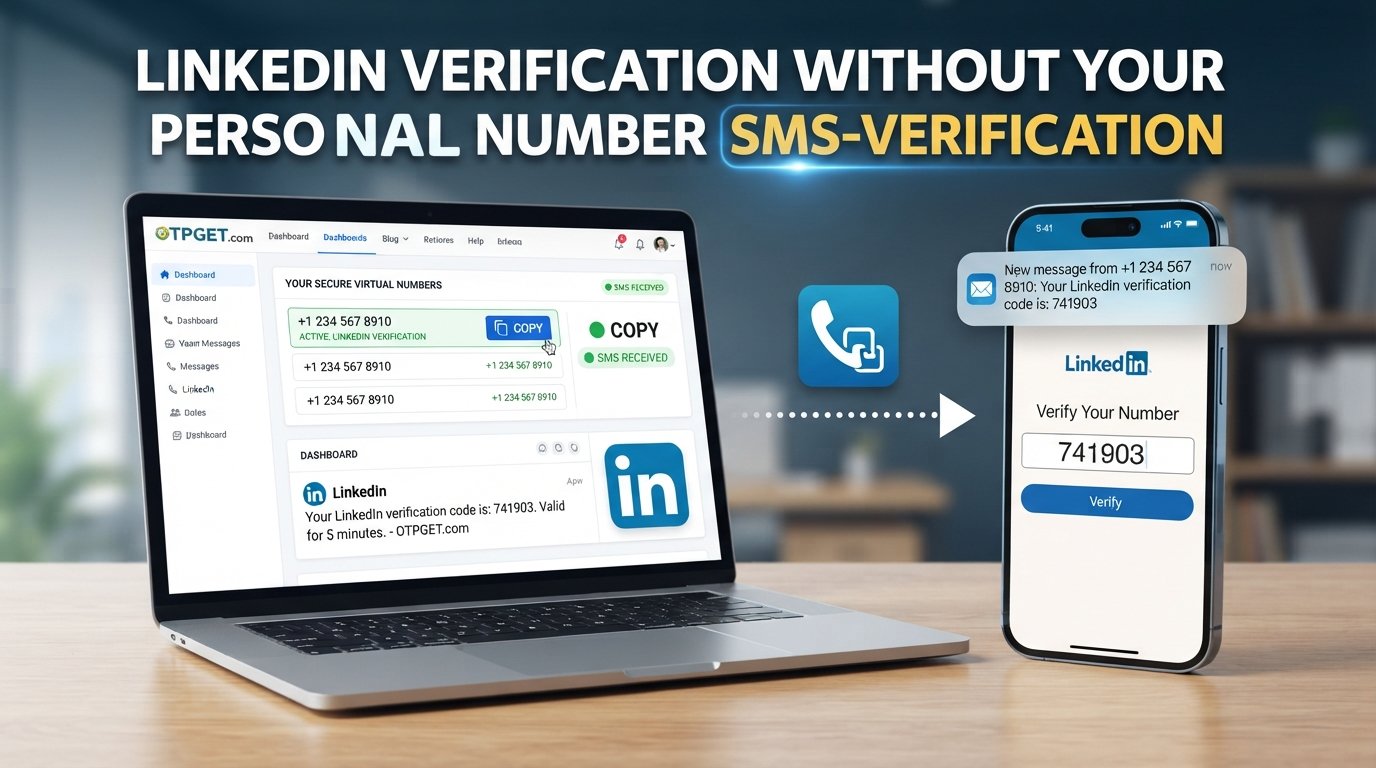
You use a number capable of receiving SMS, provide it through LinkedIn's official verification process, and wait for the verification code to arrive.
The code is then entered into LinkedIn to complete the requested step.
The important distinction is that the alternative number is being used for receiving the verification SMS, not for defeating or circumventing LinkedIn's security controls.
Because online services can apply different rules to phone numbers, there is no guarantee that every online, virtual, or temporary number will be accepted.
How OTPGET Can Help
OTPGET is useful for people who need access to a phone number capable of receiving a verification OTP but would prefer not to expose their primary personal number.
Instead of relying on your everyday phone number for every verification request, you can use an appropriate number available through OTPGET when the platform's verification flow allows it.
The practical benefit is simple: OTPGET provides access to phone numbers for receiving verification OTPs.
That can be useful for legitimate online verification situations where privacy and separation matter.
Some potential advantages include:
- Greater privacy: You do not have to automatically expose your primary personal number.
- Convenience: You can access a number intended for receiving an OTP when needed.
- Separation: Keep professional or online verification activity separate from your personal communications.
- Practical SMS reception: The purpose is to receive the verification message needed for the relevant workflow.
- Privacy-conscious verification: You can consider an alternative number while still following the platform's normal verification process.
OTPGET does not determine whether LinkedIn will accept a particular number. That decision remains with LinkedIn.
Step-by-Step: How to Verify LinkedIn Without Your Own Phone Number
If you are looking for how to verify LinkedIn without your own phone number, the process can be approached as follows:
1. Identify the phone verification requirement
Start by following LinkedIn's official account or security verification flow.
If LinkedIn asks for a phone number and provides an option to enter one, determine whether an alternative number is appropriate for your situation.
2. Obtain an appropriate number through OTPGET
Use OTPGET to access a phone number intended for receiving verification OTPs.
Before proceeding, make sure the number is suitable for the verification process you are completing.
3. Enter the number in LinkedIn's official verification flow
Return to LinkedIn and enter the alternative number where the platform requests a phone number.
Do not use the number to misrepresent your identity or circumvent any account restriction. Use it only for a legitimate verification purpose.
4. Request the verification code
If LinkedIn accepts the number and provides the option to send an SMS, request the LinkedIn verification code.
5. Access the incoming OTP through the appropriate OTPGET interface
Check the relevant OTPGET interface for the incoming verification message.
The exact way you access the message can depend on the service's available workflow.
6. Enter the verification code into LinkedIn
Enter the received OTP into the appropriate LinkedIn verification field.
Make sure you enter the code accurately and follow any additional instructions shown by LinkedIn.
7. Complete any remaining requirements
Phone verification may be only one part of an account or security process. Complete any additional steps LinkedIn presents.
Remember that the exact LinkedIn verification process can change, and not every alternative number will necessarily be accepted.
Benefits of Using OTPGET Instead of Your Personal Number
For users who want a privacy-conscious alternative, using OTPGET for OTP reception can offer several practical advantages:
- Privacy: Keep your primary phone number out of a particular verification workflow when an alternative number is accepted.
- Convenience: Access a number for receiving the SMS verification code you need.
- Personal-professional separation: Keep your LinkedIn-related verification activity separate from your everyday communications.
- Reduced exposure: Avoid unnecessarily sharing your primary contact number with another online service.
- Focused use: Use an alternative number specifically for legitimate OTP reception rather than making your personal number the default for every service.
These benefits are practical rather than absolute. You should always consider the requirements of the specific platform and the importance of the account involved.
Things to Consider Before Using an Online Number for Verification
An online phone number can be useful, but it is not the right choice for every situation.
Not every number is accepted
Some platforms may restrict or reject certain types of phone numbers. LinkedIn may also change how it handles phone verification.
Therefore, using an online or temporary number does not guarantee that the verification process will succeed.
Temporary numbers may not be suitable for recovery
If the account is important and you may need the same phone number for future account recovery, relying on a temporary number could create problems.
Think beyond the immediate OTP. Consider whether you will need ongoing access to the number later.
Verification rules can change
The verification options shown by LinkedIn may vary depending on the account and circumstances. Always follow the instructions presented through LinkedIn's official process.
Use verification services responsibly
An alternative number should be used for legitimate verification purposes. It should not be used to create deceptive identities, evade restrictions, defeat security controls, or misuse a platform.
The goal is privacy and convenience—not bypassing authentication.
Frequently Asked Questions
Can I verify LinkedIn without my personal phone number?
You may be able to do so if LinkedIn's verification flow allows you to enter an alternative number and accepts that number for SMS verification. The available options can vary by account and circumstances.
How can I receive a LinkedIn verification code?
If LinkedIn requests SMS verification, it can send a verification code to the phone number entered in its verification flow. An appropriate alternative number may be used when LinkedIn permits and accepts it.
Can I use an online number for LinkedIn verification?
Possibly. LinkedIn may not accept every type of online, virtual, or temporary number, so acceptance depends on the verification process and the number being used.
What is the best way to receive an OTP without sharing my personal number?
If you prefer not to expose your primary number, an appropriate alternative number that can receive SMS may be worth considering. OTPGET provides access to numbers for receiving verification OTPs for this type of legitimate use.
Does OTPGET provide numbers for receiving verification codes?
Yes. OTPGET provides access to phone numbers for receiving verification OTPs. Whether a specific number is accepted by LinkedIn depends on LinkedIn's own verification requirements.
Is using an alternative phone number safe for verification?
It can be a privacy-conscious option when used appropriately, but you should consider whether the number may be needed again for account recovery. You should also follow LinkedIn's applicable policies and verification requirements.
Why might LinkedIn reject a phone number?
A number may be rejected because of LinkedIn's verification requirements, the type of number being used, account-specific security checks, or other platform rules. If a number is not accepted, follow the verification options LinkedIn provides rather than attempting to bypass the restriction.
Final Thoughts
If you need how to verify LinkedIn without your own phone number, the key is to separate privacy from security.
You do not necessarily have to expose your primary personal number simply because a verification process asks for an SMS-capable phone number. When LinkedIn's verification flow permits an alternative number, you can consider using one specifically for receiving the required OTP.
OTPGET offers a practical option for accessing phone numbers for OTP reception, making it useful for people who want more separation between personal contact information and legitimate online verification.
Just keep the limitations in mind: LinkedIn controls its verification process, not every alternative number will necessarily be accepted, and an online number may not be appropriate for long-term account recovery.
If protecting your personal number is important, explore OTPGET and consider whether an appropriate alternative number fits your LinkedIn verification needs.