Instagram Second Account: A Simple Beginner Setup Guide for You
Instagram Second Account: A Beginner Setup Guide
Running everything through one Instagram profile can get messy quickly. Your personal photos, professional updates, side project, niche interests, and business content may all compete for the same audience.
That’s why an instagram second account can be so useful.
A separate profile gives you more control over what you post and who sees it. You might want one account for friends and family and another for work. Or perhaps you’re building a small business, testing content, documenting a hobby, or creating a page around a specific interest.
Setting up another account is generally straightforward. The part that can cause confusion is verification, especially when Instagram asks for a phone number or sends an SMS verification code. If you’d rather keep a separate number for a secondary account, an OTP service such as OTPGET may be worth considering.
Here’s how the process works and what to keep in mind.
Why Create a Second Instagram Account?
There are plenty of practical reasons to use separate Instagram accounts.
Keep personal and professional content apart. A personal profile can stay casual while a professional profile focuses on work, services, products, or industry-related content.
Build a niche account. If you’re passionate about photography, fitness, food, gaming, travel, fashion, or another topic, a dedicated account can give that content its own identity.
Manage a business or side project. A separate profile can make it easier to establish a recognizable brand without mixing business posts with personal updates.
Reach different audiences. The people interested in your personal life may not be the same people who want to follow your business or hobby.
Test content more deliberately. A separate profile can provide a dedicated space for experimenting with a different content direction while keeping your primary account focused.
The key benefit is organization. Instead of trying to make one profile serve several purposes, you can give each account a clear role.
Can You Have More Than One Instagram Account?
Yes, Instagram supports the use of multiple accounts, making it possible to switch between separate profiles without treating each one as an entirely isolated experience.
This is particularly convenient if you manage personal and business Instagram accounts or operate several pages for different projects.
When setting up multiple accounts, remember that each profile should have its own identity and credentials. Follow Instagram’s current terms, community guidelines, and account requirements, since platform features and verification procedures can change.
The exact menu wording may also vary slightly depending on your device and Instagram app version.
How to Create a Second Instagram Account
If you’re wondering how to create a second Instagram account, the basic process is fairly simple.
Step-by-step setup
-
Open Instagram. Launch the Instagram app and sign in to your existing account.
-
Go to your profile area. Open your profile and look for the account-management or account-switching option.
-
Choose the option to add or create an account. Instagram may present options for creating a new account or adding an account you already have.
-
Create the new profile. Follow the prompts to choose a username and provide the requested registration details.
-
Complete verification if requested. Instagram may ask you to confirm information through email, SMS, or another available verification method.
-
Finish your profile. Add a profile photo, bio, links, and other information that fits the purpose of the account.
-
Check account switching. Once setup is complete, make sure you can move between your profiles easily before you start posting.
Choose a username that clearly distinguishes the new account from your existing one. If the accounts have different purposes, giving them visibly different profile photos and bios can also reduce mistakes later.
What If Instagram Asks for a Phone Verification Code?
Phone verification can be one of the less convenient parts of an Instagram account setup.
A platform may request a phone number to help confirm that an account registration or login is legitimate. If SMS verification is required, you’ll typically receive a one-time password, commonly called an OTP, which you enter into the verification screen.
There are several reasons someone might prefer not to use their everyday personal number for another account. For example, you may want to keep registration details separate, avoid attaching another project directly to your personal contact information, or simply maintain better organization across your accounts.
This is where a secondary phone number can be useful.
If Instagram accepts the number and service for your particular registration, OTPGET provides temporary and rental phone numbers intended for receiving SMS verification codes. Its documentation describes a process for selecting an available number and checking for an incoming SMS code.
The important point is that an OTP service should be treated as a verification option—not as a way to bypass Instagram’s security requirements. Whether a particular number works can depend on the platform, country, carrier, and current availability.
OTPGET: A Convenient Option for Instagram Verification
If you need a temporary phone number for Instagram or simply want a secondary number for a legitimate registration, OTPGET can fit naturally into the setup process.
OTPGET provides virtual phone numbers and SMS OTP services. Its published documentation also describes rental numbers for users who need access to a number for a longer period rather than a single verification.
For someone creating a second Instagram account, the appeal is straightforward: you can keep the registration details for that account separate from your usual personal number when Instagram permits the use of the selected number.
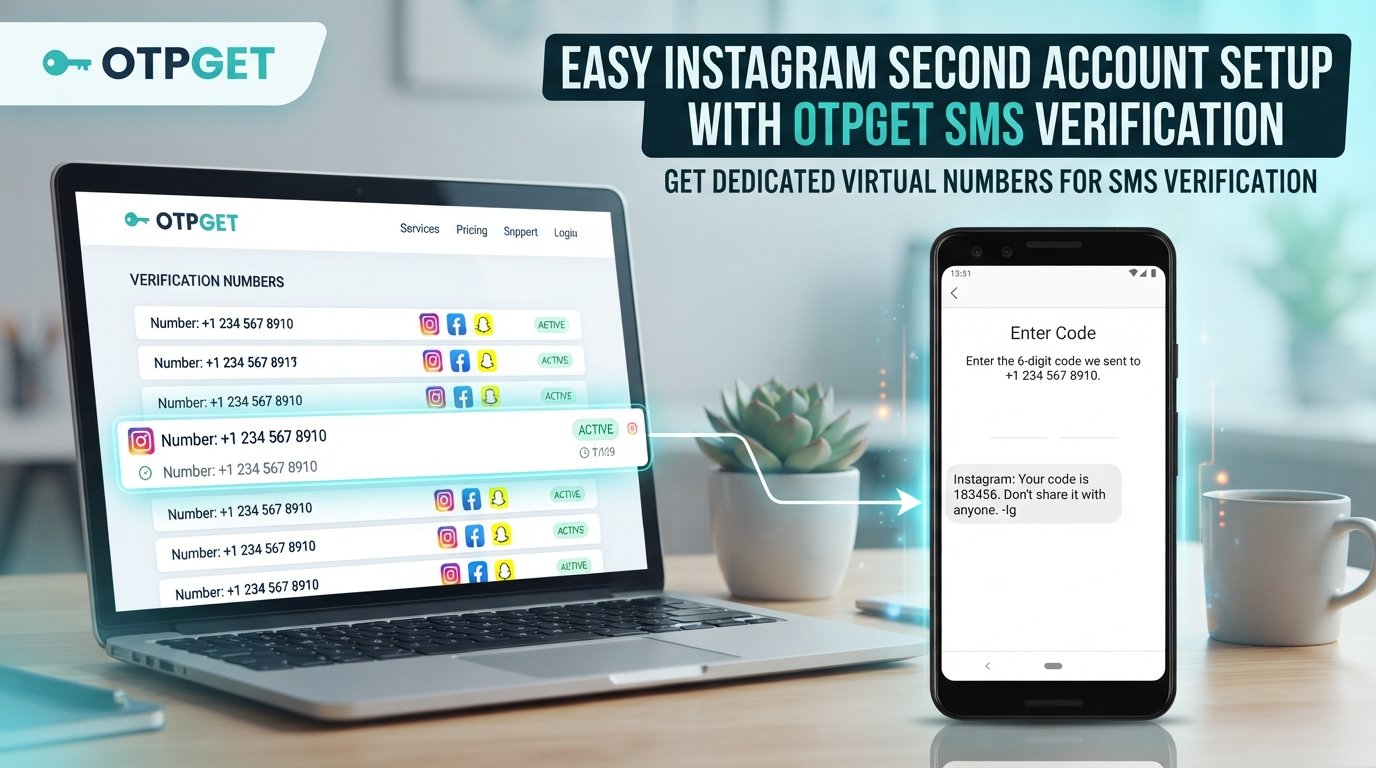
A simple verification workflow
-
Choose an appropriate number through OTPGET. Availability depends on the country, provider, and service.
-
Enter the number during account registration if Instagram offers phone verification and accepts that number.
-
Request the Instagram verification code through Instagram’s normal verification screen.
-
Check OTPGET for the incoming SMS. OTPGET’s SMS service provides access to received verification messages for supported orders.
-
Enter the valid code in Instagram.
-
Continue the account setup once Instagram accepts the verification.
There’s no need to assume every number will work in every situation. OTP delivery and platform acceptance can vary, so always follow the requirements shown by Instagram and check the availability information provided by OTPGET.
For users who simply want a separate number for a secondary registration, that distinction matters. OTPGET is a separate service providing virtual-number infrastructure; it does not mean Instagram has officially endorsed or partnered with it.
Why Use a Separate Number for a Second Instagram Account?
A secondary number can make account organization easier in several ways.
-
Separate registration details: Your secondary profile doesn’t necessarily have to rely on the same personal number you use elsewhere.
-
Better organization: Keeping project-related registration information separate can make account management less confusing.
-
Less dependence on your personal SIM: You have another option when you don’t want to use your everyday number for a particular registration.
-
Useful for dedicated projects: A business, hobby, or niche account can have its own contact and registration setup.
-
More flexibility: A rental number may be useful when you need continued access rather than a single SMS activation, depending on the service and platform requirements.
Still, think beyond the initial signup. If an account later requires recovery or another security check, you need to understand how you’ll maintain access to the relevant verification method.
Tips for Managing Multiple Instagram Accounts
Creating two Instagram accounts is easy enough. Managing them without accidentally posting from the wrong profile is where good habits matter.
Give each account a clear identity
Use different usernames, profile images, and bios. The visual distinction makes account switching much safer when you’re posting quickly.
Use strong, unique passwords
Avoid recycling the same weak password across profiles. Separate credentials reduce the risk of one compromised password affecting multiple accounts.
Turn on available security features
Review Instagram’s available login and security settings for each account. Features can change, so check what Instagram currently offers rather than relying on an old setup guide.
Keep recovery information organized
Know which email address, phone number, or other recovery method belongs to each account. A simple password manager or secure personal record can prevent unnecessary confusion.
Check the active account before posting
This sounds obvious, but it’s one of the easiest mistakes to make. Before publishing a post, story, or Reel, glance at the active profile.
Keep each account within Instagram’s rules
Multiple accounts don’t remove the need to follow Instagram’s community standards and other applicable platform requirements. Avoid behavior that could create problems for any of your profiles.
Common Mistakes When Creating a Second Instagram Account
A few simple mistakes can make an otherwise easy setup frustrating.
Choosing confusing usernames: If your accounts look almost identical, you can easily mix them up. Choose names that are clearly distinguishable.
Reusing weak passwords: Multiple profiles shouldn’t mean one password everywhere. Use unique credentials.
Forgetting which account is active: Always check the profile before posting, messaging, or changing settings.
Ignoring verification requirements: If Instagram requests a verification code, complete the legitimate verification step instead of trying to work around it.
Using an unreliable number: A number that cannot receive the required SMS won’t help. Check availability before starting the registration process.
Forgetting about future access: If you use a temporary number, think carefully about whether you’ll need that number again for account recovery. A temporary solution may not be appropriate when long-term access to the number is important.
OTPGET’s published policies also distinguish between temporary OTP numbers and longer-term rental numbers, so choose the option based on how you intend to use the account.
FAQ
Can I have a second Instagram account?
Yes. Instagram supports multiple accounts and provides account-switching functionality. The exact setup and menu labels may vary by app version.
How do I create a second Instagram account?
Open Instagram, go to your profile/account controls, choose the option to add or create an account, then follow the registration prompts. Complete any verification Instagram requests.
Can I use a different phone number for another Instagram account?
If Instagram requests a phone number, a separate eligible number may be an option. Acceptance can depend on Instagram’s current requirements and the number’s country or carrier.
Why does Instagram ask for a verification code?
A verification code can be used to confirm a phone number or help protect account registration and login activity. The exact reason and verification method can vary.
What is an Instagram OTP?
OTP means one-time password. In an SMS verification flow, it is the temporary code sent to a phone number that you enter to complete verification.
Can OTPGET help with receiving an Instagram verification code?
OTPGET offers virtual numbers and SMS OTP services that can be used for supported verification purposes. However, there is no guarantee that every number will be accepted by Instagram or that every requested SMS will arrive.
What should I do if my verification code does not arrive?
First, check that the number is correct and that the service supports the requested verification. Wait briefly and follow Instagram’s available resend options. If you’re using an OTP service, also check its order or activation status and the service’s current availability.
Final Thoughts
Creating an instagram second account can make your online presence much easier to organize. Whether you’re separating personal and professional content, building a niche page, managing a side project, or simply keeping different audiences apart, a dedicated profile gives each purpose more room to grow.
The setup itself is usually simple: create the account, choose a clear identity, complete the requested verification, and put sensible security practices in place.
If phone verification becomes the sticking point, a secondary number can be a practical alternative to relying on your personal number. OTPGET is one option to explore for receiving SMS verification codes through an available virtual number, provided the number and use case are accepted by Instagram.
Need a separate number for verification? Explore OTPGET to find an available option that fits your setup, and always follow Instagram’s current verification and account requirements.