How to Receive WhatsApp SMS From Philippines Online – OTPGet
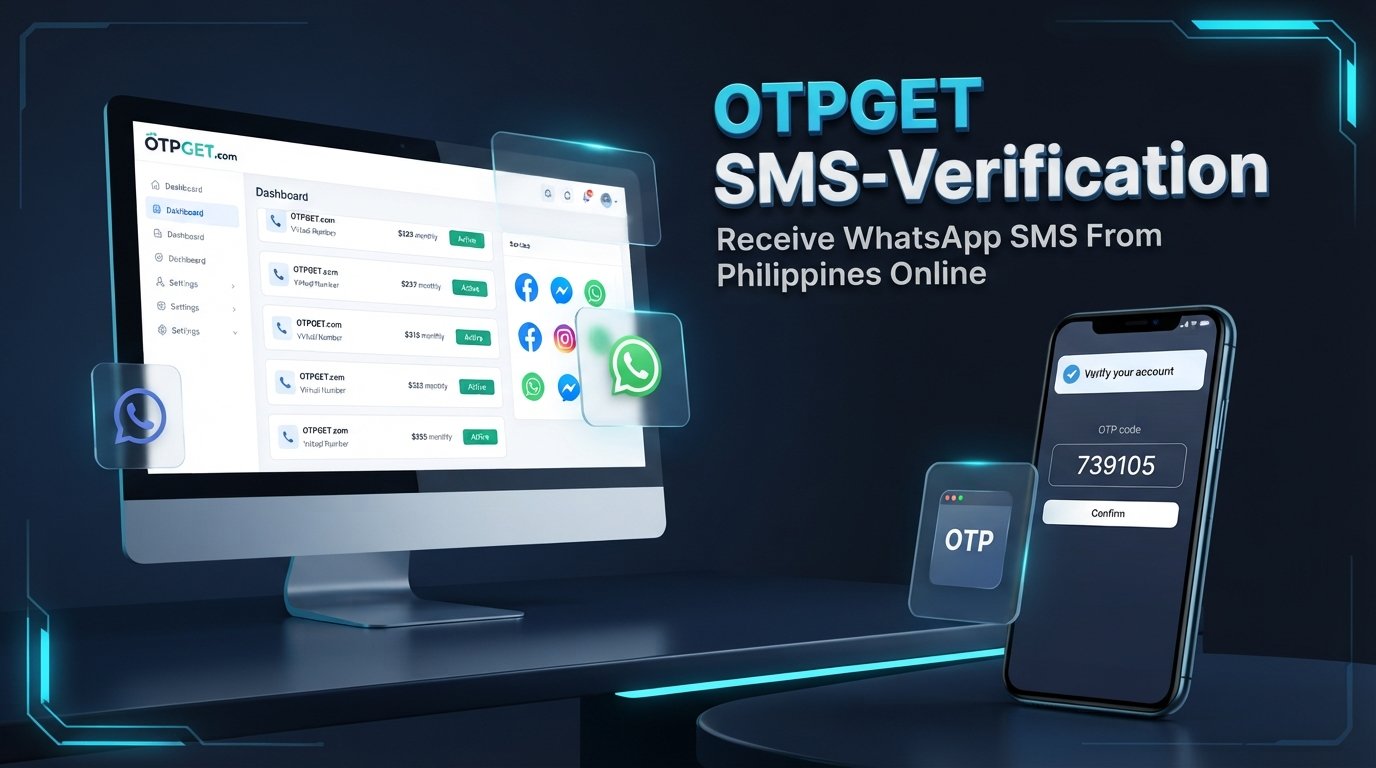
How to Receive WhatsApp SMS From Philippines Online – OTPGet
If you want to receive WhatsApp SMS from Philippines online, an online SMS reception service may offer a convenient alternative to obtaining a separate physical SIM card. These services provide access to phone numbers that can receive text messages through an online interface, depending on the number type and the provider's capabilities.
OTPGet is a service worth investigating if you are looking for a Philippine virtual phone number for SMS verification. Its website lists virtual numbers, multiple supported services, and a Philippines country option. However, available numbers and compatibility can change, and receiving an SMS does not guarantee that WhatsApp will accept the number. Explore OTPGet's official website.
In this guide, you'll learn how online SMS reception works, how to check OTPGet's available options, what to do when a verification code does not arrive, and how to protect your account and personal information.
What Does It Mean to Receive WhatsApp SMS From the Philippines Online?
Receiving WhatsApp SMS online means accessing text messages sent to a phone number through a web-based platform or another supported online interface instead of relying exclusively on a physical phone.
A Philippines virtual phone number is a number made available through a virtual-number service rather than necessarily being tied to a traditional SIM card in your device. Depending on the provider, the number may support temporary verification, longer-term rental, or other communication purposes.
The process generally works as follows:
-
A user checks which countries and services a provider supports.
-
The user selects an eligible number, subject to availability and applicable terms.
-
The intended application sends a verification message if it accepts that number.
-
The user checks the provider's designated online SMS inbox for the incoming message.
This explains how people can receive SMS online in the Philippines without managing another physical SIM.
However, three things must be distinguished: number availability, SMS delivery, and WhatsApp acceptance. A number might be available but unable to receive messages from a particular sender. It might receive ordinary SMS but still be rejected for WhatsApp registration.
For this reason, WhatsApp SMS verification in the Philippines depends on more than simply finding an online number.
Why Do People Look for a Philippine Number for WhatsApp?
There are several legitimate reasons to research a Philippine phone number for WhatsApp.
-
Travel and relocation: Travelers and expatriates may want a number associated with the Philippines for local communications.
-
International communication: People who regularly communicate with Philippine contacts may prefer to maintain an appropriate local number.
-
Application testing: Developers and quality-assurance teams may need authorized test numbers to evaluate their own verification workflows.
-
Business communications: Organizations operating across regions may need additional numbers for legitimate, properly managed communication channels.
-
Personal number separation: Some users prefer to keep certain communications separate from their primary phone number.
A Philippine number does not automatically change your location, account eligibility, or access to WhatsApp features. The number must meet the application's requirements, and you must be authorized to use it.
WhatsApp's official registration guidance states that users must register a phone number they own and be able to receive the required verification message. Review the current requirements before selecting a number.
Why Consider OTPGet for Online SMS Reception?
OTPGet is a practical starting point for readers researching an online SMS receiver in the Philippines. Its official website describes virtual numbers for verification and lists WhatsApp among its supported services, alongside a Philippines country option. These listings indicate that the service is relevant to this use case, but they do not guarantee that a compatible Philippine number will be available when you need one.
Potential benefits of an online SMS reception platform include browser-based message access, a centralized inbox, and fewer physical SIM-management requirements for supported use cases.
Before purchasing or selecting a number through OTPGet, check the following details directly on the platform:
-
Philippine number availability: Confirm that a suitable number is currently listed.
-
WhatsApp compatibility: Check whether WhatsApp is explicitly offered for the selected country and number type.
-
Incoming SMS support: Verify that the number can receive the specific messages you need.
-
Pricing and restrictions: Review the displayed price, usage conditions, and any applicable fees.
-
Number duration: Understand whether the number is temporary or available for longer-term use.
-
Privacy policies: Determine whether incoming messages are private, shared, or accessible to other users.
These checks help you make an informed choice rather than assuming every listed virtual number will work for WhatsApp.
Ready to explore your options? Visit the official OTPGet website and review the current country listings, supported services, and terms before proceeding.
How to Receive WhatsApp SMS From the Philippines Online Using OTPGet
Follow these steps to investigate the available options and proceed responsibly.
Step 1: Visit OTPGet
Open the official OTPGet website and review the available virtual-number services. Familiarize yourself with the ordering process, account requirements, and published terms before making a purchase.
Step 2: Check for a Philippine number
Look for the Philippines in the country selector or current number listings. Availability can change, so do not assume that a number will always be in stock.
If no suitable option appears, consider checking again later or using a legitimate mobile number you control.
Step 3: Confirm WhatsApp support
Check whether WhatsApp is explicitly listed for the specific Philippine number or service option. A number that receives ordinary text messages may not be eligible for WhatsApp verification.
If the listing does not clearly establish compatibility, consult the provider's documentation before proceeding.
Step 4: Review the terms and privacy information
Check the cost, duration, permitted use, and method for viewing incoming messages. Determine whether the number is shared or dedicated and whether you will retain access after the initial verification.
This step is particularly important if you intend to use the number for an account that you may need to recover later.
Step 5: Follow WhatsApp's official verification process
Open WhatsApp and follow its registration instructions. Enter only a phone number you are authorized to use, selecting the appropriate country code and entering the number in the required format.
Request verification through the options WhatsApp provides. Do not attempt to bypass verification or circumvent restrictions.
Step 6: Check for an incoming SMS
If the selected number supports the service and the message is delivered, follow OTPGet's documented instructions to view the incoming SMS.
An OTP, or one-time password, is a temporary verification credential. Treat it as sensitive information and do not share it with anyone.
Step 7: Complete verification only if supported
Enter the code in the official WhatsApp application if the number is accepted and the code is valid.
Successful registration depends on number eligibility, message delivery, and WhatsApp's verification requirements. If WhatsApp rejects the number, use an eligible number you control and consult official support guidance instead.
Benefits of Using an Online SMS Reception Service
Online SMS reception services can be useful when their capabilities match the user's requirements.
-
Convenience: Browser-based access may make it easier to view incoming messages without switching between multiple devices.
-
Simpler SMS access: Supported services may provide a centralized place to view verification messages.
-
Fewer physical SIM requirements: Some online-number workflows do not require the user to insert an additional SIM into a phone.
-
Flexible number options: Providers may offer different countries, number types, or rental durations.
-
Testing workflows: Suitable services may help developers test authorized applications and verification processes.
These are general benefits of the category, not guarantees that every feature is available for every OTPGet number.
Before choosing a service, compare reliability, WhatsApp acceptance, ongoing number control, pricing, and privacy. Convenience alone is not enough if you need reliable access to an important account over time.
Is It Possible to Receive WhatsApp OTP Codes Online?
Yes, it may be possible in some circumstances, but it is not guaranteed. A compatible online number must be available, capable of receiving the required message, and accepted by WhatsApp.
Keep these limitations in mind:
-
Not every virtual number supports WhatsApp verification.
-
WhatsApp may reject certain number types or individual numbers.
-
SMS delivery may be delayed or unavailable.
-
Shared inboxes may expose verification codes to other people.
-
Receiving a code does not guarantee successful account registration.
WhatsApp's official phone-number registration requirements explain that unsupported number types include VoIP numbers, toll-free numbers, paid premium numbers, and certain other categories. Eligibility should therefore be checked rather than assumed.
OTPGet is worth investigating for supported options, but it should not be treated as a guaranteed verification method.
Common Problems and How to Troubleshoot Them
The verification SMS does not arrive
Check that the selected number supports WhatsApp, remains available, and is being viewed through the correct message interface. Follow the provider's documented instructions and check WhatsApp's official troubleshooting guidance.
WhatsApp rejects the number
The number may be unsupported or otherwise ineligible. Acceptance is determined by WhatsApp, not solely by the SMS provider. Use an eligible number you are authorized to use rather than repeatedly trying unsuitable numbers.
The SMS arrives late
Message delivery can depend on the sender, the number, and the receiving service. Wait for any countdown or retry period shown by WhatsApp, and avoid repeatedly requesting new codes.
The number is unavailable
Check OTPGet's current listings for other suitable options. If none is available, consider a legitimate Philippine mobile number or another eligible number you control.
Privacy is a concern
Find out whether incoming messages are visible to other users and whether the number may be reassigned. Avoid shared numbers for important personal accounts, especially where ongoing access and recovery are essential.
These are general troubleshooting suggestions, not a substitute for OTPGet's own support instructions.
Privacy and Security Considerations
A verification code is a security credential, not an ordinary text message. Anyone who obtains a valid code may be able to interfere with an account-registration or recovery process.
Before using an online SMS reception platform, take these precautions:
-
Read the provider's privacy policy and understand how messages are handled.
-
Determine whether the number is shared, temporary, or recycled.
-
Avoid public inboxes for sensitive personal, financial, or business accounts.
-
Never share your WhatsApp registration code with strangers.
-
Use a number you are authorized to access.
-
Keep your account recovery methods under your control.
-
Follow WhatsApp's terms and applicable laws.
A temporary number can create a long-term problem if you later lose access to it. Someone who receives a reassigned number may be able to receive future messages sent to that number.
Do not assume that an online SMS provider offers private inboxes, encryption, or particular security certifications unless its documentation confirms those details. For an important account, a personal mobile number or another eligible number under your ongoing control is usually the more prudent choice.
OTPGet vs. Other Ways to Receive SMS
Different options suit different needs. The right choice depends on convenience, eligibility, privacy, and long-term access.
| Option | Main advantage | Main limitation |
|---|---|---|
| Online SMS reception service such as OTPGet | Convenient online access where supported | Availability, compatibility, and inbox privacy can vary |
| Personal Philippine SIM or eligible mobile number | Greater direct control over messages and number access | May require obtaining and maintaining a mobile connection |
| Number from an authorized telecommunications provider | Direct service relationship and potentially ongoing access | Costs, registration requirements, and availability depend on the provider |
An online service may be useful for a supported, low-risk verification task. A personal number is generally preferable when you need continued access to WhatsApp, account recovery, and future verification messages.
OTPGet is a useful starting point if its current listings meet your requirements. Compare the available terms carefully rather than assuming one option is best for everyone.
Frequently Asked Questions
1. Can I receive WhatsApp SMS from the Philippines online?
Potentially, yes. You need a Philippine number that can receive the message and is accepted by WhatsApp. Neither online availability nor successful delivery is guaranteed.
2. How can I check whether OTPGet supports Philippine numbers?
Visit the official OTPGet website, check the current country listings, and confirm that WhatsApp is supported for the specific number option you intend to use.
3. Can I use a virtual Philippine number for WhatsApp verification?
Possibly, but not every virtual number is eligible. Check WhatsApp's current registration requirements and ensure that you are authorized to use the number.
4. Is it free to receive WhatsApp OTP codes online?
Pricing depends on the provider and the selected service. Check OTPGet's current pricing and any applicable charges before ordering. Do not assume that a free account means verification numbers are free.
5. Why might WhatsApp reject an online number?
The number may belong to an unsupported category, may not meet WhatsApp's requirements, or may otherwise be ineligible. Use a supported number you control and follow official guidance.
6. Are online SMS inboxes safe for personal accounts?
Not necessarily. Depending on how the service operates, other users may be able to see incoming messages. Avoid shared inboxes for sensitive accounts and prioritize numbers you can retain and control.
7. What should I do if my WhatsApp verification SMS never arrives?
Confirm the number and country code, check the provider's documented message-viewing process, and follow WhatsApp's retry instructions. If delivery still fails, use an eligible number you control or consult official support.
Conclusion — Choose the Right Way to Receive WhatsApp SMS
Finding a way to receive WhatsApp SMS from the Philippines online starts with understanding how virtual numbers work and what verification actually requires. A number must be available, able to receive the relevant message, and accepted by WhatsApp.
OTPGet is a useful service to investigate because its website lists virtual-number services, WhatsApp support, and a Philippine country option. However, you should verify current availability, compatibility, pricing, and privacy conditions before selecting a number.
Visit OTPGet's official website, review the supported services, and choose an option that fits your needs. If ongoing access and account recovery are important, consider using a personal mobile number you control. A careful choice is more valuable than simply finding the quickest-looking verification option.