How Does SMS OTP Verification Work? A Complete Guide
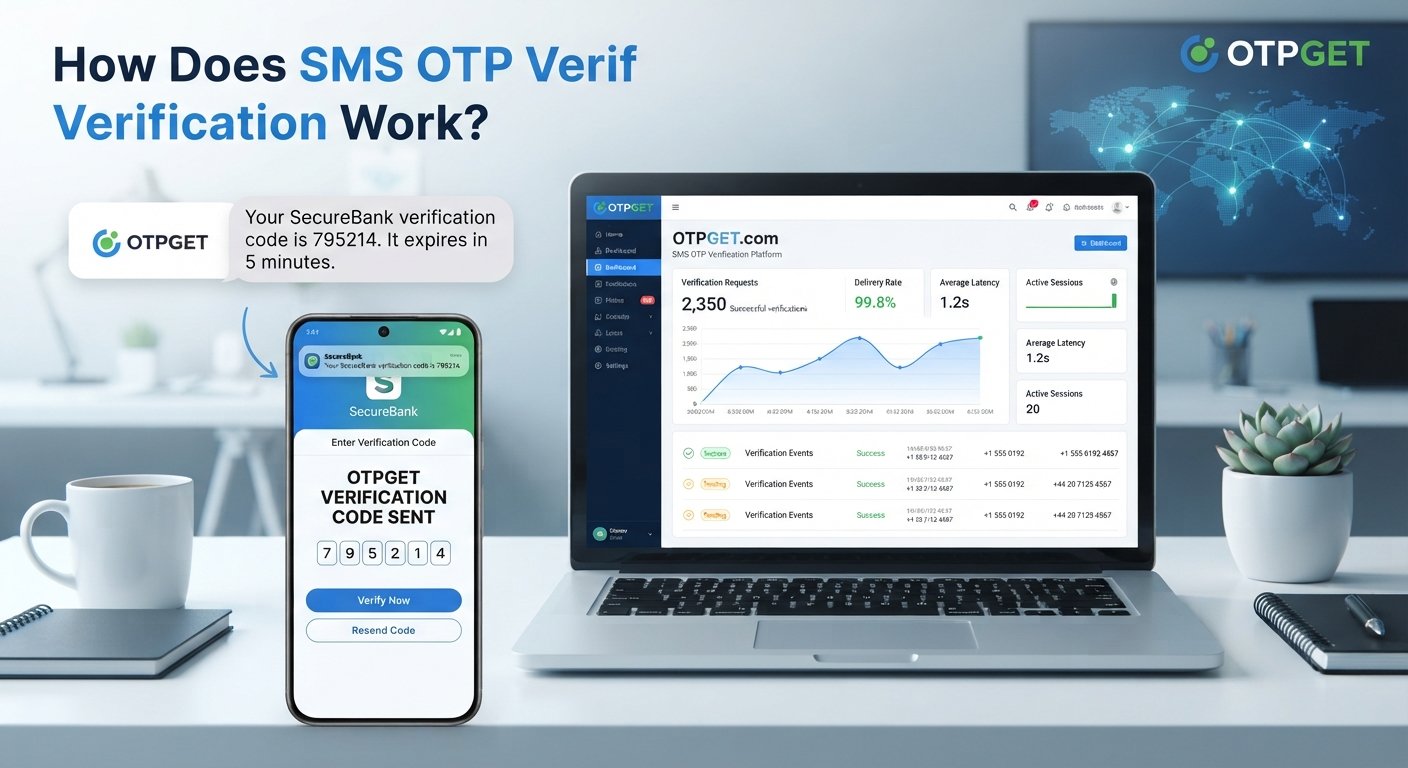
How Does SMS OTP Verification Work?
If you have ever created an online account and received a text message containing a short verification code, you have already used SMS OTP verification.
SMS OTP verification is a common way for websites, mobile apps, SaaS platforms, e-commerce services, and other digital products to confirm that a user has access to a particular phone number. Instead of relying only on a password, the system sends a temporary one-time password (OTP) to the user's mobile device. The user enters that code, and the application checks whether it matches the code it generated.
This simple process can help businesses verify phone numbers, support account registration, strengthen login flows, and confirm sensitive actions.
For businesses considering an OTP verification solution, understanding what happens behind the scenes is important. This guide explains how SMS OTP works, where it is used, its benefits and limitations, implementation best practices, and where a solution such as OTPGET can fit into the verification process.
What Is SMS OTP Verification?
SMS OTP verification is an authentication and verification process that uses a temporary code delivered through SMS.
OTP stands for one-time password. In many implementations, it is a short numeric code generated for a specific verification attempt. The code is usually valid for a limited period and is intended to be used only once.
For example, imagine someone creates an account on an online service:
- They enter their mobile number.
- The service generates a verification code such as
583214. - The code is sent to that number through SMS.
- The user enters the code on the website or app.
- The system checks the submitted code.
- If it matches the expected value and is still valid, the phone number is verified.
The important distinction is that an OTP is not normally a permanent password. It is a temporary verification code associated with a particular authentication event.
How Does SMS OTP Verification Work?
Here's how the process works from the user's action to successful verification.
1. User Enters a Phone Number
The process usually begins when a user provides a mobile number during registration, login, password recovery, or another verification flow.
The application sends this number to its verification system.
2. The Application Requests an OTP
The website or app requests a one-time password for that specific user action.
Behind the scenes, the verification workflow needs to associate the OTP with relevant information, such as the phone number, verification attempt, and expiration period.
3. The OTP Is Generated
A verification system generates a temporary code.
The code should be generated using an appropriate secure mechanism rather than a predictable pattern. Depending on the application, it may contain several numeric digits.
4. The OTP Is Sent Through SMS
The generated code is passed to an SMS delivery system, which sends the message to the user's mobile number.
A typical message might say:
Your verification code is 583214. It expires shortly.
The exact wording depends on the application's messaging design.
5. The User Receives the Code
The user opens the SMS and reads the verification code.
This is one reason SMS-based verification is familiar to many users: it does not generally require them to install a separate authentication application simply to complete a basic phone-number verification flow.
6. The User Enters the OTP
The user enters the received code into the website or mobile application.
The application then sends the submitted value to the verification system.
7. The System Validates the Code
The verification system checks whether the submitted OTP is valid.
It may verify factors such as:
- Whether the code matches
- Whether the code has expired
- Whether it has already been used
- Whether too many attempts have been made
- Whether the request falls within applicable rate limits
8. The User Is Verified
If the submitted code passes the required checks, the application can mark the relevant verification step as successful.
This could mean confirming a phone number, completing registration, allowing a login step, or authorizing another action.
Why Do Websites and Apps Use SMS OTP Verification?
For businesses, the value of OTP verification goes beyond simply sending a text message. It provides a practical way to connect a digital account or action with access to a particular phone number.
Common applications include:
- Account registration: Confirm that a new user has access to the submitted number.
- Login verification: Add another verification step during account access.
- Password recovery: Confirm a user's access to a registered phone number before continuing with account recovery.
- New-device verification: Add a verification step when access comes from a new device.
- Customer onboarding: Verify contact information during signup.
- E-commerce accounts: Confirm users during registration or selected account actions.
- Financial applications: Add verification to selected sensitive workflows, subject to the application's broader security controls.
- SaaS platforms: Support account and user authentication flows.
- Sensitive actions: Confirm certain actions before they are completed.
The exact role of SMS OTP depends on the product's authentication design. It can be used for simple phone-number verification or as one component of a broader authentication system.
What Are the Benefits of SMS OTP Verification?
When implemented appropriately, SMS OTP verification can provide several practical benefits.
Easy User Verification
Users can verify a phone number by entering a code they receive through SMS. The interaction is straightforward and familiar.
Reduced Reliance on Passwords
OTP authentication can reduce dependence on passwords for particular workflows. A service can use a temporary code to verify a phone number or provide an additional authentication step.
Faster Account Verification
Automated OTP workflows can allow users to complete verification during registration rather than waiting for a manual review.
Phone-Number Ownership Checks
Receiving and entering an OTP provides a practical mechanism for checking whether a user can access the supplied mobile number.
Additional Authentication Layer
SMS OTP can be used alongside a password or another authentication factor. In that configuration, it can contribute to a broader two-factor authentication strategy.
Less Onboarding Friction
A familiar SMS-based flow can make verification easier to understand, particularly when users need to complete the process quickly.
SMS OTP Verification vs Password-Based Authentication
SMS OTP and passwords serve different purposes, and an application can use either approach or combine them.
| Authentication approach | How it works | Common role |
|---|---|---|
| Password authentication | User enters a previously created password | Standard account login |
| SMS OTP authentication | User receives and enters a temporary code | Phone verification or passwordless/step-up flows |
| Password + OTP | User provides a password and a temporary code | Additional authentication layer |
A password is generally intended to remain associated with an account until it is changed. An OTP, by contrast, is temporary and tied to a particular verification event.
For that reason, SMS OTP does not automatically replace password authentication. Some products use OTP as the primary login mechanism, while others use it as an additional verification factor.
What Makes an Effective SMS OTP Verification Solution?
For businesses, the real challenge is not simply generating a six-digit code. The complete verification workflow needs to work reliably and provide a good user experience.
Important considerations include:
- OTP delivery: Verification codes need a dependable path to the user's phone.
- Delivery speed: Delays can cause users to abandon a verification process or request unnecessary new codes.
- API integration: Developers need a practical way to connect verification functionality with their application.
- Scalability: The workflow should fit the business's expected verification volume.
- Geographic coverage: Businesses serving users in multiple markets need to consider where verification messages can be delivered.
- Security controls: OTP generation, validation, expiration, and access controls should be designed carefully.
- Monitoring: Teams benefit from visibility into failed or unusual verification attempts.
- Error handling: Expired codes, incorrect codes, duplicate requests, and delivery issues should be handled clearly.
- User experience: Instructions and error messages should make the next step obvious.
- Cost: SMS usage and verification volume can affect the overall cost of an authentication workflow.
- Support: Businesses should consider the level of technical and operational support available for the solution.
A practical implementation starts with the entire user journey rather than SMS delivery alone.
How OTPGET Helps With SMS OTP Verification
Businesses that need SMS OTP verification often face a common challenge: building a complete verification workflow requires more than creating a code.
The application has to initiate verification requests, send the appropriate SMS, receive the user's submitted OTP, validate it, manage expiration and retries, and handle unsuccessful attempts. Building every part internally can add development and operational complexity.
OTPGET is designed for businesses looking for an SMS OTP verification solution that can support this type of verification workflow.
Rather than treating OTP verification as an isolated SMS message, businesses can evaluate OTPGET in the context of their broader user authentication and phone-number verification requirements.
The right implementation will depend on the application's architecture, verification needs, expected traffic, target users, and security requirements. Before selecting a provider, businesses should evaluate the capabilities they specifically need and how the solution fits into their existing technology stack.
For teams looking to simplify the process of implementing SMS-based verification, OTPGET is worth exploring as part of that evaluation.
Common Examples of SMS OTP Verification
Example 1: New Account Registration
A user enters a phone number while signing up. The application requests an OTP, the user receives it by SMS, and enters the code into the registration form.
Once the code is validated, the application can treat the phone number as verified and continue the account creation process.
Example 2: Login Verification
A service may ask an existing user for an OTP after they enter their normal login credentials.
The additional code can act as another verification step before access is granted.
Example 3: Password Recovery
A user who cannot remember their password may request account recovery.
The service can send an OTP to a previously registered phone number. After successful verification, the user can proceed through the application's password-reset workflow.
Example 4: Transaction or Sensitive Action
An application may require additional verification before allowing a selected sensitive action.
The user receives a temporary code and enters it to confirm the action. Whether this approach is appropriate depends on the application's risk model and security architecture.
Is SMS OTP Verification Secure?
SMS OTP verification can provide a useful authentication layer, but it should not be treated as a complete solution to every security threat.
Temporary codes, expiration periods, attempt limits, rate limiting, and secure OTP generation can reduce opportunities for misuse. Applications should also protect the APIs and systems responsible for generating and validating codes.
However, SMS-based authentication has known risks.
For example, attackers may attempt SIM swapping, phishing, malware-based attacks, or unauthorized access to a compromised device. Social engineering can also target users directly.
That is why organizations should consider the sensitivity of the action being protected. Higher-risk environments may require stronger authentication methods or additional controls alongside SMS OTP.
The goal is not to assume that an OTP eliminates risk. Instead, it should be implemented as one part of a carefully designed authentication and verification system.
Best Practices for Implementing SMS OTP Verification
A well-designed OTP verification flow should balance security, usability, and operational reliability.
Consider these practices:
- Keep OTP expiration periods limited.
- Restrict the number of verification attempts.
- Apply rate limiting to OTP requests and validation attempts.
- Use secure and unpredictable OTP generation.
- Protect OTP APIs with appropriate authentication and access controls.
- Avoid unnecessarily storing or logging sensitive OTP values.
- Give users clear feedback when a code is incorrect or expired.
- Handle expired codes gracefully.
- Allow users to request a new code while preventing excessive requests.
- Monitor unusual verification activity and repeated failures.
- Design messages and forms so users understand exactly what to do.
- Consider stronger authentication methods for high-risk scenarios.
It is also useful to separate the OTP-generation process from the business logic that decides what the user is allowed to do after successful verification. This makes the overall verification system easier to reason about and maintain.
Why Choose OTPGET for SMS OTP Verification?
For many businesses, building an SMS OTP workflow internally can mean handling several moving parts at once: verification logic, SMS delivery, code validation, expiration, retry behavior, and user-facing error handling.
A dedicated OTP solution can help reduce that implementation complexity and allow development teams to concentrate more heavily on their core product.
OTPGET gives businesses a solution to consider when they need to implement SMS OTP verification workflows for websites, applications, platforms, or online services.
The most important question is whether the solution fits the specific requirements of the business, including its authentication design, target users, technical architecture, verification volume, and security expectations.
If your business is evaluating ways to implement phone-number verification or SMS-based authentication, explore OTPGET to see how it may fit into your verification workflow.
Frequently Asked Questions About SMS OTP Verification
What is SMS OTP verification?
SMS OTP verification is a process in which a temporary one-time password is sent to a user's phone through SMS. The user enters the code into an application, which validates it before completing the requested verification step.
How does an SMS OTP work?
An application requests an OTP, a temporary code is generated and sent to the user's phone, and the user enters the code into the application. The system checks the code, its validity period, and applicable verification rules before confirming the request.
Is SMS OTP the same as two-factor authentication?
Not necessarily. SMS OTP can be used as one factor in a two-factor authentication flow, particularly when combined with a password. It can also be used independently for phone-number verification, account recovery, or other workflows.
How long should an OTP remain valid?
There is no single expiration period suitable for every application. Businesses should choose a limited validity window appropriate to their risk level and user experience, while also considering delivery delays and retry behavior.
Why do SMS OTP codes sometimes fail to arrive?
Possible causes include mobile network delays, incorrect phone numbers, carrier-related issues, messaging restrictions, temporary delivery problems, or excessive verification requests. Applications should provide a controlled resend process and clear guidance when delivery does not occur.
Can SMS OTP be used for login verification?
Yes. SMS OTP can be used as part of a login verification flow. Depending on the application's design, it can serve as an additional authentication factor or as the primary mechanism for a passwordless login experience.
Is SMS OTP secure?
SMS OTP can add a useful verification layer, but it has limitations. Risks such as phishing, SIM swapping, compromised devices, and social engineering mean that businesses should combine OTP authentication with appropriate security controls.
How can a business implement SMS OTP verification?
A business typically needs an application workflow that requests OTPs, generates or obtains verification codes, sends them through SMS, validates submitted codes, manages expiration and retries, and handles failed attempts. A dedicated solution such as OTPGET can be considered when evaluating how to implement this workflow.
Conclusion
SMS OTP verification provides a straightforward way for businesses to verify phone-number access and add authentication steps to digital experiences.
The basic process is simple: a user provides a phone number, the application requests a temporary OTP, the code is delivered through SMS, the user enters it, and the system validates the submission. Behind that simple experience is a verification workflow involving code generation, expiration, validation, rate limiting, delivery handling, and security controls.
Businesses use this approach for account registration, login verification, password recovery, onboarding, and selected sensitive actions. The right implementation depends on the application's security requirements and user experience goals.
For businesses that do not want to build every part of an SMS OTP workflow from scratch, a dedicated OTP verification solution can reduce implementation complexity. OTPGET is an option worth exploring for organizations looking to support SMS OTP verification as part of their website, app, or online service.
If you are planning a new verification system or improving an existing one, explore OTPGET and evaluate how it can fit into your SMS OTP verification workflow.