Snapchat Second Account: Easy Setup & Verification Guide for Beginners
Snapchat Second Account: A Beginner Setup Guide
Want a separate Snapchat profile without mixing everything together? Maybe you want one account for close friends and another for a different social circle, content experiments, or a more focused online presence.
Whatever the legitimate reason, creating a Snapchat second account can seem more complicated than expected. The account registration itself is usually straightforward, but usernames, passwords, login details, and especially verification codes can create confusion.
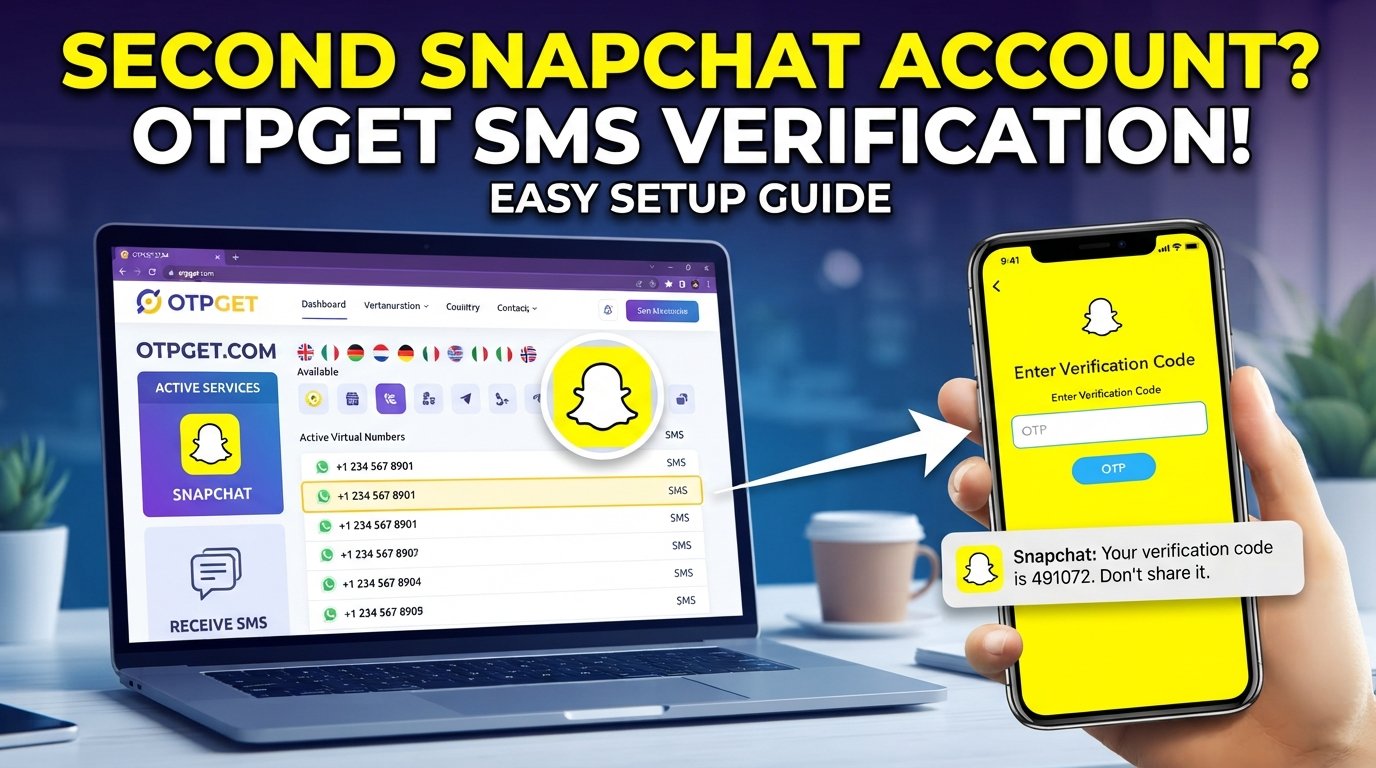
This guide walks through the basics of creating another Snapchat account, explains why verification may be required, and shows where a service such as OTPGET can fit into the process when a verification code is needed.
The key is to treat the second profile like a separate account from the beginning: keep its credentials organized, use appropriate security practices, and follow Snapchat's applicable rules.
Why Create a Second Snapchat Account?
There are plenty of legitimate reasons to maintain separate Snapchat profiles.
Keep personal and social activities separate
You may prefer one account for people you know personally and another for a different community or social purpose. Separating profiles can make your Snapchat experience easier to manage.
Experiment with content
A second profile can be useful for testing different content styles, usernames, or audience preferences without changing the identity of your primary account.
Separate different friend groups
Some people simply find it easier to keep different social circles apart. A second account can provide a clearer boundary between those groups.
Maintain different privacy preferences
Separate accounts can help you decide what information, contacts, and content belong with each profile. That does not replace Snapchat's privacy controls, but it can make account organization simpler.
Whatever your reason, avoid using multiple accounts for spam, impersonation, harassment, fraudulent activity, or attempts to evade platform restrictions.
Can You Have a Second Snapchat Account?
The basic idea behind a second Snapchat account is simple: create another account with its own account information and complete the registration process required by Snapchat.
However, the exact options available during registration, login, and verification can change. Snapchat may also apply account-specific or region-specific requirements.
For that reason, avoid relying on claims that a particular setup method will always work. If Snapchat asks you for additional verification, follow the instructions presented in the official app.
If you plan to manage multiple Snapchat accounts, the biggest practical challenge is often organization. Keep each account's username, password, recovery information, and associated verification details clearly separated.
What You Need Before Creating a Second Account
Before starting your Snapchat account setup, have the basics ready.
You will generally want:
- The Snapchat app installed on your device
- A username you are happy to use
- A strong, unique password
- Access to any email address or phone verification method Snapchat requests
- A reliable way to receive a verification code if one is required
- A secure place to keep your account credentials
It is also worth deciding in advance how you will distinguish your two accounts. A simple naming system for your saved credentials can prevent the frustrating situation of forgetting which login belongs to which profile.
How to Create a Second Snapchat Account
The exact screens can vary depending on the version of the app and the registration flow Snapchat presents, but the general process is straightforward.
1. Start the Snapchat registration process
Open Snapchat and look for the option to create or sign up for an account.
Follow the registration prompts rather than attempting to reuse or modify the credentials of your existing profile.
2. Enter your basic account information
Snapchat may request information such as your name, date of birth, username, password, and contact details during registration.
Use accurate information where required and choose credentials you can manage securely.
3. Choose a distinct username
Your Snapchat username is part of your account identity, so think about it before completing registration.
A good username should be:
- Easy to remember
- Appropriate for the account's purpose
- Distinct from your other account
- Something you are comfortable using long term
If your preferred username is unavailable, try a simple variation rather than repeatedly entering random combinations.
4. Complete any requested verification
Snapchat may ask you to confirm an email address or phone number, depending on the registration process.
If an SMS OTP or verification code is requested, you need access to the relevant verification method before you can continue.
5. Secure the new account
Once the account is created, use a unique password and keep your recovery information accessible.
Do not share verification codes or passwords with other people. A second account deserves the same security attention as your primary profile.
Snapchat Verification: Why You May Need an OTP
An OTP, or one-time password, is a temporary verification code used to confirm that someone has access to a particular verification method.
During account registration or account-related activity, a platform may use SMS verification or another confirmation method to reduce unauthorized registrations and protect accounts.
For example, Snapchat may ask you to enter a code sent to a phone number. The code is generally time-sensitive, which means an old or expired OTP may no longer work.
If you do not receive the Snapchat verification code, first check that the number or contact information was entered correctly and that your device can receive messages. Avoid repeatedly requesting codes in quick succession if the app indicates that you should wait.
How OTPGET Can Help With Verification
Verification can be one of the more inconvenient parts of setting up another account, particularly when you need an appropriate method for receiving an SMS code.
OTPGET provides a convenient verification-code receiving option where its available service supports the verification flow you are using. Instead of treating OTP handling as an afterthought, you can use a dedicated verification-code service when appropriate.
The practical benefit is simplicity: when a service requires an SMS OTP, having a suitable way to receive that code can reduce friction during registration.
However, OTPGET should not be viewed as a method for bypassing Snapchat's security systems. It does not guarantee account approval, successful registration, or acceptance by Snapchat. Availability and compatibility can also depend on the service, location, and verification flow.
Use any verification service responsibly and make sure your account activity complies with Snapchat's applicable rules.
Step-by-Step: Using OTPGET for Verification
If Snapchat requests a verification code and you decide to use OTPGET, the general process can be approached like this:
- Begin the Snapchat registration process.
Continue until Snapchat asks for phone verification or an SMS code. - Identify the verification requirement.
Check what type of number or verification method the Snapchat screen is requesting. - Choose an appropriate option on OTPGET.
Select the relevant service or number option available through OTPGET rather than assuming every available option will work with every platform. - Use the provided verification details as instructed.
Enter the applicable number or information into the Snapchat verification screen. - Wait for the verification message.
If a code is delivered, enter it into the Snapchat app while it remains valid. - Complete the registration process.
Follow any additional instructions Snapchat provides.
The important point is that OTPGET can help with the verification-code receiving step where supported. It does not remove Snapchat's own registration or security requirements.
Tips for Managing Two Snapchat Accounts
Creating another account is only half the job. Keeping both accounts organized makes everyday use much easier.
Use unique passwords
Never rely on the same password for multiple accounts. If one credential becomes compromised, unique passwords help limit the damage.
Keep account details organized
Record the username and associated login information for each profile in a secure password manager or another protected system.
Secure your email accounts
If an email address is connected to an account, protect that email account carefully. It can be an important part of account recovery.
Avoid suspicious activity
Multiple accounts should not become an excuse for mass messaging, spam, impersonation, or other behavior that could violate platform rules.
Keep recovery information accessible
If Snapchat asks you to confirm account ownership later, having legitimate recovery information available can save time and frustration.
Common Problems When Setting Up a Second Snapchat Account
Even a simple Snapchat account registration can run into problems. Here are some common issues and sensible first steps.
The verification code is not arriving
Check that the verification information is correct and that your device or selected verification method can receive the message. If Snapchat indicates that you should wait before requesting another code, follow that instruction.
The OTP has expired
One-time passwords are designed to be temporary. If a code is no longer accepted, request another one through the available verification process.
The phone number is incorrect
Double-check the number and any country or regional information entered during setup. A small formatting error can prevent a message from reaching the intended destination.
The username is unavailable
Try another username that fits the account's purpose. Avoid making the username unnecessarily complicated just to force a match.
You cannot log in
Verify that you are using the credentials for the intended account. When managing multiple Snapchat profiles, login confusion is surprisingly easy.
The app is behaving unexpectedly
Make sure you are using the current version available to you and retry the process after following Snapchat's own troubleshooting guidance. If the issue persists, using Snapchat's official support resources is preferable to relying on unverified workarounds.
FAQ
Can I have a second Snapchat account?
You can go through the account-creation process for another Snapchat profile, subject to the requirements and rules Snapchat applies to your account and location. Keep separate credentials and use both accounts responsibly.
How do I create another Snapchat account?
Start the Snapchat registration process and follow the prompts for creating a new profile. You may need a username, password, and a verification method such as email or SMS, depending on what Snapchat requests.
Can I use a different number for Snapchat verification?
A different verification number may be an option when Snapchat's registration flow accepts it. The number must be suitable for the verification method being requested, and acceptance is ultimately determined by Snapchat's system.
Why am I not receiving my Snapchat verification code?
Check the entered verification details, your ability to receive messages, and whether Snapchat has asked you to wait before requesting another code. If the problem continues, use Snapchat's official troubleshooting options.
What is an OTP verification code?
An OTP is a one-time password or temporary code used to confirm access to a verification method. It is generally valid for a limited period and should not be shared with anyone.
How does OTPGET help with verification?
OTPGET can provide a convenient option for receiving verification codes where the relevant service is supported. It is intended to make the code-receiving part of a verification process more convenient, not to bypass platform security.
Can I use OTPGET for Snapchat verification?
OTPGET may be useful where its available verification service supports the Snapchat verification flow you are using. Compatibility is not guaranteed, so users should check the available option and follow Snapchat's requirements.
Is it safe to use a verification service?
Use verification services carefully and understand what information you are providing. Never share passwords or sensitive account credentials unnecessarily, and make sure your use of a verification service complies with the applicable platform rules.
Conclusion
Setting up a Snapchat second account does not have to be confusing. Start with a clear purpose, choose a suitable username, use a strong and unique password, and keep the credentials for each account organized.
Verification is often the step that causes the most friction. If Snapchat requests an SMS OTP, having an appropriate way to receive the verification code can make the process more convenient. OTPGET can be a practical option for receiving verification codes where its service supports the verification flow you need.
The important distinction is that a verification service should complement the normal account-registration process—not replace Snapchat's security requirements or platform rules.
If you are preparing to create another Snapchat account, explore OTPGET as one possible option for handling the verification-code step, and always use the service responsibly.