Snapchat Verification Problems: Causes, Fixes & OTPGET Guide
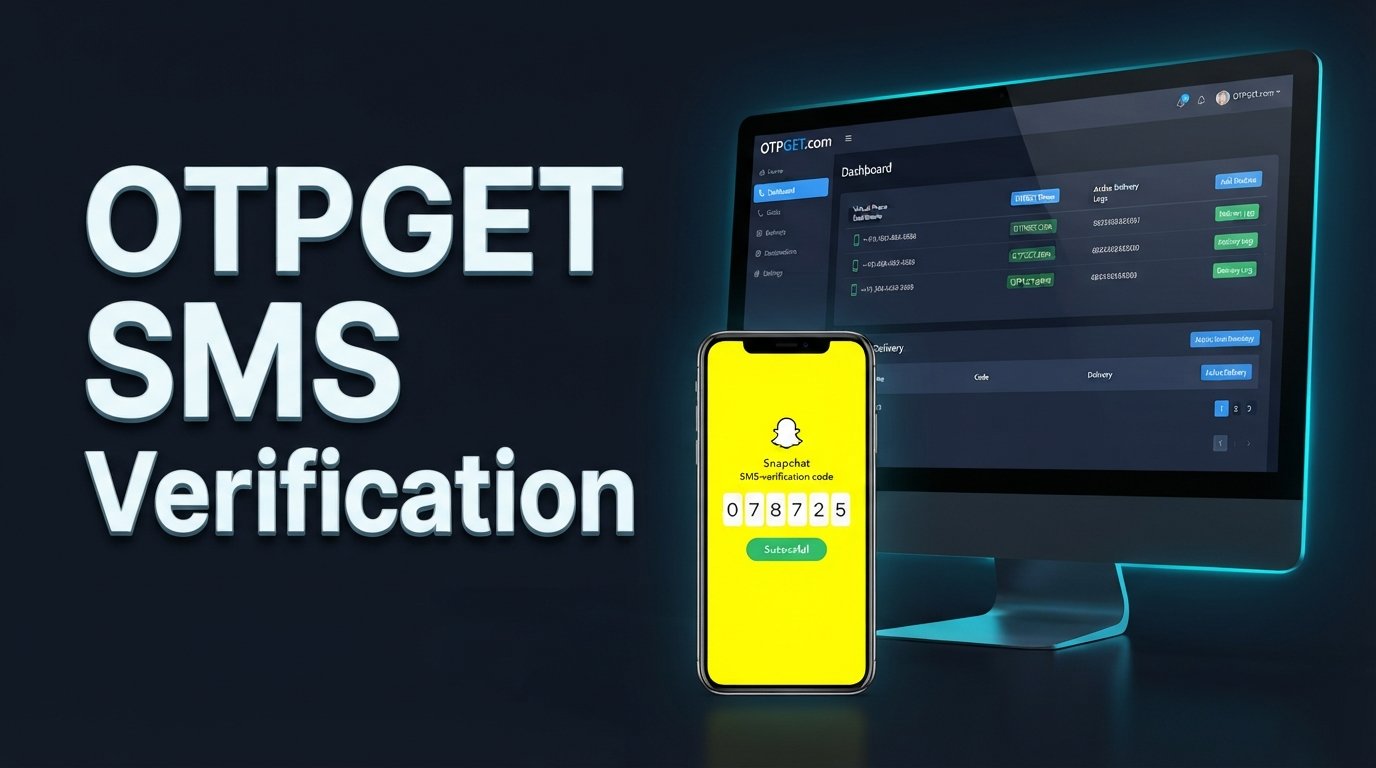
Snapchat Verification Problems: Causes and Quick Fixes
You enter your phone number, wait for the verification message, and… nothing. You request another code, wait again, and still don't receive it. Or perhaps the code finally arrives, only for Snapchat to reject it as invalid.
If you've experienced this, you're not alone. Snapchat verification problems can happen for several reasons, ranging from delayed SMS delivery and network issues to expired codes and repeated verification attempts.
The good news is that many Snapchat verification issues can be resolved with a few simple troubleshooting steps. And when regular SMS verification is inconvenient or unavailable, an OTP receiving service such as OTPGET may provide another practical option where supported.
Let's look at why verification fails, what you can try first, and how to approach OTP verification safely.
Why Snapchat Verification Problems Happen
A verification code is usually meant to confirm that you can access the phone number associated with a verification attempt. If something goes wrong during delivery or code entry, the verification process can stall.
Here are some common causes of Snapchat verification problems.
Delayed SMS delivery
Sometimes the problem isn't Snapchat itself. SMS messages can be delayed by mobile networks, carriers, congestion, or other delivery issues.
A verification message may arrive several minutes after you requested it. If you immediately request several more codes, you can make the situation more confusing because older messages may arrive later.
Weak or unstable network
Your phone needs a functioning mobile connection to receive ordinary SMS messages. Poor coverage, temporary network problems, or connectivity issues can interfere with delivery.
Incorrect phone number or country code
A small mistake in the number can prevent the verification message from reaching you. Check both the mobile number and the selected country code before requesting another Snapchat verification code.
Too many code requests
Repeatedly tapping the option to send another code can create unnecessary delays or make it difficult to determine which code is the newest.
If you have already requested a code, giving the system some time to respond is often better than repeatedly requesting another one.
Expired verification codes
Security codes are generally intended to be used within a limited period. If you wait too long, a previously received code may no longer work.
Blocked or filtered messages
Your phone may be filtering messages, or certain SMS messages could be blocked. Checking your blocked-message settings and SMS inbox can help rule this out.
Temporary technical issues
Online services can occasionally experience temporary problems. If everything appears correct on your side but verification repeatedly fails, waiting and trying again later may be appropriate.
Account or login security checks
Snapchat may ask for additional verification during certain login or account-security situations. The exact verification experience can vary depending on the circumstances of the login attempt.
Snapchat Verification Code Not Received? Try These Fixes
If you're searching for how to fix Snapchat verification problems, start with the basics before trying alternative options.
1. Double-check your phone number
Make sure the number you entered is correct. Pay particular attention to the country code and any digits that may have been entered incorrectly.
A single wrong digit can send the verification message somewhere else—or nowhere useful at all.
2. Check your mobile signal
Look at your phone's network connection and make sure you can normally receive SMS messages.
If your signal is weak, moving to an area with better coverage may help.
3. Check your SMS inbox
Don't assume the verification message has disappeared simply because it isn't immediately visible. Check your regular SMS inbox and any filtered or blocked-message folders available on your device.
4. Avoid repeatedly requesting codes
If Snapchat isn't sending a verification code, resist the temptation to press the resend option repeatedly.
Instead, wait for the previous request to process. Multiple requests can result in several messages arriving at different times, making it easy to enter an outdated code.
5. Restart your phone or reconnect to the network
A simple restart can sometimes resolve temporary connection or messaging issues. You can also reconnect your mobile network and check whether ordinary SMS messages are arriving normally.
6. Test ordinary SMS reception
Ask yourself a simple question: Can this phone number currently receive regular text messages?
If ordinary SMS messages are also delayed or missing, the problem may be related to your mobile network or carrier rather than the Snapchat verification process.
7. Try another supported verification method
If Snapchat provides another verification option for your account or situation, consider using it rather than repeatedly requesting SMS codes.
Always follow the verification methods and instructions presented by Snapchat.
[Internal Link: OTP Verification Guide]
Why Snapchat Verification Codes Sometimes Don't Work
Receiving a code doesn't necessarily mean the verification process will succeed.
If you're dealing with a Snapchat verification code not working, consider these possibilities:
- The code has expired. Request a fresh code if appropriate.
- You're entering an older code. If you requested multiple codes, use the newest valid code rather than an earlier message.
- There is a typing error. Carefully compare the digits before submitting.
- The SMS arrived late. A delayed message may no longer be valid by the time you enter it.
- Multiple requests caused confusion. Stop requesting additional codes and allow the latest request to complete.
- A temporary verification issue is occurring. If the information is correct but the code continues to fail, waiting and trying again later may help.
The safest approach is to use the most recent valid verification code and follow Snapchat's normal authentication process.
When Regular SMS Verification Isn't Reliable
For many people, SMS verification works without much thought. But there are situations where receiving a security code on a personal mobile number can be inconvenient.
You might have unreliable mobile reception, temporary carrier problems, difficulty receiving certain messages, or a situation where using your personal number isn't suitable.
That's where an OTP receiving solution can become useful.
The important distinction is that an alternative OTP service should not be treated as a way to bypass account security. You still need to meet the requirements of the platform you're trying to verify with.
If Snapchat requires a valid verification code and the relevant number is supported for that verification scenario, an OTP receiving service may offer a practical option for receiving the message.
How OTPGET Can Help With OTP Verification
OTPGET is an option for users looking for a convenient way to receive OTP messages when regular SMS verification is inconvenient or unavailable.
Instead of relying entirely on your usual mobile number, an OTP receiving service can provide access to an available number or verification option, depending on the service's current offerings.
This can be useful for people experiencing SMS verification problems who need another practical way to receive a verification message.
Potential advantages include:
- Convenient access to OTP receiving options
- A practical alternative when using a personal number isn't suitable
- A straightforward way to monitor incoming verification messages where supported
- Help with situations where ordinary SMS delivery is unreliable
- A simple workflow for receiving and entering a valid OTP
However, availability can depend on the platform, number, location, carrier, and the specific verification attempt. OTPGET should therefore be viewed as a practical option—not a guarantee that every verification request will succeed.
Most importantly, use any number or OTP service only where permitted by the relevant platform and always follow Snapchat's own verification requirements.
[Internal Link: How OTPGET Works]
How to Use OTPGET for Verification
If you're considering OTPGET for an appropriate verification situation, the general process is straightforward.
1. Visit OTPGET
Start by accessing the OTPGET service and reviewing the available verification options.
2. Select an appropriate available option
Depending on the service options available at the time, choose a suitable number or OTP receiving option.
3. Use the number where permitted
Enter the provided number only when it is appropriate for the platform and verification process you're using.
4. Request the verification code
Follow the platform's normal verification process and request its OTP or security code.
5. Monitor OTPGET for the message
If the verification message is supported and successfully delivered, check OTPGET for the incoming OTP.
6. Enter the valid code
Use the appropriate, current code in the platform's verification field before it expires.
7. Complete normal verification
Finish the platform's standard verification process. If the service or number isn't supported for the particular verification attempt, don't attempt to circumvent the platform's security controls.
[Internal Link: Online OTP Guide]
Is OTPGET a Good Solution for Snapchat Verification Problems?
It can be a useful option for people who are struggling with regular SMS delivery, provided the relevant verification scenario supports the number or service being used.
OTPGET may be particularly worth considering when:
- Your normal SMS delivery is unreliable.
- You cannot conveniently use your personal number for a particular verification situation.
- You need an OTP receiving option.
- You've already checked your number, network, and SMS settings without resolving the problem.
That said, no OTP receiving service can guarantee that every platform, number, location, or verification request will work.
Snapchat controls its own verification process, while SMS delivery can also depend on carriers and other external factors. The most reliable approach is to combine basic troubleshooting with a legitimate OTP option when appropriate.
Common Mistakes to Avoid During Snapchat Verification
Small mistakes can turn a simple verification step into a frustrating loop.
Avoid these common problems:
- Entering the wrong country code
- Typing an incorrect phone number
- Requesting too many codes in a short period
- Entering an expired OTP
- Using an older code after requesting a newer one
- Sharing verification codes with another person
- Using unreliable or unsupported numbers
- Ignoring Snapchat's verification instructions
- Repeatedly attempting verification without allowing time for the previous request to process
Never share a security code with someone claiming they need it to "verify" or "unlock" your account. Verification codes are sensitive authentication information.
Snapchat Verification Problems — Quick Troubleshooting Checklist
When Snapchat verification isn't working, run through this checklist:
- ✓ Confirm the phone number is correct
- ✓ Check the country code
- ✓ Confirm your phone can receive ordinary SMS
- ✓ Check your mobile signal and network connection
- ✓ Review blocked or filtered messages
- ✓ Wait before requesting another code
- ✓ Use the newest valid verification code
- ✓ Avoid repeatedly submitting failed codes
- ✓ Try another verification method if Snapchat provides one
- ✓ Consider an OTP receiving solution such as OTPGET when appropriate
Working through these steps in order can help you identify whether the problem is related to your phone, network, SMS delivery, or the verification process itself.
Frequently Asked Questions
Why is Snapchat not sending me a verification code?
Several factors can cause this, including SMS delivery delays, weak network coverage, an incorrect phone number or country code, blocked messages, carrier issues, repeated code requests, or temporary technical problems. Check your number and SMS reception first, then wait before requesting another code.
Why did my Snapchat verification code expire?
Verification codes are designed for temporary use. If too much time passes before you enter the code, it may no longer be valid. Request a new code when appropriate and use the most recent valid code.
What should I do if Snapchat SMS verification is not working?
First, confirm your number and country code, check your mobile connection and SMS inbox, and make sure your phone can receive ordinary text messages. Avoid repeated requests and consider another supported verification method if Snapchat offers one.
Can I receive a Snapchat verification code another way?
The available verification methods can depend on the account and verification situation. Follow the options Snapchat presents. Where an appropriate OTP receiving service is supported, a service such as OTPGET may also be worth considering.
How can OTPGET help with OTP verification?
OTPGET provides an option for receiving OTP messages where its available service options are supported. It may be useful when regular SMS verification is inconvenient or unreliable, but it does not guarantee that a particular platform or verification request will accept or deliver a code.
Why does Snapchat say my verification code is invalid?
The code may have expired, you may have entered an older code, or a typing mistake may have occurred. If you've requested several codes, use the newest valid code and avoid continuing to submit older ones.
How long should I wait before requesting another Snapchat verification code?
There isn't a single waiting period that applies to every situation. If a code is delayed, repeatedly requesting new ones can make it harder to identify the correct message. Give the current request time to arrive before trying again, and follow any instructions Snapchat displays.
Final Thoughts
Snapchat verification problems can be frustrating, especially when you're ready to log in but the verification code never arrives—or the code you receive doesn't work.
Start with the basics: verify your phone number and country code, check your mobile connection, inspect blocked messages, confirm that your phone can receive ordinary SMS, and avoid repeatedly requesting new codes.
If regular SMS verification remains inconvenient or unreliable, an OTP receiving service such as OTPGET can be a practical option where supported. It gives users another way to approach OTP verification without relying entirely on their usual mobile number.
The key is to keep expectations realistic. Verification depends on the platform, the number, network and carrier conditions, and the specific verification situation. Use legitimate verification methods, follow Snapchat's requirements, and choose an OTP solution that fits your circumstances.
If you're still struggling with verification-code delivery, exploring OTPGET may be a sensib