Verify Bumble with a Virtual Number – OTPGET Step-by-Step Guide
Verify Bumble with a Virtual Number – OTPGET
Signing up for an online service does not always mean you want to hand over your personal phone number. For some users, keeping personal and online communications separate is simply more convenient. Others may need an alternative number when their regular SIM is unavailable or when they prefer to keep verification messages away from their primary inbox.
That is where a virtual number for Bumble can become useful.
Bumble requires active accounts to be associated with a phone number, and its verification process may involve an SMS code or a phone call. If you are looking for a practical way to handle SMS verification without immediately using your personal number, a virtual-number service such as OTPGET is worth exploring.
This guide explains what virtual numbers are, how Bumble phone verification generally works, how to use OTPGET for the process, and what limitations you should understand before getting started.
Why Use a Virtual Number for Bumble Verification?
A personal phone number is useful, but it is not necessarily the right choice for every online interaction. A virtual number can provide another option when a service accepts that number type.
Here are some common reasons users consider a Bumble virtual number:
-
Separating personal and online activity: You can keep your primary number separate from certain online registrations.
-
Convenience: Verification messages can be handled through an online service rather than relying exclusively on your physical SIM.
-
Number management: A dedicated number can make it easier to organize SMS verification tasks.
-
Privacy considerations: Using an alternative number can reduce how often your personal number is shared with online services.
-
Remote access: Depending on the provider and number, SMS messages may be accessible through an online interface.
This does not mean a virtual number is automatically more secure or private in every situation. The provider, number type, account importance, and service policies all matter.
For a one-time verification task, however, using a separate number can be a practical option.
What Is a Virtual Number?
A virtual phone number is a telephone number that operates without being tied directly to a traditional physical SIM in your phone.
Instead of receiving an SMS through your normal mobile inbox, a supported virtual number can receive messages through an online platform. This makes the technology useful for various forms of SMS verification.
For example, the general process looks like this:
-
Obtain an available virtual number.
-
Enter that number into a service requesting phone verification.
-
Request an SMS verification code.
-
The code is delivered to the number if the service accepts it and the number supports the required message.
-
View the code through the provider's interface.
-
Enter the code into the original service.
OTPGET provides virtual numbers intended for SMS and OTP verification, with availability varying according to the service and number selected.
The key distinction is that a virtual number is not necessarily the same as a permanent personal mobile number. If you are verifying an account that you may need to recover later, consider whether you will retain access to the number.
How Bumble Verification Works
Bumble's phone verification process is straightforward in principle.
According to Bumble's support guidance, an active account needs to be associated with a phone number. Depending on the verification flow, Bumble may send an SMS or initiate a call. With SMS verification, the user enters the code received from Bumble.
The basic process is:
-
Enter an eligible phone number when Bumble asks for it.
-
Request phone verification.
-
Wait for the verification SMS or call.
-
If an SMS arrives, enter the provided verification code.
-
Follow any remaining instructions shown by Bumble.
If the message does not arrive, Bumble recommends checking the number and country code, waiting for possible delivery delays, and using the troubleshooting options shown in the app.
The same principle applies when considering a virtual number: the number must be available, capable of receiving the required message, and accepted by Bumble's current verification system.
How to Verify Bumble with a Virtual Number Using OTPGET
If you want to verify Bumble with a virtual number, OTPGET can provide a practical workflow for exploring available numbers and receiving supported verification messages.
Step 1: Visit OTPGET
Start by visiting OTPGET and reviewing the virtual-number options currently available.
[Explore OTPGET]
Availability can vary, so look for a number and service option that fits your intended verification.
Step 2: Choose an Appropriate Virtual Number
Select an available number suitable for SMS verification.
Pay attention to the country or region associated with the number when that information is provided. The correct format and country code can matter during Bumble phone verification.
Step 3: Enter the Number in Bumble
Use the selected virtual number in Bumble's normal phone-number verification field.
Do not alter or bypass Bumble's verification process. The purpose of the virtual number is simply to provide an alternative number capable of receiving the verification message if Bumble accepts it.
Step 4: Request the Verification Code
Submit the verification request through Bumble.
Bumble may send an SMS or, depending on its verification flow, use a phone call instead.
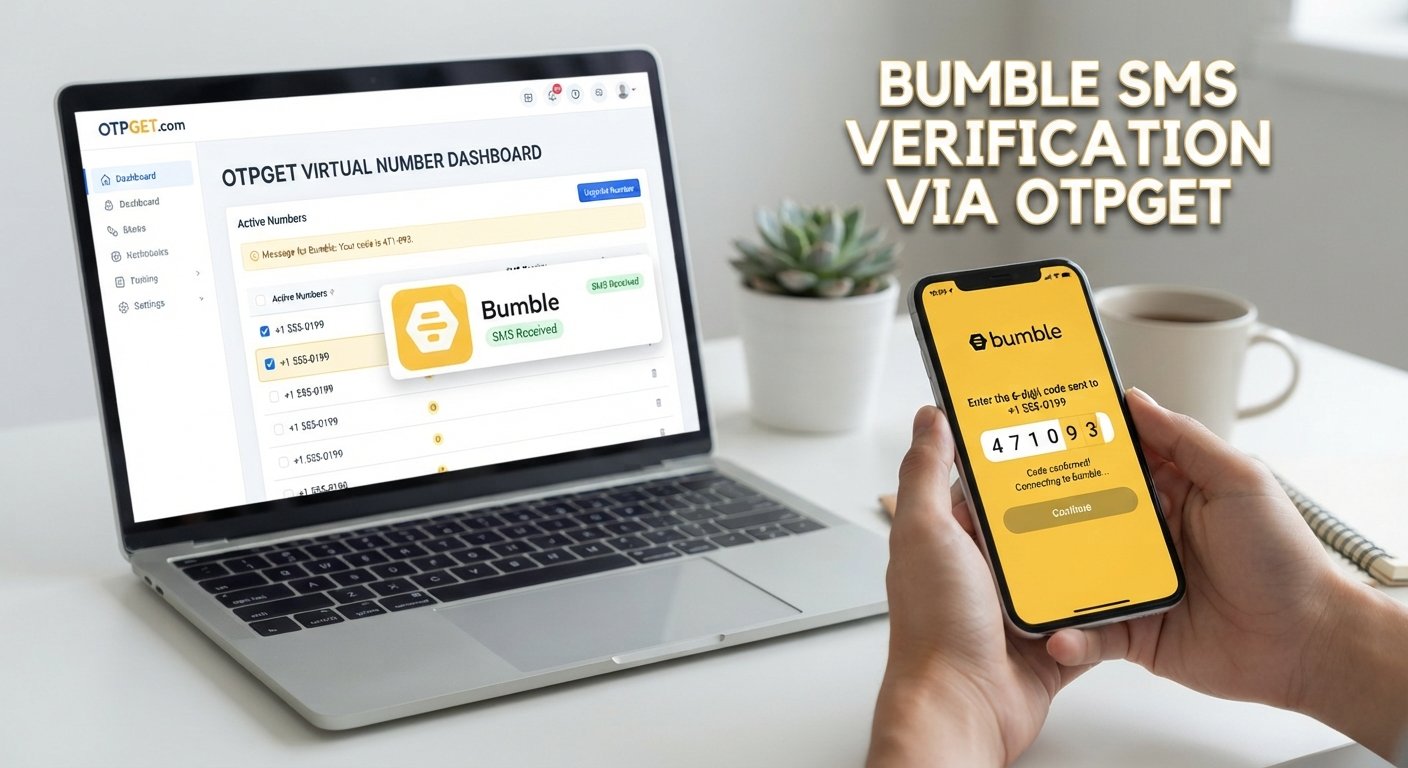
Step 5: Check OTPGET for the Message
Return to OTPGET and check the applicable interface for an incoming verification message.
If the number supports the requested service and the message is delivered, you should be able to view the Bumble verification code there.
[Get a Virtual Number]
Step 6: Enter the OTP
Copy the received code carefully and enter it into Bumble's verification screen.
This is the Bumble OTP verification stage. The code should be entered exactly as received and within the time allowed by the service.
Step 7: Complete the Normal Verification Process
After submitting the code, follow Bumble's remaining instructions.
Keep in mind that having access to a virtual number does not guarantee that Bumble will accept it. Verification success can depend on the number, region, carrier characteristics, current platform requirements, and availability.
Why Choose OTPGET for Virtual Number Verification?
The main appeal of OTPGET is that it brings virtual-number and OTP receiving functionality into an online workflow.
OTPGET currently describes its service as providing virtual numbers for SMS or call-based OTP verification, along with different number options and availability across multiple countries.
For someone researching a virtual phone number for verification, that can make the process easier to understand: choose an available option, use the number for the intended verification, and monitor the incoming verification message.
OTPGET also offers both one-time virtual numbers and rental-number options, although the appropriate choice depends on the user's needs and what is available for the particular service.
The important point is to treat OTPGET as a practical verification-number provider—not as a way to bypass Bumble's rules or security controls.
Benefits of Using OTPGET for Bumble Verification
For users who have a legitimate reason to avoid using their primary number, a virtual-number workflow can offer several practical advantages:
-
Convenience: Handle supported verification SMS messages through an online service.
-
Number separation: Keep certain online registrations separate from your everyday phone number.
-
Simple workflow: The process follows the familiar pattern of number, SMS, OTP, and verification.
-
Flexible options: OTPGET provides different virtual-number options depending on availability.
-
Useful for online verification: The same type of workflow can be relevant to other legitimate SMS verification needs.
-
Reduced dependence on a personal SIM: A virtual number can be useful when direct access to a regular mobile number is inconvenient.
These benefits should be considered alongside the limitations of temporary and virtual numbers.
Things to Know Before Using a Virtual Number
A virtual number is not a universal solution for every verification request.
Before you attempt OTP verification online, keep these points in mind:
Not Every Number Will Be Accepted
Online platforms can distinguish between different number types. Bumble may not accept every virtual, temporary, recycled, or previously used number.
Availability Can Change
A number that is available at one point may not be available later. Service and regional availability can also vary.
SMS Delivery Is Not Guaranteed
Network conditions, carrier routing, platform restrictions, and number characteristics can affect whether an SMS arrives.
Temporary Access May Have Limits
If you use a temporary virtual number, you may not retain access to it indefinitely. That matters if the account later requires phone-based recovery.
Follow Platform Rules
Use virtual numbers responsibly and only for legitimate purposes. Do not use them to evade account restrictions, impersonate another person, commit fraud, or violate Bumble's terms.
OTPGET's own terms state that its services are intended for legitimate verification and registration purposes and prohibit illegal, fraudulent, abusive, or harmful use.
Is OTPGET a Good Option for Bumble Verification?
OTPGET can be a practical option for users specifically searching for a virtual number for Bumble or a way to handle online SMS verification without immediately using a primary phone number.
Its value depends on the number available for the requested service and whether Bumble accepts that number at the time of verification.
That distinction is important. A good verification service can make receiving an OTP more convenient, but it cannot control another platform's verification rules.
If your goal is simply to explore an alternative number for a legitimate Bumble verification attempt, OTPGET is worth considering.
[Learn More About OTP Verification]
Frequently Asked Questions
Can I verify Bumble with a virtual number?
You may be able to verify Bumble with a virtual number if Bumble accepts that particular number and the number can receive the required verification message. Acceptance is not guaranteed and can vary.
What is a virtual number for Bumble?
A virtual number for Bumble is an online-accessible phone number that can potentially receive the SMS or call used during Bumble's phone verification process. It provides an alternative to immediately using a personal mobile number.
Can I receive a Bumble verification code online?
If Bumble sends an SMS to a virtual number that supports the service, the verification code may be accessible through the number provider's online interface. The number must first be accepted and capable of receiving the message.
How does Bumble OTP verification work?
Bumble may send a verification code by SMS or use a phone call. For SMS verification, the user receives the code and enters it into the appropriate verification screen.
Is OTPGET useful for Bumble verification?
OTPGET can be useful for users exploring virtual numbers for SMS or OTP verification. Whether a particular number works with Bumble depends on current platform requirements, number availability, and successful message delivery.
Why use a virtual number instead of a personal phone number?
Some users prefer a virtual number to keep their personal and online activity separate or to avoid sharing their primary number for certain short-term verification tasks. It is not necessarily a replacement for a permanent number when long-term account recovery matters.
What should I do if a virtual number is not accepted?
First, check that the number and country code were entered correctly. If the number is rejected or the verification message does not arrive, follow Bumble's troubleshooting guidance and consider whether another eligible number or a personal number is more appropriate.
Conclusion
For users who want more separation between their personal phone number and online verification, a virtual number can be a convenient option.
The process itself is simple: select an available number, enter it into Bumble's normal verification flow, request the OTP, check for the incoming message, and submit the code. The important caveat is that virtual-number acceptance depends on Bumble's current requirements and the characteristics of the selected number.
OTPGET provides a practical place to explore virtual numbers and supported SMS/OTP verification options. It can be particularly useful for readers researching a Bumble virtual number, a virtual number for SMS verification, or a convenient way to receive OTP online.
If you are ready to explore your options, visit OTPGET and review the available virtual numbers before starting your verification attempt.
[Explore OTPGET]