Verify Yahoo Mail with a Virtual Number: Easy Verification Guide
Verify Yahoo Mail with a Virtual Number
Getting asked for a phone number while creating or accessing a Yahoo Mail account can be inconvenient, especially if you would rather keep your personal number separate from online accounts. Depending on Yahoo's verification requirements, you may need to receive a text message containing a verification code before continuing.
One option worth considering is a virtual number. Instead of using your everyday mobile number, a virtual phone number can provide a separate destination for SMS verification messages. For users looking for a practical way to receive verification codes, OTPGET can be a convenient option to consider, subject to number availability and Yahoo's acceptance of the number.
This guide explains what virtual numbers are, how Yahoo Mail verification generally works, how to use a virtual number for the process, and what to do if a verification SMS does not arrive.
Why Does Yahoo Mail Require Phone Verification?
Phone verification is commonly used as an additional account-security step. When Yahoo asks for a phone number, it may send a Yahoo verification code by SMS so that you can confirm access to that number.
Verification can help distinguish legitimate users from automated or suspicious activity. It may also be part of an account signup, login, recovery, or other security workflow.
The exact verification requirements can vary. Yahoo may decide whether a phone number is required and which types of numbers it will accept.
If you are asked to complete phone verification, the safest approach is to follow the instructions shown directly by Yahoo rather than trying to bypass the process.
What Is a Virtual Number?
A virtual number is a phone number that can receive communications without being tied to your primary physical SIM card in the same way as your everyday mobile number.
For SMS verification, a virtual number can provide a separate destination for receiving a verification message. Depending on the service and number, it may be possible to view an incoming SMS online.
In simple terms, a virtual number for Yahoo Mail can work like this:
-
You obtain an available virtual number.
-
Yahoo requests a phone number.
-
You enter the virtual number.
-
Yahoo sends an SMS verification code if the number is accepted.
-
You access the incoming message and enter the code into Yahoo.
Not every virtual number will necessarily be accepted by every service. Availability, number type, carrier information, previous usage, and the service's own verification rules can affect the result.
Why Use a Virtual Number for Yahoo Mail Verification?
There are several legitimate reasons someone might prefer a virtual phone number.
Keep your personal number separate
Some people simply do not want to give their everyday mobile number to every online service they use. A separate number can help keep personal contact information apart from online account activity.
Convenient SMS access
A virtual SMS number can be useful when you need to receive an authentication or verification message without relying on your primary phone.
Support online workflows
People who manage different online accounts or services may find a dedicated virtual number convenient for legitimate verification tasks.
Add a layer of contact privacy
Using a separate number can reduce the need to share your personal contact number in situations where an alternative is appropriate.
However, a virtual number should not be viewed as a way to defeat account-security controls. If Yahoo requires a particular type of phone verification, users should comply with those requirements.
How to Verify Yahoo Mail with a Virtual Number
If Yahoo gives you the option to verify an account using SMS, the general process is straightforward.
Step 1: Choose a Virtual Number
Start by selecting an available number from a reputable virtual SMS provider.
OTPGET is one option to consider if you need a virtual number for receiving an SMS verification code. Choose a number that is available for the type of verification you are attempting and review the service's instructions before using it.
Keep in mind that number availability can change, and Yahoo may not accept every virtual or temporary number.
Step 2: Enter the Number in Yahoo Mail
When Yahoo displays a phone-number verification screen, enter the virtual number in the required field.
Double-check the country code and number format before continuing. A formatting error can prevent the message from reaching the intended number.
If Yahoo does not accept the number, do not repeatedly submit the same information. Instead, review the error message and consider whether Yahoo requires a different number type.
Step 3: Request the Verification Code
After entering the number, follow Yahoo's instructions to request an SMS verification code.
The message may contain a one-time password, commonly called an OTP. This code is intended for the verification step and should be entered only into the legitimate Yahoo verification screen.
Step 4: Receive the Yahoo Verification Code
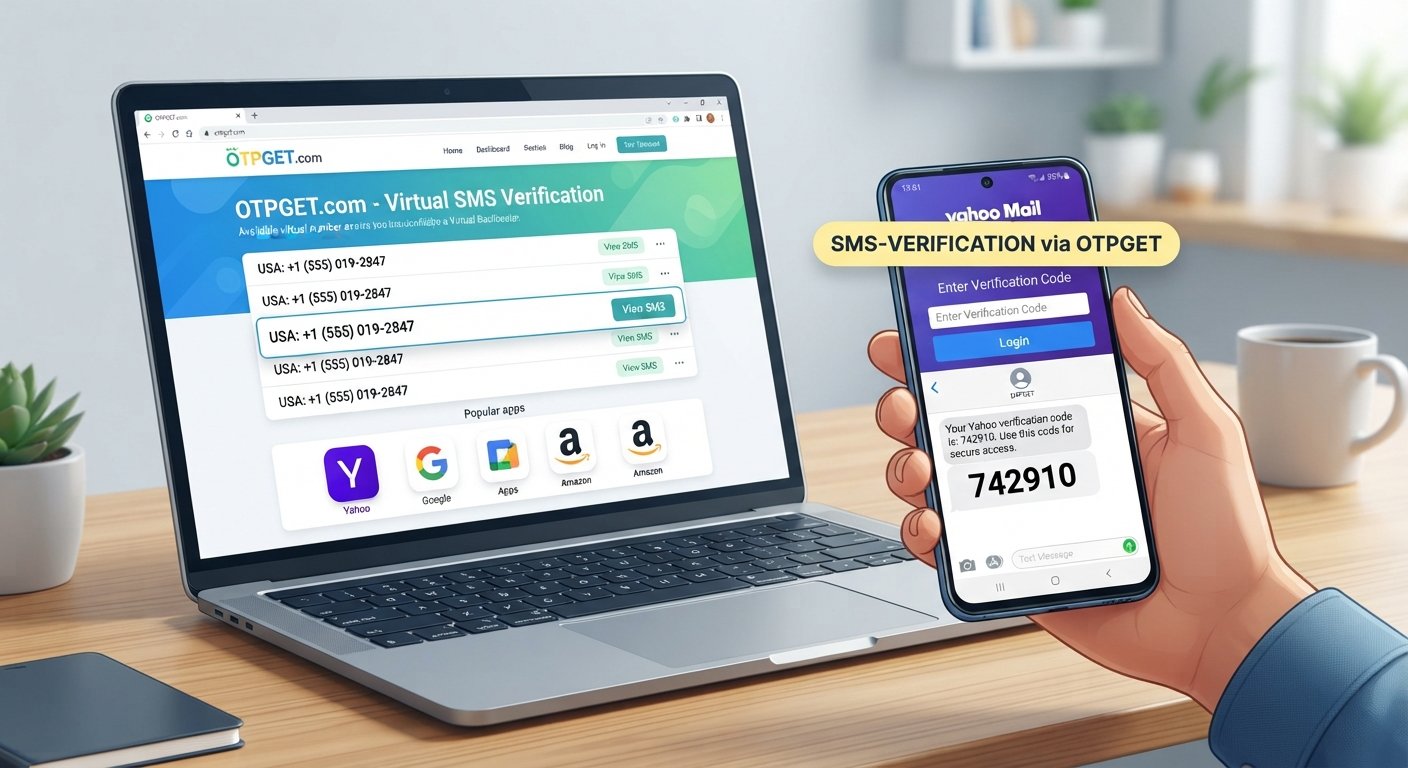
If the number is accepted and the SMS is successfully delivered, check the virtual number service for the incoming message.
With OTPGET, the intended workflow is to use the available virtual number to receive the verification SMS and access the code through the service.
Do not assume that every number will receive every message. SMS delivery depends on the number, provider, and verification service involved.
Step 5: Enter the OTP and Complete Verification
Enter the received verification code into the Yahoo verification screen.
If the code is correct and Yahoo accepts the verification, continue with the remaining account instructions.
A verification code is generally time-sensitive, so use the current code rather than an older message if multiple codes have been requested.
How OTPGET Can Help With Yahoo Mail Verification
For someone searching for a virtual number for Yahoo, the main attraction of an SMS verification service is convenience.
OTPGET can be considered when you need access to a virtual number for receiving an SMS verification code. Rather than using your everyday phone number, you can use an available number provided through the service and check whether the requested verification SMS arrives.
A typical workflow looks like this:
-
Visit OTPGET.
-
Select an available virtual number suitable for SMS verification.
-
Enter the number on the Yahoo verification screen.
-
Request the Yahoo verification code.
-
Check OTPGET for the incoming verification SMS.
-
Enter the received OTP into Yahoo.
-
Follow Yahoo's remaining verification instructions.
The important qualification is that number acceptance and SMS delivery can vary. OTPGET does not control Yahoo's verification decisions, and users should not assume that a particular number will always work with Yahoo.
OTPGET should therefore be viewed as a practical option for accessing a virtual number, not as a guarantee of successful Yahoo account verification.
Benefits of Using OTPGET for SMS Verification
When a virtual number is appropriate for your situation, an SMS verification service can offer several practical advantages.
-
Separation from your personal number: A virtual number can help keep your primary phone number separate from certain online activities.
-
Convenient online access: If the SMS is supported and delivered, you can access the verification message through the service.
-
Useful for legitimate verification workflows: A virtual number can be convenient when a website requires phone-based confirmation.
-
Less dependence on your everyday SIM: You may not need to use your personal mobile number for every compatible verification task.
-
Simple verification workflow: The basic process involves obtaining a number, requesting an SMS, receiving the code, and entering it where required.
The right choice depends on the verification service, the available number, and the specific requirements presented to you.
Things to Know Before Using a Virtual Number
Before using a temporary phone number or virtual SMS number, there are a few important considerations.
First, acceptance is not guaranteed. Some websites may reject certain virtual, temporary, or previously used numbers.
Second, availability can change. A number that is available at one point may not remain available later.
Third, consider account recovery. If a phone number will be important for future account recovery or security alerts, make sure you understand whether you will retain access to that number. A temporary number may not be appropriate for a long-term recovery method.
Finally, protect your verification codes. An OTP is sensitive authentication information. Do not share it with other people, and only enter it into the legitimate service you are trying to verify.
Always follow Yahoo's current instructions, applicable terms, and relevant laws.
Common Problems With Yahoo Verification Codes
Yahoo does not send the code
First, check that the number was entered correctly. Then wait briefly and check whether the SMS has arrived.
Avoid requesting many codes in rapid succession, because doing so can make it harder to determine which code is current.
The virtual number is rejected
Yahoo may not accept that particular number or number type. Review the message Yahoo provides and, if appropriate, try an alternative number that meets the service's requirements.
The code has expired
Verification codes can be time-sensitive. If an older code no longer works, request a new one and enter the latest code.
The SMS never arrives
Possible causes include number availability, carrier or routing limitations, temporary delivery problems, or restrictions imposed by the verification service.
If a message does not arrive, check the virtual number service first and then follow Yahoo's available troubleshooting instructions.
Frequently Asked Questions
Can I verify Yahoo Mail with a virtual number?
You may be able to use a virtual number if Yahoo accepts that number for the particular verification request and the SMS is successfully delivered. Acceptance can vary, so a virtual number should not be treated as a guaranteed verification method.
What is a virtual number for Yahoo Mail?
A virtual number for Yahoo Mail is a phone number provided through a virtual-number service that may be capable of receiving SMS verification messages. It can provide an alternative to using your primary mobile number when Yahoo permits that type of number.
How do I receive a Yahoo verification code online?
If Yahoo offers SMS verification, you can enter an eligible phone number and request the code. With a compatible virtual SMS service such as OTPGET, you can check the service for the incoming verification SMS and enter the code into Yahoo.
Can I use a temporary number for Yahoo verification?
A temporary number may work if Yahoo accepts it and the SMS can be delivered, but acceptance is not guaranteed. If you need a number for an important long-term account recovery method, consider whether a temporary number is appropriate.
Why am I not receiving my Yahoo verification code?
Check the number and country code first. If they are correct, review the virtual number service for incoming messages and consider whether Yahoo has rejected or limited the number. Requesting another code may help when permitted, but repeated requests should be avoided.
Is using a virtual number for email verification safe?
A virtual number can be useful for privacy and convenience, but the security of the overall process depends on the provider, the number, and how you handle the verification information. Never share OTPs and use only legitimate verification pages.
Can OTPGET receive Yahoo verification SMS?
OTPGET can be considered for receiving SMS verification messages through an available virtual number. However, whether a particular Yahoo verification SMS is delivered depends on Yahoo's requirements, the number, and other factors. There is no guarantee that every number will work.
What should I do if Yahoo does not accept my virtual number?
Read Yahoo's error message carefully and check whether its verification screen provides another option. If appropriate, you can consider a different eligible number. Do not attempt to bypass Yahoo's security controls.
Final Thoughts
Using a virtual number can be a practical way to keep your personal phone number separate while completing certain SMS-based verification processes. When Yahoo requests phone verification, the general workflow is simple: provide an eligible number, request the verification SMS, receive the code, and enter it on the official verification screen.
For users who need a virtual number for email verification, OTPGET can be a convenient option to explore. Its role is straightforward: provide access to an available virtual number that may be used to receive SMS verification codes, depending on the requirements of the service involved.
If you need a virtual number for SMS verification, OTPGET is a practical place to start. Select an available number, follow the provider's instructions, and use any received verification code only where it is legitimately requested. Most importantly, remember that Yahoo controls its own verification requirements, so number acceptance and successful delivery can vary.