WhatsApp Verification With Philippines Number: A Quick Guide
WhatsApp Verification With Philippines Number: A Quick Guide
Verifying WhatsApp with a Philippines phone number can be useful for international communication, travel, or managing a separate communication line. The process usually involves entering a valid phone number and confirming ownership with a one-time password (OTP) sent by SMS or, when available, a phone call.
However, not every number can receive WhatsApp verification codes, and virtual numbers may have compatibility limitations. If you are researching a Philippines number for WhatsApp verification, OTPGET is a service worth exploring for available virtual number and OTP options.
This guide explains how verification works, how to use a Philippines number, what to do when a code does not arrive, and what to consider before choosing an online OTP service.
What Is WhatsApp Verification With a Philippines Number?
WhatsApp phone number verification is the process of confirming that you can receive a registration code through the number you want to use. The code helps WhatsApp verify control of that number before activating an account.
The Philippines uses the international calling code +63. When registering a Philippine number, select the Philippines in WhatsApp's country selector and enter the number in the required international format. If the number is entered separately from the country code, remove the domestic leading zero where applicable.
There are two common number types:
-
Regular SIM number: A number supplied by a mobile operator through a physical SIM or eSIM.
-
Virtual number: A phone number accessed through an online service rather than a conventional SIM in your device.
Both options have different access conditions. WhatsApp requires a supported number that can receive its verification code. Virtual numbers are not automatically eligible, so check compatibility before using one.
For official registration requirements, consult the WhatsApp Help Center.
Why Do People Look for a Philippines Number for WhatsApp?
A Philippines phone number for WhatsApp may suit several practical situations.
International communication: People who communicate with contacts in the Philippines may prefer a number associated with that country.
Travel and relocation: Travelers or people living between countries may want a Philippine contact number, provided they can legitimately access it and maintain verification access.
Separate communication needs: Some users want to keep personal and professional communications separate. Whether multiple accounts can be used depends on WhatsApp's supported account features and the numbers available to the user.
Alternative number options: People without access to a regular Philippine SIM may investigate a Philippines virtual number. An online service may offer an alternative, but the number must still meet WhatsApp's requirements.
A virtual number should not be treated as a guarantee of anonymity. Providers may retain information, numbers may be reassigned, and shared numbers can introduce privacy and account-access risks.
How to Verify WhatsApp With a Philippines Number
Follow these steps to understand how to verify WhatsApp with a Philippines number.
Step 1: Review available Philippines phone numbers
If you already have an active Philippine SIM or eSIM, check whether it can receive SMS or calls. Otherwise, explore legitimate virtual number services and review their current country and service availability.
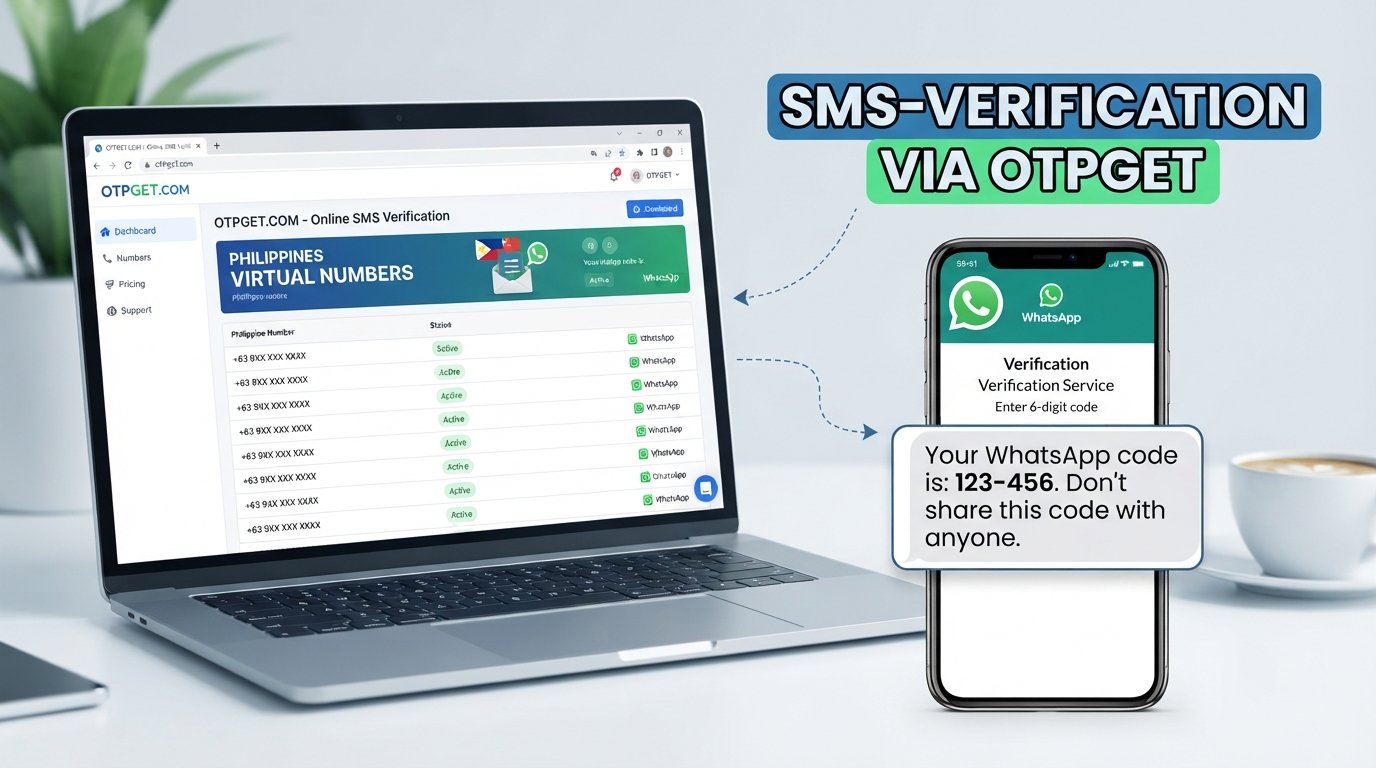
OTPGET is one option to investigate. Its official website lists virtual numbers, OTP services, and country selections, including the Philippines. Confirm the specific number and service availability before proceeding.
Step 2: Check WhatsApp compatibility
Before selecting a virtual number, determine whether it is suitable for WhatsApp registration. A number being listed by an OTP provider does not mean WhatsApp will accept it.
Also check whether you will retain access to the number if WhatsApp requests another verification code later.
Step 3: Open WhatsApp
Open the official WhatsApp application and follow the registration instructions. Select the Philippines as the country and enter the phone number in the format requested by the app.
Double-check the digits and country code before continuing.
Step 4: Request a verification code
Choose the available verification method displayed by WhatsApp. Depending on the number and the registration flow, verification may be available by SMS or phone call.
Do not assume that every number supports both methods.
Step 5: Check the appropriate message destination
For a regular SIM, check your SMS inbox or answer the verification call. If you are using an online OTP service, follow its documented instructions for checking whether a code has arrived.
For OTPGET, review the service's available options and instructions at its official website. The exact process depends on the selected service and number.
Step 6: Enter the code yourself
Enter the received registration code directly into WhatsApp. Never share it with another person or send it to someone claiming to provide account verification assistance.
Step 7: Complete any additional requirements
Follow any further instructions displayed by WhatsApp. If the number is unsupported or the code is not accepted, use the official troubleshooting guidance rather than repeatedly requesting codes.
Remember that WhatsApp controls whether a number is accepted. Neither a virtual number provider nor an online OTP service can guarantee successful registration.
OTPGET — A Practical Option for WhatsApp OTP Verification
When a regular phone number is unavailable, an online OTP verification service may be worth considering. OTPGET provides a platform for exploring virtual phone numbers and receiving verification messages for supported services.
According to its official website, OTPGET lists temporary virtual numbers, longer-term number rentals, and an online service for OTP verification. Its country selection includes the Philippines, and WhatsApp appears among the supported services listed on the site.
These published capabilities make OTPGET relevant to users researching an online Philippines number for OTP verification. However, general service listings do not establish that every Philippine number will work with every WhatsApp registration attempt.
Before choosing OTPGET, consider the following:
-
Country availability: Check whether a Philippines number is currently available for your intended use.
-
Service compatibility: Confirm that WhatsApp is listed for the specific number option you plan to use.
-
Access conditions: Understand how you can retrieve messages and how long you can access the number.
-
Costs and terms: Review current pricing, number duration, and applicable service conditions before committing.
-
Future recovery: Consider whether you can receive another verification code if you lose access to your account.
OTPGET should be viewed as an option to evaluate, not a way to bypass WhatsApp's verification or security controls.
Looking for a convenient way to explore OTP verification options? Visit OTPGET to review its available services and determine whether a suitable option meets your requirements.
Benefits of Exploring an Online OTP Verification Service
An online OTP service can offer practical advantages when its numbers are compatible with the platform you intend to use.
Convenience: You can explore number options online instead of relying exclusively on a physical SIM.
Alternative access: A virtual number may be useful when a regular number is unavailable or unsuitable for a particular legitimate task.
Choice of number arrangements: Some services offer temporary numbers and longer-term rentals. OTPGET lists both types, although availability and conditions depend on the selected option.
A more informed decision: Reviewing number availability, pricing, duration, and supported services before purchasing can help you avoid choosing an unsuitable option.
These are potential benefits, not guaranteed outcomes. Different providers offer different levels of access, and WhatsApp may reject a virtual number even when the provider supports OTP services generally.
Common WhatsApp Verification Problems and How to Address Them
If you cannot receive a WhatsApp verification code, check the following issues before trying again.
The code does not arrive. Confirm that the phone number is correct and can receive SMS or calls. For a virtual number, follow the provider's instructions and check whether the selected number supports the requested service.
The country code or number format is incorrect. Select the Philippines and verify the +63 international code. Enter the remaining digits in the format requested by WhatsApp, without an unnecessary domestic prefix.
The number is unsupported or previously used. Some virtual numbers are not eligible for WhatsApp registration. A reassigned number may also have an existing account history or additional verification requirements.
You requested too many codes. Stop making repeated requests and wait for the timer or restriction shown by WhatsApp to expire. Follow the instructions displayed in the application.
The code arrives late or is rejected. Request a new code only when WhatsApp permits it, and use the latest valid code. Avoid guessing codes or entering expired ones.
The service cannot provide a message. Review the provider's current number status, supported services, and access conditions. Contact its support channel if the issue concerns a service you purchased.
For additional guidance, read WhatsApp's official registration troubleshooting information. Do not attempt to bypass rate limits or other security restrictions.
Philippines Virtual Number vs. Regular SIM Number
A regular SIM and a virtual number can both be useful, but they differ in how you access and control the number.
| Factor | Regular SIM Number | Virtual Number |
|---|---|---|
| Number ownership | Usually managed through a mobile operator subscription | Control depends on the provider's terms |
| Availability | Depends on the mobile operator and location | Depends on the service and current inventory |
| WhatsApp compatibility | Must meet WhatsApp's requirements | Varies by number and provider |
| Long-term access | Depends on keeping the number and service active | Depends on rental duration and provider policies |
| Verification reliability | Depends on network and account conditions | Depends on compatibility and service conditions |
For long-term WhatsApp use, a number you can reliably control is generally preferable to a temporary or shared number. If you cannot receive future verification codes, account recovery may become difficult.
Important Tips Before Choosing a Philippines OTP Number
Before selecting a Philippines OTP number, review these practical safeguards:
-
Confirm that the number is available and suitable for your intended service.
-
Check the price, expiration period, and any renewal conditions.
-
Find out whether the number is shared or exclusive, if the provider discloses this information.
-
Consider the risks of recycled numbers and publicly accessible verification messages.
-
Avoid entering passwords or sensitive account details on untrusted websites.
-
Never share a WhatsApp registration code with another person.
-
Consider future verification and account recovery before choosing a temporary number.
-
Read WhatsApp's terms and the OTP provider's conditions before using the service.
These checks are particularly important if you intend to use the account for business communication or other ongoing activities.
Frequently Asked Questions
1. Can I verify WhatsApp with a Philippines number?
Yes, provided the number meets WhatsApp's requirements and can receive the requested verification code. Select the Philippines and enter the number in the correct format. A virtual number may be rejected, so successful verification is not guaranteed.
2. What is the country code for a Philippines phone number?
The international calling code for the Philippines is +63. Select the Philippines in WhatsApp's country selector and enter the remaining digits as requested. Remove the domestic leading zero where applicable when converting a local number to international format.
3. Can I use a Philippines virtual number for WhatsApp verification?
Possibly. The number must be supported by WhatsApp and able to receive the required verification message or call. Virtual number providers may offer different number types, and availability alone does not establish compatibility.
4. How can I receive a WhatsApp verification code online?
Choose a compatible number from a service that supports the intended verification method, then follow its instructions for retrieving incoming messages. Enter the code yourself in WhatsApp. Do not use a service that asks you to surrender control of your account or share your code with another person.
5. Why am I not receiving my WhatsApp OTP?
Common causes include an incorrect number, an unsupported virtual number, network problems, delivery delays, or temporary restrictions after repeated attempts. Check your number format, confirm message reception, wait for the displayed timer, and follow WhatsApp's troubleshooting instructions.
6. Can OTPGET help me find an OTP verification option?
OTPGET's official website lists virtual numbers, OTP services, and Philippines among its country options. You can review its current availability and service terms at otpget.com. Check that the specific option supports your intended use before purchasing.
7. Is a virtual number suitable for long-term WhatsApp use?
It depends on how long you can retain access to the number and whether it supports future verification. A temporary or shared number may create account recovery risks. For ongoing use, prioritize reliable number control and a clear understanding of the provider's rental and renewal policies.
Conclusion: Choose the Right WhatsApp Verification Option
WhatsApp verification with a Philippines number starts with choosing a suitable number, entering the +63 country code correctly, and receiving the registration code through an available verification method. If a code does not arrive, check the number format, message access, and WhatsApp's troubleshooting guidance before trying again.
A virtual number can be a useful alternative, but compatibility, availability, and long-term access should guide your decision. OTPGET is worth exploring if you want to review online OTP options and check whether a suitable Philippines number is available.
Visit OTPGET to explore its available services, review the terms, and make an informed choice for your verification needs.