How to Get AliExpress Login Without Phone Number: OTP Options
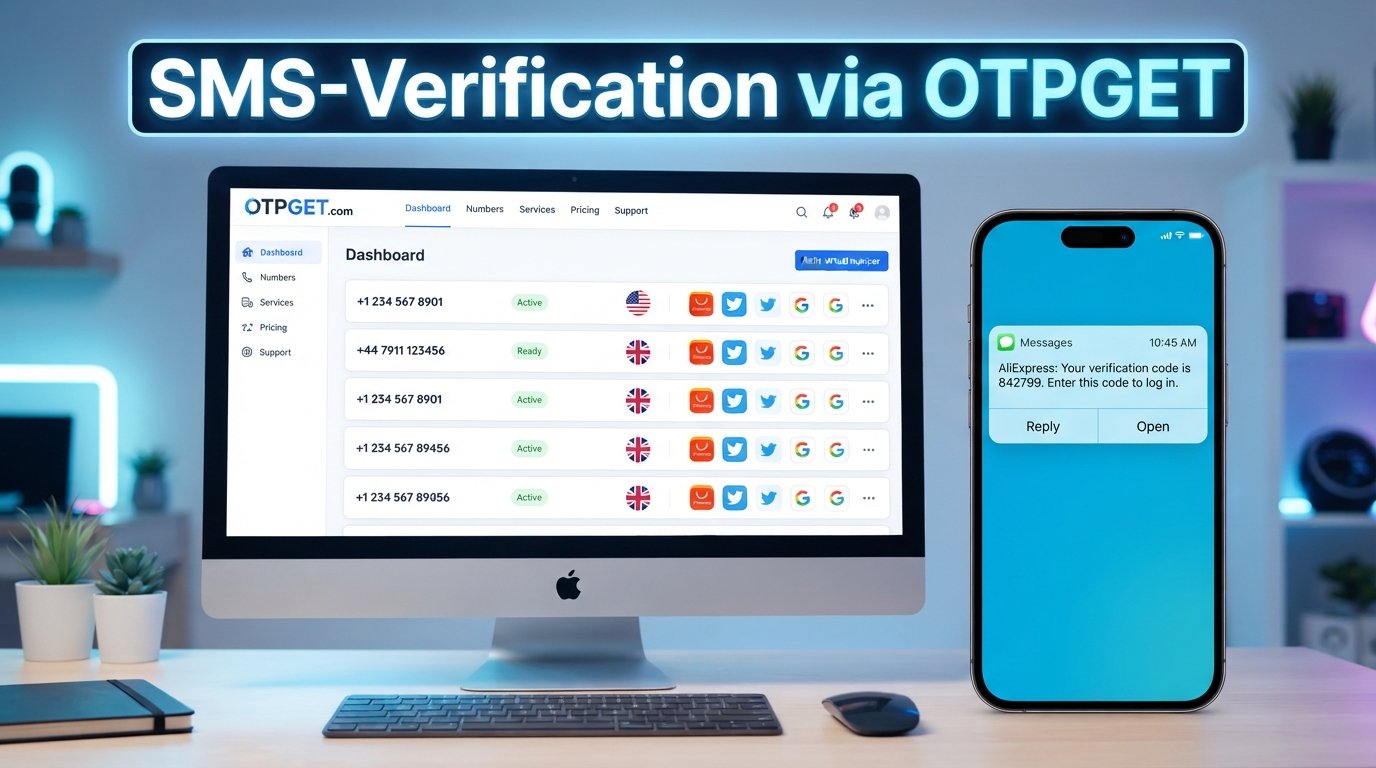
How to Get AliExpress Login Without Phone Number
Trying to access AliExpress but would rather not use your personal phone number? Phone verification can be an inconvenience when you are protecting your primary number, cannot receive an SMS, or simply prefer to keep personal contact information separate from online accounts.
The good news is that the available login and verification options may give you alternatives. Depending on your account, location, device, and the verification method requested, you may be able to use another available authentication method. When SMS verification is required, an online OTP or SMS receiving service such as OTPGET may also be an option.
The key is to use legitimate verification methods for an account you own or are authorized to access. An online number should be viewed as an alternative way to receive a verification message, not as a method for bypassing account security.
Can You Log Into AliExpress Without a Phone Number?
Sometimes, but there is no single method that works for every AliExpress account.
The login and verification options presented to you can depend on factors such as your account configuration, platform, country, and the type of security check being requested. In some situations, an account may offer an available method other than SMS. In others, phone verification may be required before you can continue.
There is an important distinction between not using your personal phone number and bypassing verification.
If you do not want to share your primary number, you can look for another legitimate verification option or use an appropriate online SMS/OTP service when available. However, you should not attempt to defeat, circumvent, or interfere with AliExpress authentication controls.
Only use verification methods for accounts you own or are authorized to access.
Why AliExpress May Ask for Phone Verification
Phone verification can be used as part of account security and identity or account verification.
Depending on the situation, a verification code may be requested when:
- Confirming account ownership
- Protecting an account from unauthorized access
- Detecting unusual or unfamiliar login activity
- Completing certain account-related actions
- Adding or confirming account information
- Performing an additional security check
A request for an AliExpress verification code does not necessarily mean something is wrong with your account. It can simply be part of the authentication process presented to that particular user.
Because verification requirements can change based on circumstances, the method available to one user may not be identical to the method shown to another.
How to Get AliExpress Login Without Your Personal Phone Number
If you want an AliExpress login without phone number access using your primary personal number, start with the normal authentication process and work through the options that are legitimately available to you.
1. Try the available account login methods
Start by entering your normal account credentials and reviewing the verification choices displayed during login.
Do not assume that a phone number is always required at the initial login stage. The options presented by the platform can vary.
2. Check for another available verification method
If AliExpress provides an alternative method, such as email-based verification, follow the instructions shown on your account.
The availability of alternative methods depends on the account and the circumstances surrounding the login.
3. Consider an online SMS/OTP service if SMS is required
If the platform specifically requests an SMS verification code and you prefer not to use your personal number, an online SMS verification service may be worth considering.
OTPGET is designed for users who need access to SMS/OTP receiving options without relying on their primary personal number, where the relevant service and verification system support the use case.
4. Use a number you are authorized to use
Whether you use your own secondary number or an appropriate online number, make sure you are authorized to use it.
The goal is to complete normal account verification, not to gain unauthorized access or circumvent security controls.
5. Retrieve the verification code
If the selected service receives the SMS, retrieve the AliExpress verification code through the service and enter it into the appropriate verification field.
OTP codes are generally intended for a specific authentication attempt, so follow the instructions provided during the login process.
6. Complete the normal authentication process
Once the verification step is accepted, continue through the standard AliExpress login process.
If additional verification is requested, follow the platform's instructions rather than attempting to bypass the additional check.
Use OTPGET to Receive the AliExpress Verification OTP
For users who want to keep their primary phone number separate from online registrations, OTPGET can be a practical option to explore when an online SMS/OTP receiving service is appropriate for the verification process.
The basic idea is straightforward: instead of entering your everyday personal number, you use an available number provided through the service, request the verification SMS, and retrieve the OTP through the service.
This can be useful when your primary number is unavailable or when you prefer not to provide it for a particular online verification request.
However, compatibility should always be considered. An online number is not automatically supported by every website, country, carrier, or verification system. AliExpress may accept some numbers or verification routes while rejecting others, and availability can change.
For that reason, OTPGET should be treated as an available option to check rather than a guaranteed solution for every AliExpress account.
How OTPGET Works
The general process can be simple:
- Choose the appropriate service or number on OTPGET.
- Use the provided number where phone verification is legitimately required.
- Request the AliExpress verification code through the normal login process.
- Wait for the SMS/OTP to be delivered to the selected service, if supported.
- Retrieve the code through OTPGET.
- Enter the OTP into the appropriate AliExpress verification field.
- Continue with the normal account login process.
The exact experience can vary depending on the available number, destination, verification provider, and current platform requirements.
If a particular number is not accepted or an SMS does not arrive, that does not necessarily mean there is a problem with your account. The number or service may simply not be compatible with that verification request.
Benefits of Using an Online OTP Service
An online OTP service can be useful in situations where separating your personal number from an online account is important.
Potential benefits include:
- Separating personal and online communications: You do not have to use your primary phone number for every verification request.
- Convenience: An online service can provide another way to receive an SMS when appropriate.
- Reduced exposure of your personal number: Keeping your primary number private can be preferable for some online registrations.
- Access to SMS verification options: An OTP receiving service can be useful when SMS is the required authentication method.
- Centralized message access: Depending on the service, verification messages can be viewed through the service rather than your everyday messaging app.
These benefits should be balanced against compatibility and account-recovery considerations.
Things to Know Before Using an Online Phone Number
An online phone number is not a universal replacement for a personal mobile number.
Before using one for AliExpress verification, keep these points in mind:
- Not every number works with every website. Some verification systems may reject certain online, temporary, or shared numbers.
- SMS availability can vary. A number that is available through an online service may not receive every type of verification message.
- Numbers may have different usage arrangements. Depending on the service, a number may be temporary or shared rather than dedicated to one person.
- Long-term recovery deserves extra attention. If an account is important to you, understand how changing or losing access to a verification number could affect future login or recovery.
- Follow platform requirements. Use verification methods that comply with AliExpress's account and security requirements.
- Protect verification codes. Treat OTPs as sensitive authentication information and do not share them with other people.
If an online number is unsuitable for a particular account, using another legitimate verification method may be the better option.
AliExpress Login Without Phone Number: Common Problems
The OTP Did Not Arrive
If an AliExpress verification code does not appear, first check whether the number and verification method were entered correctly.
You can also check whether the service indicates that an SMS was received. Avoid repeatedly requesting codes in quick succession, as doing so can make it harder to determine which code is current.
If the message never arrives, the selected number may not support that verification request. Consider another available verification method or an alternative number that you are authorized to use.
The Number Is Not Accepted
Some websites restrict the types of phone numbers they accept for verification. An online number may therefore be rejected even when it is technically capable of receiving SMS.
If AliExpress does not accept the number, do not try to circumvent the restriction. Instead, check whether another legitimate verification method is available or consider a different appropriate number.
The Verification Code Expired
Verification codes are generally time-sensitive. If a code has expired, request a new one through the normal login process and use the newest valid code.
Avoid entering an older code after requesting a replacement, because the previous code may no longer be valid.
AliExpress Requires Additional Verification
In some situations, receiving an SMS code may not be the only security step.
If AliExpress requests additional verification, follow the instructions shown by the platform. An OTP receiving service can help with receiving an SMS where supported, but it should not be used to bypass additional authentication requirements.
Frequently Asked Questions
Can I log into AliExpress without a phone number?
It depends on the verification methods available for your account and the specific login attempt. You may be offered an alternative authentication method, but you should not assume that phone verification can always be skipped. If SMS is required, an appropriate online OTP service may be an option where supported.
How can I get an AliExpress verification code without my personal number?
If AliExpress requires SMS verification and you do not want to use your primary number, you can consider an authorized secondary number or an online SMS/OTP receiving service such as OTPGET. Compatibility varies, so there is no guarantee that every online number will be accepted.
Can I receive an AliExpress OTP online?
You may be able to receive an AliExpress OTP through an online SMS receiving service when the selected number is supported by the relevant verification system. The availability of the message and acceptance of the number can vary by country, service, and verification provider.
Is OTPGET useful for SMS verification?
OTPGET can be useful for users looking for an online option to receive verification SMS messages without using their primary personal number. Its suitability depends on the particular service, number, country, and website involved. Users should check available options before relying on a specific number for verification.
Why does AliExpress ask for a phone verification code?
A phone verification code may be requested as part of account security, ownership verification, or an additional authentication check. The exact reason and verification requirements can vary. When prompted, use the normal AliExpress verification process for the account you own or are authorized to access.
What should I do if my AliExpress OTP does not arrive?
Check that the number was entered correctly and that the selected service supports the verification request. You can also wait briefly and request a new code through the normal process. If the number is not supported, consider another legitimate verification option rather than attempting to bypass the security step.
Can an online phone number work for AliExpress verification?
It may work if the number and verification route are supported, but online numbers are not universally accepted. Some services or verification systems may reject temporary, shared, or certain types of virtual numbers. Check compatibility before depending on an online number for account access.
Final Thoughts
Getting an AliExpress login without phone number access to your personal number can be possible in some situations, but the available verification methods depend on the account and the authentication process presented to you.
If another legitimate login method is available, use it. If SMS verification is required and you prefer not to use your primary number, an online SMS/OTP receiving service such as OTPGET can be worth exploring.
The important part is to use the service only for accounts you own or are authorized to access, follow the platform's normal authentication process, and understand that number compatibility and SMS availability can vary.
Need an alternative way to receive a verification code? Explore OTPGET and check the available options for your verification needs before proceeding.
10. Featured Snippet Answer
To get an AliExpress login without using your personal phone number, first check whether another verification method is offered. If SMS verification is required, you can consider an appropriate online OTP service such as OTPGET, provided the number is supported. Use it only for an account you own or are authorized to access.
11. Suggested Internal Link Anchors
- How online OTP verification works
- How to receive SMS verification codes online
- Temporary phone numbers for online verification
- Best practices for protecting your online accounts
- Guide to using SMS verification services
12. Suggested External Link Topics
- AliExpress official account login and account-help resources
- AliExpress official account security and verification guidance
- Official guidance on protecting online account credentials and authentication codes
13. SEO-Friendly Image Alt Text
- AliExpress login without phone number using online OTP verification
- OTPGET online SMS verification for AliExpress account login
- Online phone verification code for AliExpress account access


