How to Get Kenya Number for WhatsApp with OTPGET: Complete Guide
How to Get a Kenya Number for WhatsApp with OTPGET: Complete Guide
Getting a Kenya number for WhatsApp can be useful when you need a dedicated Kenyan number for legitimate account setup, testing, business communication, or a service that requires Kenyan phone verification. But if you are outside Kenya—or simply do not want to purchase another physical SIM—the process can feel complicated.
The good news is that a virtual Kenya phone number can provide a practical alternative when the service you are using accepts virtual numbers.
This is where OTPGET can help. OTPGET provides virtual and temporary phone numbers designed for SMS and OTP verification, including numbers from many countries and support for services such as WhatsApp.
This guide explains how to get Kenya number for WhatsApp, how WhatsApp verification generally works, what to expect from a virtual number, and how OTPGET fits into the process.
Why Would You Need a Kenya Number for WhatsApp?
There are several legitimate reasons someone might want a Kenyan number for WhatsApp.
For example, you may want to:
- Separate personal and business communication.
- Maintain a dedicated number for a project or service.
- Test WhatsApp-related registration or messaging workflows.
- Use a Kenyan number when a legitimate service specifically requires one.
- Keep your primary phone number separate from certain online registrations.
- Work with customers, partners, or contacts who expect a Kenyan contact number.
A virtual number can be especially convenient when obtaining a physical Kenyan SIM is impractical.
However, it is important to understand that a virtual number is not a guarantee of WhatsApp acceptance. WhatsApp controls its own verification and security systems, and individual numbers can have different eligibility or availability depending on circumstances.
What Is a Kenya Virtual Number?
A Kenya virtual number is a phone number that is accessed through an online service rather than through a traditional physical SIM installed in your phone.
In simple terms, the number exists within a digital communications system. When a supported service sends an SMS verification message to that number, the message can be made available through the provider's online platform.
The basic process looks like this:
- Choose an available Kenyan virtual number.
- Enter the number into the service requesting verification.
- The service sends an SMS containing a verification code.
- The SMS is received through the virtual-number provider.
- Enter the code into the original application.
This makes a virtual Kenya number different from a normal mobile SIM. You do not necessarily need to visit a Kenyan mobile operator, obtain a physical SIM, or use another physical handset simply to receive a verification SMS.
OTPGET describes its virtual numbers as cloud-based numbers for SMS OTP verification, with temporary numbers and rental options depending on the user's needs and availability.
What Are the Limitations?
Virtual numbers are useful, but they are not identical to permanent mobile numbers.
Availability can vary by country and service. Some platforms may reject certain virtual, temporary, recycled, or previously used numbers. A number may also have restrictions that affect whether it can be used for a particular verification workflow.
For that reason, always treat WhatsApp verification as subject to WhatsApp's own requirements.
How WhatsApp Number Verification Works
WhatsApp generally uses phone-number verification to confirm that you can receive a verification message or call associated with the number being registered.
For a supported SMS-based workflow, the process is straightforward:
- Enter your Kenyan phone number in WhatsApp.
- Confirm the country and phone number are correct.
- WhatsApp sends a verification code.
- The SMS is received by the supported number or service.
- Enter the WhatsApp OTP into WhatsApp.
- Follow the remaining setup instructions.
The important part is having access to the number and being able to receive the required verification message.
A virtual number can therefore be useful when you need an online phone number for verification—but not every virtual number will necessarily work with WhatsApp.
OTPGET: A Practical Way to Get a Kenya Number for WhatsApp
If you are searching for a convenient way to get a Kenya WhatsApp number, OTPGET is worth considering.
OTPGET is built around virtual numbers and SMS OTP verification. Its platform provides numbers from numerous countries and supports verification workflows for thousands of services, with availability depending on the country, service, and current inventory.
For someone who needs a Kenya number online, the main advantage is convenience. Instead of searching for a physical SIM, you can check OTPGET for an available Kenyan number appropriate for your intended verification.
Potential benefits include:
- Online access: Manage the number and incoming SMS through an online platform.
- Virtual-number convenience: No physical SIM is required for the virtual-number workflow.
- OTP reception: Supported numbers can receive SMS verification codes through the service.
- Flexible options: OTPGET offers temporary numbers as well as rental numbers for longer-term needs.
- Broad coverage: The platform supports virtual numbers across many countries.
- Useful verification workflow: The service is designed around receiving OTP and SMS messages online.
OTPGET's own policies also make clear that its services are intended for legitimate online verification and account-registration purposes and must not be used for fraudulent, abusive, or harmful activity.
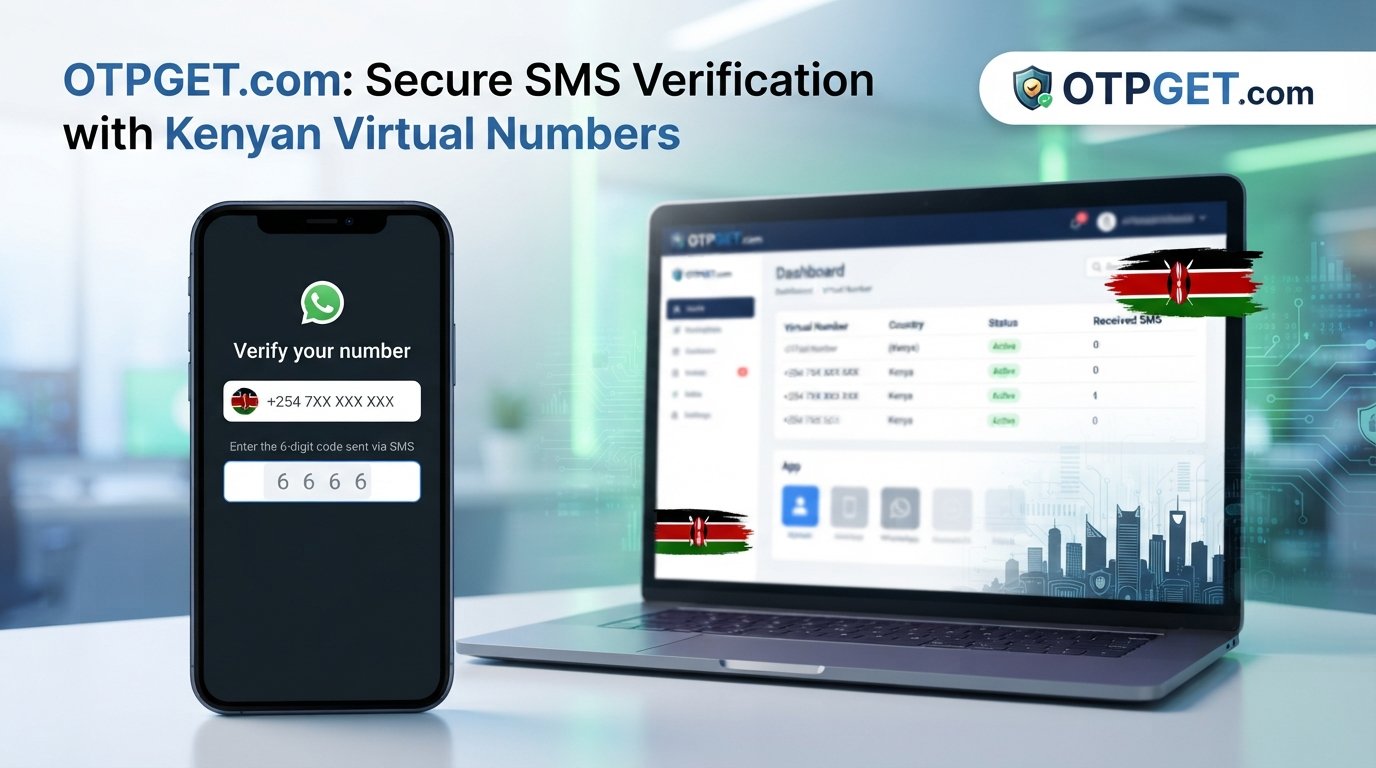
How to Get Kenya Number for WhatsApp With OTPGET
The exact availability and interface can change, so follow the instructions displayed on OTPGET rather than relying on a specific button name.
Step 1: Visit OTPGET
Open OTPGET and review the available virtual-number services.
If you are new to virtual numbers, take a moment to understand the available options before selecting one.
Step 2: Select Kenya
Look for Kenya among the available countries and choose a number suitable for your intended verification.
Country and service availability can vary, so only proceed when an appropriate Kenya number is available.
Step 3: Obtain the Number
Follow the instructions shown on OTPGET to obtain the selected number.
Before using it, copy the complete number carefully and make sure the Kenyan country code is included in the format required by WhatsApp.
Step 4: Enter the Number in WhatsApp
Open WhatsApp's registration or phone-number verification screen.
Select Kenya as the country if required, then enter the assigned Kenyan number. Double-check every digit before requesting the verification code.
Step 5: Wait for the WhatsApp OTP
Request the verification code through WhatsApp.
Return to OTPGET and check for the incoming SMS. If the number supports the requested service and the message is successfully delivered, the verification code should appear through the OTPGET system.
Step 6: Enter the OTP
Carefully enter the WhatsApp verification code into the appropriate WhatsApp field.
Do not share an OTP with anyone. Verification codes should be treated as sensitive account-security information.
Step 7: Complete WhatsApp Setup
After successful verification, follow WhatsApp's remaining setup instructions.
If WhatsApp rejects the number or does not deliver the SMS, do not assume that repeatedly requesting codes will solve the issue. Check the number, wait if necessary, and consider whether that particular number is eligible for the service.
Why Choose OTPGET for a Kenya Virtual Number?
For readers searching for a Kenyan phone number online, OTPGET offers a straightforward option worth exploring.
Its main strengths are centered around convenience and SMS verification:
- Virtual access: Get a number online instead of obtaining a physical SIM.
- SMS-focused service: OTPGET is specifically built around OTP and verification messages.
- Country selection: Users can select from available countries and services.
- Temporary and rental options: Different number types can suit short-term or continuing legitimate requirements.
- Beginner-friendly workflow: The general process is simply to select a number, use it for the supported verification, and monitor the incoming SMS.
- Broader verification use: The platform supports numerous services beyond WhatsApp.
The right choice still depends on your specific purpose. If you need a permanent Kenyan mobile identity, calling functionality, or services tied specifically to a physical SIM, a traditional mobile number may be more appropriate.
Tips for Successfully Receiving a WhatsApp OTP
A few simple checks can prevent common verification problems.
- Check the country code. Make sure Kenya is selected and the number is entered correctly.
- Copy the number carefully. One incorrect digit can send the SMS somewhere else.
- Confirm SMS capability. The selected number needs to support the type of message you are requesting.
- Wait before requesting another code. Repeated attempts can create delays or additional verification restrictions.
- Check OTPGET for the incoming message. Give the SMS reasonable time to arrive.
- Follow WhatsApp's instructions. Do not attempt to work around restrictions imposed by WhatsApp.
- Use an appropriate number. A number suitable for one service may not necessarily be accepted by another.
- Treat OTPs as private. Never give verification codes to strangers or untrusted parties.
Common Problems and Solutions
OTP Is Not Arriving
The message may be delayed, the number may not support the requested service, or WhatsApp may not accept that particular number.
Check the number and allow reasonable time for delivery. If the OTP still does not arrive, review the available options on OTPGET rather than repeatedly requesting new codes.
OTPGET's published policy explains that users should manually cancel an order when an OTP has not arrived within its stated cancellation window if they want to qualify for the applicable wallet refund.
The Country Code Is Incorrect
Make sure the number is being entered as a Kenyan number and that you have not accidentally combined the country code with an incorrectly formatted local number.
The Number Is Already Associated With an Account
A number that has previously been used with WhatsApp may produce a different verification experience. Follow WhatsApp's instructions and consider using an appropriate available number instead.
Verification Attempts Are Limited
Avoid repeatedly requesting codes within a short period. Wait for the restriction or delay to clear and follow WhatsApp's prompts.
WhatsApp Rejects the Number
This can happen because WhatsApp does not accept every virtual or temporary number.
A virtual number is not a universal workaround for WhatsApp's eligibility or security systems. If a number is rejected, review your options and use a number appropriate for your legitimate purpose.
Kenya Number for WhatsApp: Physical SIM vs. Virtual Number
| Feature | Physical Kenyan SIM | Virtual Kenya Number |
|---|---|---|
| Physical SIM required | Yes | No |
| Online access | Limited | Yes |
| Setup convenience | May require local access | Can be obtained online |
| SMS reception | Through mobile network | Through provider platform |
| Long-term ownership | Generally suitable | Depends on number type |
| WhatsApp acceptance | Subject to WhatsApp rules | Also subject to WhatsApp rules |
| Best suited for | Permanent mobile use | Certain online verification needs |
For users who do not need a traditional mobile subscription, a virtual number through OTPGET may be more convenient. However, anyone who needs dependable long-term access to a specific mobile number should carefully consider whether a physical SIM is a better fit.
Frequently Asked Questions
Can I get a Kenya number for WhatsApp online?
Yes, you can look for an available virtual Kenya number online through a service such as OTPGET. Whether WhatsApp accepts the particular number depends on WhatsApp's verification and eligibility systems.
Can I use a Kenya virtual number for WhatsApp?
A Kenya virtual number may be usable for WhatsApp if the particular number can receive the required verification message and is accepted by WhatsApp. Not every virtual number is guaranteed to work.
How do I receive a WhatsApp OTP?
Enter the eligible phone number in WhatsApp and request verification. If the SMS is successfully delivered to the supported virtual number, check OTPGET for the incoming message and enter the code into WhatsApp.
What is a Kenya virtual phone number?
It is a Kenyan phone number provided through an online communications platform rather than through a physical SIM in your phone. It can be used for supported SMS and verification workflows.
How does OTPGET help with Kenya number verification?
OTPGET provides access to virtual numbers intended for SMS OTP verification. You can check for an available Kenyan number, use it for your legitimate verification workflow, and monitor the service for an incoming SMS.
What should I do if my WhatsApp OTP does not arrive?
First, check the country code and number. Then wait rather than repeatedly requesting codes. Check whether the selected number supports WhatsApp verification and review OTPGET for the SMS. If WhatsApp rejects the number, another available number may be necessary.
Can every virtual number be used for WhatsApp?
No. WhatsApp decides which numbers it accepts for its verification process. Virtual-number compatibility can vary, so there is no universal guarantee that every Kenyan virtual number will work.
Is a Kenya number from OTPGET suitable for my verification needs?
It can be a convenient option if your legitimate purpose requires a Kenyan number and SMS OTP reception. Check current availability and make sure your intended use complies with WhatsApp's rules and OTPGET's policies.
Final Thoughts: Get Your Kenya WhatsApp Number Online With OTPGET
If you have been wondering how to get Kenya number for WhatsApp, you do not necessarily need to start by finding a physical Kenyan SIM.
A virtual Kenya number can be a practical alternative for certain legitimate verification needs, especially when you only require online access to receive an SMS code. The important thing is to choose a suitable service, understand the limitations, and remember that WhatsApp controls its own verification and security requirements.
OTPGET makes the process more convenient by providing virtual numbers and an online SMS OTP workflow. Check the available Kenya numbers, follow the instructions shown on the platform, enter the selected number into WhatsApp, and monitor OTPGET for the verification message.
Ready to explore a Kenya number for WhatsApp? Visit OTPGET, check the currently available Kenyan numbers, and choose an option that fits your legitimate verification needs.
[Internal Link Suggestion: virtual number for OTP verification]
[Internal Link Suggestion: how to receive SMS online]
[Internal Link Suggestion: OTPGET virtual numbers