How to Get Temu Login Without Phone Number: A Simple Step Guide
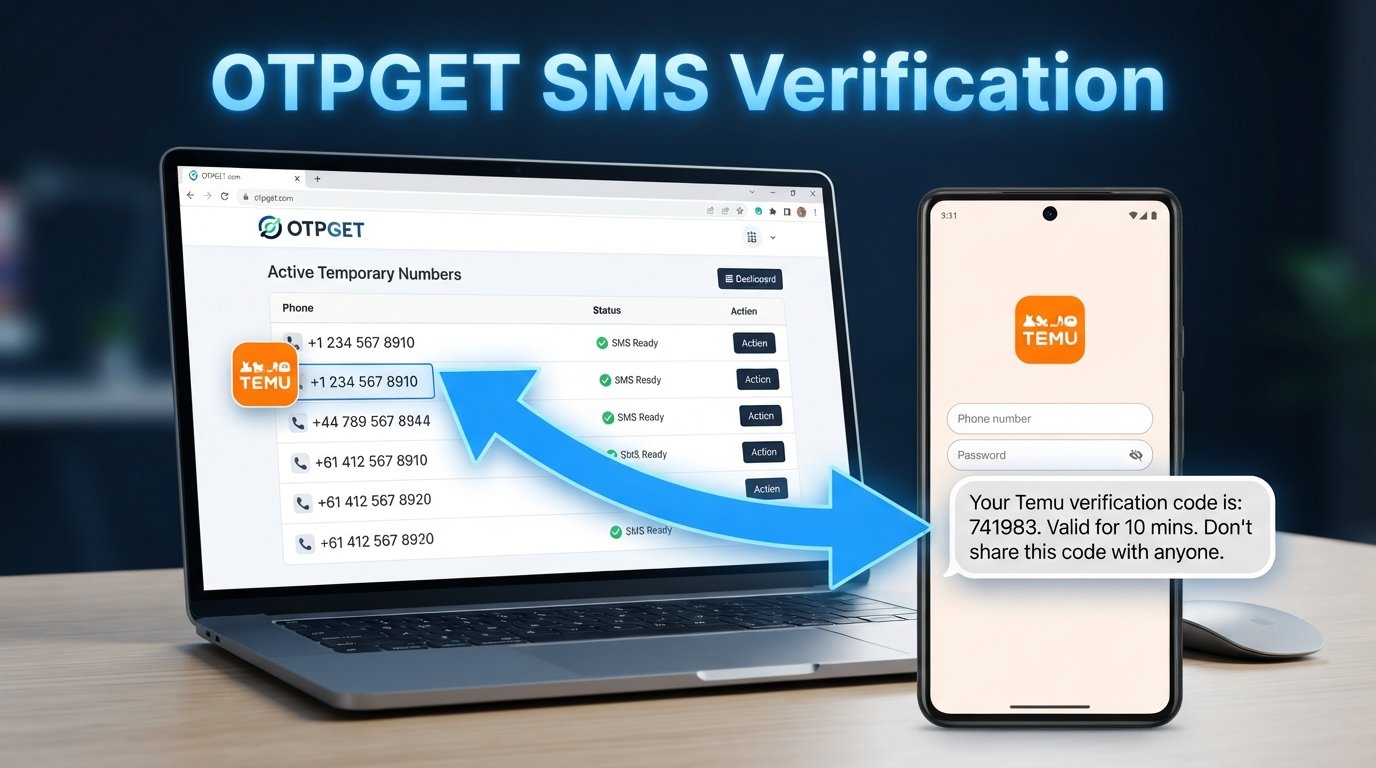
How to Get Temu Login Without Phone Number
Want to access or create a Temu account without using your personal phone number? You may be looking for a way to keep your personal contact information separate from online shopping, or you may simply be having trouble receiving a verification SMS.
The important point is that Temu may request phone verification depending on the login or signup method and the verification it requires. There is no reliable way to assume that phone verification can always be skipped.
If Temu asks for an SMS verification code, one option to consider is an online or temporary number service. OTPGET can provide access to temporary/online phone-number services, which may be useful when you need an eligible number to receive an SMS verification code.
This guide explains how Temu verification works, the difference between avoiding your personal number and bypassing verification, and how OTPGET may fit into the process.
Can You Get a Temu Login Without a Phone Number?
The answer depends on what Temu requires for the particular login or account-creation flow you are using.
There is an important difference between not using your personal phone number and bypassing phone verification entirely.
If Temu provides another legitimate verification method for your account, you may be able to use that method instead. However, if the platform specifically requests an SMS verification code, you generally need access to an eligible phone number that can receive that code.
In that situation, an online or temporary number can be an alternative to your personal number.
The basic possibilities are:
- Use another verification method if Temu offers one.
- Use a secondary number that you are authorized to use.
- Use an eligible online or temporary number when SMS verification is required.
- Contact Temu support if you cannot complete the required verification process.
So, Temu login without a personal phone number may be possible in some circumstances, but it should not be treated as a guaranteed phone-free login method.
Why Do Users Look for a Temu Account Without a Phone Number?
There are several practical reasons someone may prefer not to use their primary number.
Privacy preferences
Some users prefer to keep their personal phone number separate from shopping accounts and other online services.
Separating online activity
A secondary number can make it easier to keep shopping-related communications separate from personal calls and messages.
Problems receiving SMS
Sometimes the issue is not privacy at all. A user may simply be unable to receive a Temu verification code because of connectivity, number compatibility, carrier restrictions, or temporary service problems.
Temporary access
Someone may need an SMS-enabled number for a particular verification process without wanting to use their everyday number.
These situations explain why searches for Temu account without phone number, online number for Temu verification, and receive Temu OTP online are common.
What Happens When Temu Requests an OTP?
An OTP, or one-time password, is a temporary verification code used to confirm access to a particular contact method.
The process is usually straightforward:
- Temu requests verification.
- A verification code is sent to the requested phone number or other supported contact method.
- The user receives the code.
- The code is entered into the appropriate verification field.
- If the code is valid and accepted, the verification step is completed.
OTPs are generally time-sensitive. Never share a verification code with another person, even if someone claims they need it to help with your account.
If you are using an online number, the same basic concept applies: Temu sends the code to the number, and you retrieve the message through the service providing access to that number.
How OTPGET Can Help With Temu Verification
If Temu requires SMS verification and you do not want to use your personal number, OTPGET can be considered as an option for accessing a temporary or online phone number capable of receiving SMS verification messages.
The basic idea is simple:
Temu requests an OTP → an eligible number receives the SMS → you retrieve the code through the service → you enter the code into the appropriate Temu verification field.
This approach does not mean that Temu verification is being bypassed. Instead, you are using a different number for the verification step when that number is supported and accepted.
However, availability and successful verification can depend on several factors, including:
- Whether the selected number can receive the required SMS.
- Whether the number is compatible with Temu's verification process.
- Regional or service availability.
- Temu's current verification requirements.
- Temporary limitations affecting SMS delivery.
For that reason, OTPGET should be viewed as a practical option to explore rather than a guaranteed verification method.
How to Get Temu Login Without Phone Number Using OTPGET
If you want to avoid using your personal phone number, the following workflow explains how an OTPGET number may fit into the process.
Step 1: Open OTPGET
Start by accessing the OTPGET service and reviewing the available online or temporary number options.
The goal is to identify a number that supports the SMS verification you need.
Step 2: Select an Appropriate Number
Choose an available number or service option that is suitable for receiving an SMS verification code.
Before proceeding, check any information provided by the service about supported verification messages or number availability.
Step 3: Start the Temu Login or Signup Process
Open the normal Temu login or signup flow.
If you are creating a new account, follow the standard registration process. If you already have an account, use the normal login process.
Do not assume that every account or login method will request exactly the same verification information.
Step 4: Enter the OTPGET Number Where Temu Requests Verification
When Temu asks for a phone number, enter the eligible number you obtained through the service, using the correct country or regional format where required.
Only use a number you are authorized to use.
Step 5: Wait for the Verification SMS
If Temu sends a verification message, monitor the relevant OTPGET message area for the incoming SMS.
Delivery may not always be immediate. Availability can also vary depending on the number, service, region, and verification system involved.
Step 6: Enter the Verification Code
Once the SMS arrives, locate the verification code and enter it into the legitimate Temu verification field.
Treat the code as private account information. Do not share it with other people.
Step 7: Complete the Account Process
If Temu accepts the verification code, continue with the normal login or account-creation process.
If the number is not accepted or the code does not arrive, avoid repeatedly requesting codes and move to troubleshooting steps instead.
Temporary Number vs. Your Personal Phone Number
Choosing between a personal number and a temporary number involves more than simply asking which one is easier.
| Factor | Personal Phone Number | Temporary/Online Number |
|---|---|---|
| Privacy | Uses your existing contact information | Can help keep your personal number separate |
| Convenience | Usually readily available to you | Depends on number and service availability |
| Verification | Often suitable when accepted by the platform | Compatibility may vary |
| Account recovery | Usually easier to retain long term | May be unsuitable for future recovery |
| Number availability | Controlled by your carrier | Depends on the service |
| Long-term use | Generally better for important accounts | Requires consideration before relying on it |
A temporary number can be useful for a specific SMS verification task, but it may not be ideal for an account you expect to access or recover for a long time.
If account recovery is important, understand how the number works before relying on it.
What If the Temu Verification Code Does Not Arrive?
A missing verification code does not necessarily mean the account process has failed permanently.
Try these practical troubleshooting steps:
- Wait briefly: SMS delivery can sometimes take a little time.
- Check the number: Make sure the number entered into the Temu form is correct.
- Check the OTPGET message area: Confirm that you are monitoring the correct number.
- Request another code when permitted: If Temu provides a resend option, use it appropriately.
- Try another eligible number: If another suitable option is available, it may resolve a compatibility issue.
- Check service availability: Temporary numbers and SMS services may have changing availability.
- Avoid repeated requests: Sending many OTP requests in quick succession may make troubleshooting more difficult.
- Contact Temu support: If the verification process continues to fail, use Temu's available support channels.
The key is to troubleshoot the actual verification problem rather than assuming that every online number will work with every service.
Is Using an Online Number for Temu Verification Safe?
Using an online or temporary number requires some consideration.
One benefit is that it can help users avoid giving their primary phone number to an online service when a separate number is appropriate. However, temporary numbers can also have limitations.
For example, a number may not remain available indefinitely. Number recycling can also create account-recovery concerns if a service reassigns numbers to other users.
Before using a temporary number, consider:
- Whether you may need the number again later.
- Whether the account is important enough to require reliable recovery access.
- Whether the number is suitable for the verification service involved.
- What information the number provider makes available about its service.
- Whether the service's terms allow your intended use.
Most importantly, never share your OTP with another person. An online number can provide access to an SMS message, but that does not eliminate the need to protect your account credentials and verification codes.
Best Practices When Using OTP Verification
Whether you use your personal number, a secondary number, or an OTPGET number, good verification habits matter.
- Never share an OTP with another person.
- Use only numbers you are authorized to use.
- Check that the selected number supports the required SMS type.
- Avoid temporary numbers for accounts where permanent recovery access is critical unless the service explicitly supports that arrangement.
- Follow Temu's applicable terms and verification requirements.
- Avoid requesting multiple OTPs unnecessarily.
- Keep your account credentials private.
- If verification fails repeatedly, troubleshoot the issue instead of repeatedly submitting requests.
These steps help keep the process practical while reducing avoidable account-access problems.
Frequently Asked Questions
Can I create a Temu account without my personal phone number?
You may be able to avoid using your personal number if Temu provides another verification method or accepts an alternative eligible number. If Temu specifically requires SMS verification, an appropriate online or temporary number may be an option.
Can I receive a Temu verification code online?
Potentially, yes. If Temu sends the code to an eligible number that supports online SMS reception, the message may be accessible through the relevant service.
What is the best way to get a temporary number for Temu verification?
A practical approach is to use a service that provides access to an appropriate SMS-enabled number. OTPGET can be considered for this purpose, although compatibility and availability can vary.
Can OTPGET receive a Temu OTP?
OTPGET can provide access to temporary/online phone-number services intended for SMS reception. Whether a particular number receives and is accepted for a Temu OTP can depend on the number, region, service availability, and Temu's verification requirements.
Why am I not receiving my Temu verification code?
Possible reasons include an incorrect number, delayed SMS delivery, number compatibility issues, service availability, or temporary verification restrictions. Check the number and message area, wait briefly, and use another eligible option if available.
Can I use a temporary number for Temu login?
A temporary number may be usable when Temu requests SMS verification and accepts the selected number. However, temporary numbers may have limitations for future account recovery.
Is a phone number always required for Temu verification?
Not necessarily in every situation. Verification requirements can depend on the account flow and method being used. If Temu specifically requests phone-based SMS verification, you will need access to an eligible number for that step.
Conclusion
If you are searching for how to get Temu login without phone number, the most important distinction is between avoiding your personal number and completely bypassing verification.
Temu may require verification depending on the login or signup process. When SMS verification is requested, an online or temporary number can be an alternative for users who prefer not to provide their personal phone number.
OTPGET can be a practical option to explore when you need access to a temporary or online number for SMS verification. The process is straightforward in principle: obtain an eligible number, use it where Temu requests verification, retrieve the OTP through the service, and enter the valid code into the appropriate Temu field.
Because verification compatibility and availability can vary, there is no guarantee that every number will work. If OTPGET fits your needs, explore the available options carefully and choose a number appropriate for your intended use.
8. Internal Link Suggestions
- Temu verification guide
- How temporary phone numbers work
- Online SMS verification explained
- OTP verification guide
- How OTPGET works
9. Final SEO Checklist
- Article length: approximately 1,200–1,800 words
- Primary keyword included naturally
- Secondary and long-tail keywords distributed naturally
- SEO title created within the requested character range
- Meta title focused on the primary search intent
- Meta description includes the primary topic and OTPGET
- Clean SEO-friendly URL slug
- Meta tags provided in comma-separated format
- Thumbnail prompt included
- OTPGET presented as the primary practical solution without exaggerated claims
- No guaranteed verification claims
- No fabricated statistics, testimonials, partnerships, pricing, or success rates
- Temu verification requirements described cautiously
- Privacy and account-recovery limitations addressed
- Troubleshooting section included
- FAQ section includes seven questions
- Conclusion includes a natural OTPGET call to action
- Internal-link anchor suggestions included
- No unnecessary keyword stuffing
- Article uses scannable headings, short paragraphs, bullets, and numbered steps
- Content is written to remain evergreen


