Midjourney Login Without Phone Number: Easy Verification Guide
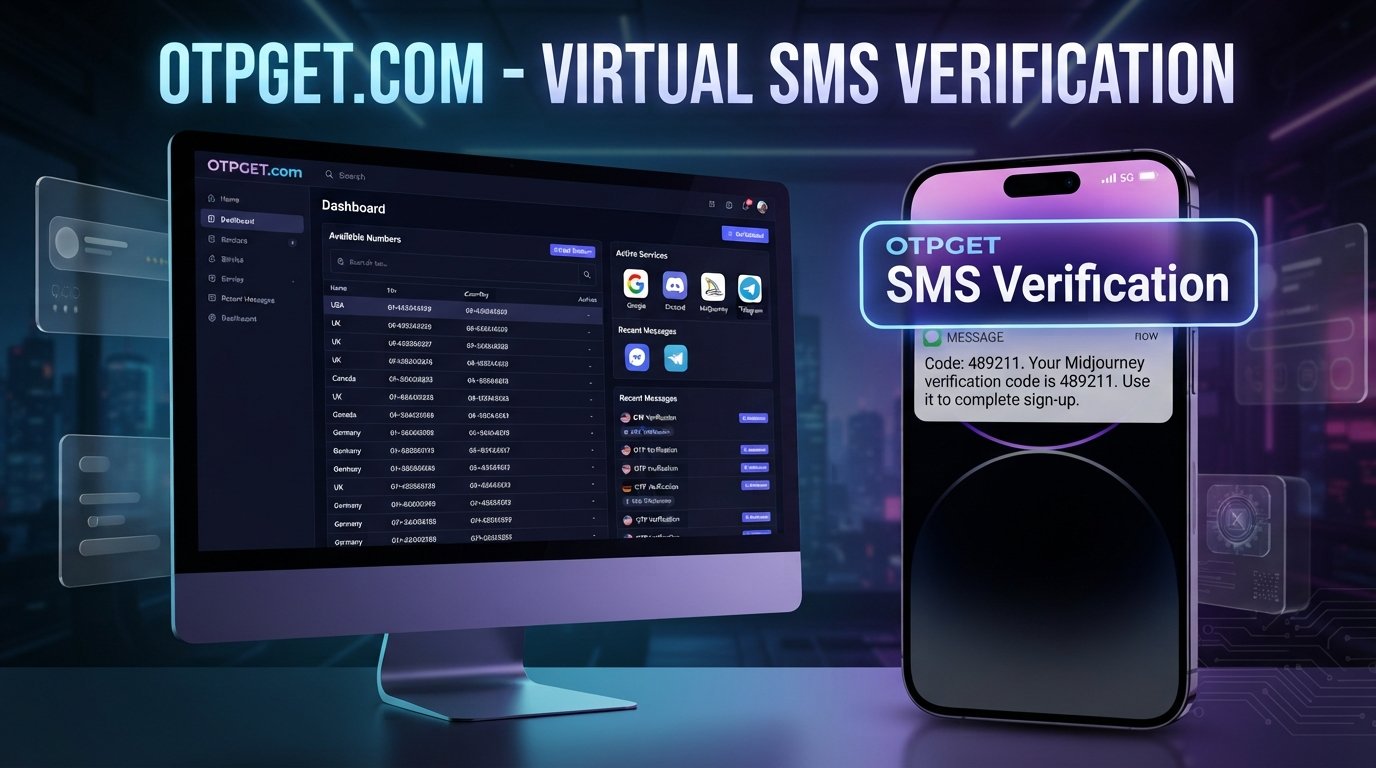
How to Get Midjourney Login Without Phone Number
Want to use Midjourney but would rather not rely on your personal phone number for verification?
There are several legitimate reasons someone might search for midjourney login without phone number. You may be traveling, have unreliable SMS coverage, want to keep your personal number separate from online services, or simply prefer another supported sign-in method.
The important distinction is between logging into Midjourney and verifying an account with a phone number. They are not necessarily the same step.
Midjourney's current documentation says new users can create an account using Google or Discord, while returning users should use the account associated with their previous Midjourney activity.
That means the first thing to do is check whether you actually need phone verification. If a phone number is specifically requested by a service involved in your sign-up or authentication flow, a separate verification number may be an option where the service permits it.
For users looking for online SMS verification, OTPGET provides virtual numbers and SMS OTP functionality. Its documentation describes a process for selecting an available country and service, obtaining a number, and checking for an incoming verification code.
Can You Use Midjourney Without a Phone Number?
Possibly, depending on which part of the account process you are completing.
Midjourney currently documents Google and Discord as its account sign-in methods. It does not offer a separate Midjourney-specific username-and-password sign-in option.
So if your goal is simply to perform a Midjourney login, start with the authentication methods displayed on the official Midjourney website.
The situation can be different if another service involved in the account process asks for phone verification. For example, a Google or Discord account may have its own verification requirements. Discord specifically notes that it can require email or phone verification as part of its safety systems.
In other words:
- Login identifies you using an available authentication method.
- Sign-up creates or connects your account.
- Verification confirms information requested during an account process.
- OTP is the one-time code used to complete certain verification steps.
A phone number cannot always be skipped when a service explicitly requires one. The appropriate approach is to use an authentication or verification method that the relevant service actually accepts.
[Internal Link: Complete Midjourney Account Setup Guide]
Why Do People Look for a Midjourney Login Without a Phone Number?
The reasons are often straightforward and legitimate.
Privacy
Some users prefer not to give their personal mobile number to every website or online service they use. Keeping personal communications separate from online verification can be a reasonable privacy preference.
SMS problems
International travel, weak mobile coverage, carrier restrictions, delayed messages, or unavailable roaming can make ordinary SMS verification inconvenient.
A separate online identity
Someone managing several online services may want a dedicated number for legitimate business, testing, or account-verification purposes instead of using their everyday mobile number.
International access
Phone-number availability and SMS delivery can vary by country. A user may have access to the internet but have difficulty receiving verification texts on their normal number.
These situations explain why searches for Midjourney without phone number, receive verification code online, and phone verification alternative are common.
The key is to use an alternative only when it is permitted by the service's rules.
How Phone Verification Works
Phone verification is generally simple.
- A service asks for a phone number.
- You enter an eligible number.
- The service sends a verification SMS.
- You receive a one-time code.
- You enter that code into the official verification screen.
- The service completes the verification process if everything checks out.
OTP can mean One-Time Password or One-Time Passcode. In practical terms, it is a temporary code intended for a particular verification event.
An SMS verification service follows essentially the same concept: the number receives the message, and the user retrieves the code through the service.
However, an online number is not automatically accepted by every platform. Some services restrict VoIP, temporary, recycled, or previously used numbers. That's why availability and compatibility should always be checked before relying on a particular number.
How to Get Midjourney Login Without Phone Number
There are three practical paths worth considering.
Option 1: Use an Available Account Authentication Method
Start with the official Midjourney login page.
For new accounts, Midjourney currently documents Continue with Google and Continue with Discord. If you already have a Midjourney account, use the authentication method connected to that account.
This is the cleanest approach because it avoids introducing an additional verification number when one is not actually required.
For returning users, be especially careful about choosing the correct account. Midjourney notes that previous Discord activity is tied to the relevant Discord account, and signing in through a different account can create account-linking complications.
Option 2: Use a Separate Number for Verification
If a service involved in the authentication process explicitly requires an SMS verification number, you may consider a separate number intended for online verification, where legally permitted and accepted by that service.
This can help separate your personal number from online verification activity.
But there is an important limitation: a temporary or virtual number is not guaranteed to work everywhere. Some platforms have their own restrictions on which numbers they accept.
The goal should not be to defeat or bypass authentication. Instead, use a legitimate number that the relevant service accepts and complete verification normally.
Option 3: Use OTPGET for SMS Verification
For users who specifically need to receive OTP online, OTPGET can be a practical option to investigate.
OTPGET's official site describes virtual numbers for SMS OTP verification, while its documentation explains how users can select available countries and services, request a number, and check its activation status for an incoming SMS.
A general workflow is:
- Open OTPGET.
- Check whether the relevant service and number type are available.
- Select an available number.
- Enter the number into the service's official verification page.
- Wait for the verification SMS.
- Retrieve the OTP through OTPGET.
- Enter the code into the official verification screen.
- Continue the normal account process.
The important qualification is availability and acceptance. OTPGET does not guarantee that a particular number will be accepted by Midjourney, Google, Discord, or another service. Use it only when the relevant service permits the number type and the intended use complies with its rules.
[Internal Link: OTP Verification Guide]
Why Use OTPGET for Online OTP Verification?
The main attraction of an online SMS verification service is separation and convenience.
Instead of using your everyday mobile number, you can potentially use a dedicated verification number for a supported purpose. OTPGET's published service information describes virtual numbers, rental numbers, and SMS OTP functionality, giving users different options depending on their needs.
Potential advantages include:
- Separation from your personal number: Keep everyday communications separate from online verification.
- Online access to SMS: When a supported number receives a code, the message can be accessed through the relevant OTPGET workflow.
- Simple verification process: The basic process is number → SMS → OTP → official verification page.
- Useful for SMS limitations: A separate number can be useful when your regular number cannot receive the required message.
- Different number options: OTPGET documents country and service selection for its SMS OTP system.
Still, convenience should not be confused with universal compatibility. Number availability can change, and individual services can impose their own restrictions.
Step-by-Step: Using OTPGET for a Verification Code
If you have confirmed that an online verification number is permitted, the process is straightforward.
Step 1: Open OTPGET
Visit the official OTPGET website and review the available verification options.
Step 2: Select the Relevant Service
Look for the service or verification category that matches your legitimate purpose, if it is available.
Step 3: Choose an Available Number
Select a country and number that the service makes available for the required verification purpose.
Step 4: Enter the Number
Copy the provided number into the phone-number field on the official verification page.
Step 5: Wait for the OTP
Request the verification message through the normal account process. OTPGET's documentation provides an activation-status flow for checking whether an SMS has arrived.
Step 6: Copy the Code
Once the SMS arrives, retrieve the verification code through OTPGET.
Step 7: Enter the Code
Enter the OTP into the official verification screen. Never send verification codes to another person.
Step 8: Finish the Normal Account Process
Continue through the service's standard login or sign-up flow.
If the service does not accept the number, don't attempt to circumvent its controls. Use another supported authentication method or consult the service's official support documentation.
What If the Midjourney Verification Code Does Not Arrive?
A missing verification code does not necessarily mean something is wrong with your account.
Try these checks:
- Confirm that the number was entered correctly.
- Give the SMS a reasonable amount of time to arrive.
- Check whether the selected number supports the relevant service.
- Avoid repeatedly requesting new codes in rapid succession.
- Check whether the number has already been used or has restrictions.
- Try another officially supported authentication method.
- Review the relevant service's support documentation.
- If you're using a third-party verification service, check its current availability before trying again.
If you're having a Midjourney account or billing problem, Midjourney provides an official support route for assistance.
Repeatedly changing numbers is not a guaranteed fix. Some platforms may apply rate limits or other controls, so patience and following the official verification process are usually preferable.
Is Using an Online Number Safe?
There are trade-offs.
An online or temporary number can reduce the need to expose your personal number, but it can also introduce account-recovery and privacy considerations.
Before using one, consider:
- Number reuse: A temporary number may not remain under your control indefinitely.
- Account recovery: If an account later requires the same number, losing access to it can create problems.
- Service acceptance: Some platforms restrict temporary, virtual, or previously used numbers.
- Privacy: Understand who may have access to messages received through a shared or temporary number.
- Security: Never disclose an OTP to another person.
- Terms of service: Make sure the method is allowed by the relevant platform.
For important long-term accounts, an authentication method that you permanently control may be more appropriate.
Midjourney's terms also state that each user may maintain only one account and prohibit activities such as deception, fraud, and unauthorized use of the service.
So an online number should be viewed as a verification option—not as a way to bypass account restrictions.
Common Mistakes to Avoid
When trying to complete SMS verification, avoid these common errors:
- Using a number that cannot receive SMS.
- Entering the wrong number.
- Requesting too many verification codes.
- Sharing an OTP with another person.
- Using an unofficial login page.
- Assuming every temporary number works with every service.
- Ignoring the platform's account rules.
- Creating multiple accounts when the service limits users to one account.
- Using a verification method specifically designed to circumvent a security restriction.
The safest approach is simple: use the official login page, follow the platform's normal authentication process, and use third-party verification only where it is permitted.
Frequently Asked Questions
Can I use Midjourney without a phone number?
For Midjourney account sign-in, the service currently documents Google and Discord authentication methods. Whether a phone number is required can depend on the account or authentication flow involved.
Can I receive a Midjourney verification code online?
If a phone-based verification step is presented by the relevant service, an online SMS verification service may be an option where that service accepts the number. OTPGET provides virtual-number SMS OTP functionality, but it does not guarantee acceptance by a particular platform.
What is a Midjourney OTP?
An OTP is a one-time password or passcode used during a verification process. If a service sends an SMS verification code, that code is typically entered into the official verification screen.
Can OTPGET help with SMS verification?
OTPGET provides virtual numbers and SMS OTP functionality for supported verification purposes. Its documentation describes selecting an available service and country, requesting a number, and checking for the incoming code.
Why am I not receiving my verification code?
Possible reasons include an incorrect number, unavailable SMS routing, number restrictions, rate limits, or incompatibility with the service. Check the number and service requirements before repeatedly requesting another code.
Is a temporary number suitable for account verification?
It can be suitable for some legitimate verification purposes, but it depends on the platform's rules. For an important account, consider whether you will need the same number for future recovery.
What should I do if an online verification number does not work?
Check whether the number type is accepted, verify that the service is supported, and try an officially supported authentication method if one is available. Do not attempt to bypass security controls.
Final Thoughts
Searching for midjourney login without phone number does not necessarily mean you need to bypass phone verification.
The first step is to check the authentication methods Midjourney officially supports. Currently, Midjourney documents Google and Discord as sign-in options, making them the natural starting point for users who want to avoid an unnecessary phone-verification step.
If a legitimate verification process does require SMS and the relevant service permits an online number, a service such as OTPGET can provide another practical route for receiving verification messages. Its published documentation supports virtual numbers and SMS OTP workflows, although availability and acceptance depend on the service being verified.
The key is to use these tools responsibly: verify accounts you are authorized to use, follow the platform's rules, and never treat an OTP service as a way around authentication controls.
If an online SMS verification number fits your situation and is accepted for the service you are using, you can explore OTPGET's available verification options and choose the method that matches your legitimate verification needs.
FAQ:
1. Can I use Midjourney without a phone number?
Midjourney currently supports Google and Discord sign-in. A phone number may still be requested by another part of the authentication process, depending on the service involved.
2. Can I receive a Midjourney verification code online?
If the relevant verification process accepts an online number, an SMS verification service such as OTPGET may be useful. Acceptance is determined by the service requesting verification.
3. What is a Midjourney OTP?
An OTP is a one-time password or passcode sent during a verification process. It is entered into the official verification screen.
4. Can OTPGET help with SMS verification?
OTPGET provides virtual numbers and SMS OTP functionality for supported services. Its documentation describes receiving SMS codes through its verification workflow.
5. Why am I not receiving my verification code?
Check the number, service compatibility, SMS availability, and whether you have requested codes too frequently. Some services may also restrict certain number types.
6. Is a temporary number suitable for account verification?
It can be appropriate when the service permits it, but users should consider number reuse, privacy, and future account-recovery needs.
7. What if an online verification number does not work?
Check whether the service supports that number type, try another supported authentication method, or consult the platform's official support resources. Avoid attempts to circumvent security controls.
SEO CONTENT NOTES:
- Primary keyword: midjourney login without phone number
- Search intent: Informational and practical how-to intent. Users want legitimate ways to access or create a Midjourney account without relying on their personal phone number.
- Suggested internal links:
- [Internal Link: OTP Verification Guide]
- [Internal Link: How to Receive OTP Online]
- [Internal Link: Temporary Phone Number Guide]
- [Internal Link: Midjourney Account Setup Guide]
- [Internal Link: Online SMS Verification Explained]
- Suggested external references:
- Featured snippet opportunity: Target a concise answer to “Can I use Midjourney without a phone number?” immediately beneath the relevant H2, emphasizing Google/Discord sign-in and that phone requirements can depend on the authentication flow.
- Suggested image placements:
- Hero thumbnail: login + OTP + OTPGET concept.
- After “How Phone Verification Works”: simple five-step OTP flow diagram.
- After “How to Get Midjourney Login Without Phone Number”: comparison graphic showing supported sign-in methods versus SMS verification.
- Before the OTPGET tutorial: generic virtual-number/SMS dashboard illustration.
- Near the safety section: privacy and account-recovery checklist graphic.


