OTP Numbers for App Developers: Testing SMS Flows with OTPGET
OTP Numbers for App Developers: Testing SMS Flows
Testing an SMS-based verification flow sounds simple: enter a phone number, request a code, receive the SMS, and enter the OTP. In a real development or QA workflow, however, repeating that process across multiple accounts, devices, environments, and edge cases can quickly become inconvenient.
Developers may need to verify registration, login, password recovery, phone-number verification, and two-factor authentication. At the same time, QA teams need to test incorrect codes, expired OTPs, resend behavior, and other failure scenarios.
Using personal phone numbers for all of these tests creates unnecessary friction. Dedicated OTP numbers for app developers can provide a more controlled way to test SMS verification flows without constantly involving personal numbers.
A service such as OTPGET can fit into this process by giving development and QA teams a practical resource for OTP and SMS verification testing. The goal is simple: make repetitive verification testing easier to organize and manage.
Why OTP Testing Matters for App Developers
An OTP flow is often part of a critical user journey. If verification fails, the user may not be able to create an account, sign in, recover access, or complete onboarding.
Developers should test SMS verification anywhere a phone number plays an authentication or security role, including:
- User registration and signup
- Login verification
- Password recovery
- Phone-number verification
- Two-factor authentication
- Account recovery
- Security or transaction verification
- Mobile app onboarding
A successful test should confirm more than just whether an SMS arrives. The application should correctly handle the code, validate its status, reject invalid input, enforce expiration rules, and respond appropriately when users request another OTP.
Testing these paths before release helps uncover problems while the development team can still fix them.
Common Problems With Testing SMS Verification Flows
SMS testing can become repetitive, particularly when several team members are working on the same application.
One common approach is to use a developer's personal phone number. That may work for a quick test, but it becomes less convenient when dozens of verification attempts are required.
Typical challenges include:
- Repeatedly using personal numbers: Personal devices are not ideal for constant development and QA testing.
- Delayed SMS messages: Delivery delays can make it difficult to determine whether the application or SMS process caused a problem.
- Multiple test accounts: Testing different users may require different phone numbers and repeated setup.
- Managing verification codes: Teams need a practical way to retrieve and use codes during repeated tests.
- Expired OTP scenarios: Testing time-sensitive codes requires deliberate and repeatable test cases.
- Resend testing: Developers need to confirm that repeated OTP requests behave correctly.
- Staging environments: Teams may need numbers dedicated to non-production applications.
- Shared testing devices: Relying on one phone can create bottlenecks for distributed QA teams.
- Automated workflows: Repetitive SMS-based tests can become difficult to maintain when test data is not organized properly.
These issues do not necessarily mean an application's authentication system is poorly designed. They are often simply workflow problems that can be reduced with appropriate testing resources.
What Are OTP Numbers?
An OTP number is a phone number used to receive one-time passwords or verification codes through SMS.
For developers, an OTP testing number is generally used as test data rather than as someone's everyday personal contact number. It can help a team trigger and verify SMS-based authentication flows in a controlled development or QA process.
It helps to distinguish several types of numbers:
- Regular personal number: A person's everyday phone number, typically connected to their personal communications.
- Test number: A number used specifically for application testing.
- Temporary number: A number intended for limited or short-term use.
- Dedicated OTP/SMS testing number: A number used as part of a repeatable verification-testing workflow.
The appropriate choice depends on the application, testing requirements, and how the SMS provider handles delivery and verification.
For teams building authentication features, the key benefit is separation. Test activity can remain distinct from personal communications and production users.
How Developers Can Use OTP Numbers for SMS Flow Testing
The value of OTP testing numbers becomes clearer when you look at specific application scenarios.
1. Testing User Registration
Create a test account, enter the test phone number, request an OTP, and verify that the application accepts the correct code.
Also check what happens if the user enters an incorrect code or requests another one.
2. Testing Login Verification
If your application uses phone-based login or 2FA, test the complete authentication path. Confirm that the OTP is required at the appropriate stage and that successful verification allows the intended login flow to continue.
3. Testing Password Resets
Password recovery is a sensitive user journey. Test whether the OTP is delivered correctly and whether the application rejects invalid or expired verification codes.
4. Testing Phone-Number Verification
Many applications verify a phone number during onboarding. Test both successful verification and failure states to ensure users receive clear feedback.
5. Testing Two-Factor Authentication
For 2FA testing, verify that the second authentication step behaves correctly after the user's primary credentials have been accepted.
6. Testing Expired OTPs
OTP codes are often time-sensitive. A useful test case should confirm that an expired code is rejected and that the user receives an appropriate response.
7. Testing Incorrect OTPs
Enter an incorrect verification code and confirm that authentication does not proceed.
8. Testing Repeated OTP Requests
Request multiple codes and verify that your application's resend behavior works as intended. This is also a useful point to test rate limits and user messaging.
9. Testing Multiple User Accounts
When QA needs to test several account states, dedicated testing resources can make it easier to keep test identities separate.
10. Testing Application Onboarding
Run through the entire onboarding journey from account creation to phone verification. This helps reveal problems that isolated unit or API tests may not catch.
OTPGET as a Solution for OTP and SMS Testing
For developers who regularly work with SMS verification, the main challenge is often not writing the OTP logic. It is creating a practical environment for repeatedly testing that logic.
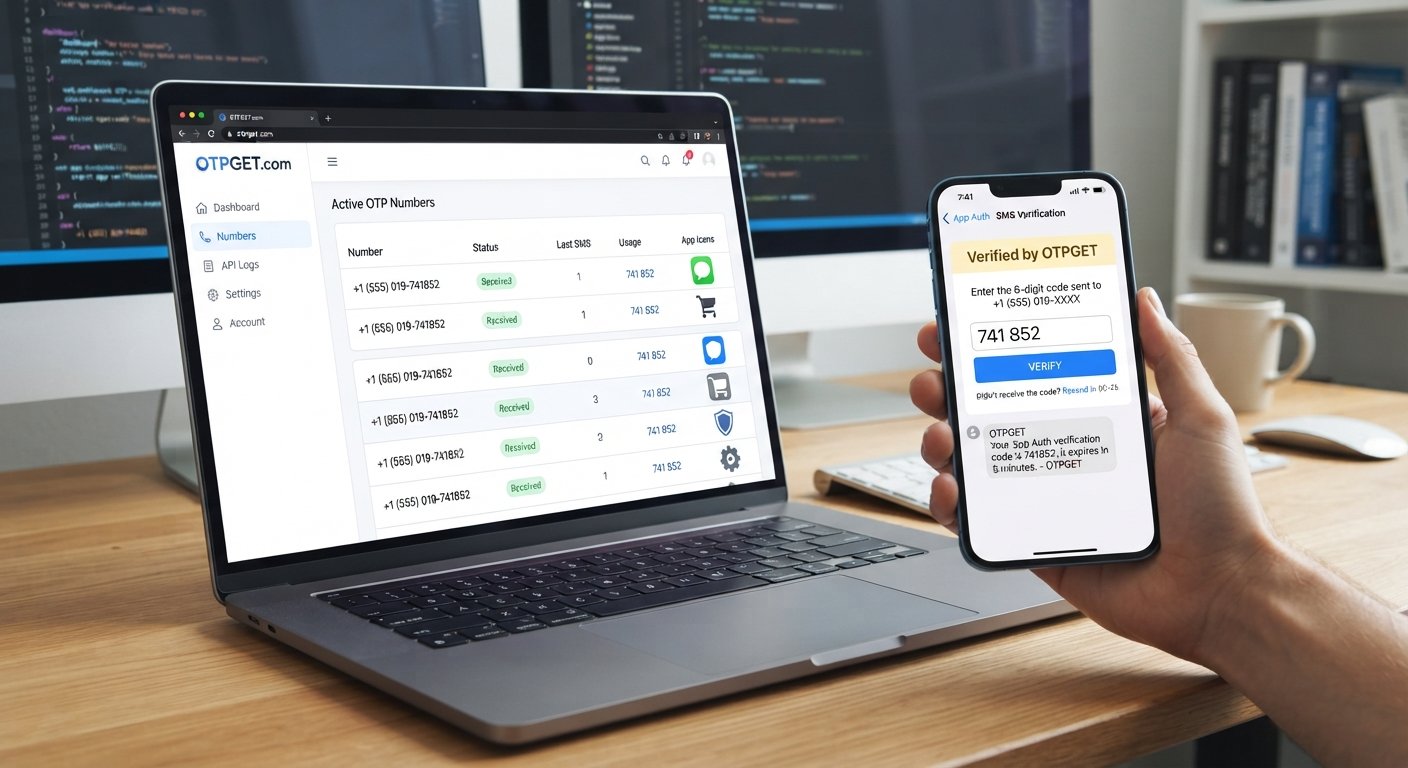
OTPGET can serve as a practical option for teams looking for OTP numbers to support SMS verification testing. Instead of repeatedly relying on personal phone numbers, developers can use a dedicated testing approach that fits their development and QA workflows.
This can be useful when testing:
- Registration and signup flows
- Login verification
- Password recovery
- Phone-number verification
- Two-factor authentication
- Resend and retry behavior
- Invalid or expired verification codes
- Multiple test accounts
- Development and staging environments
The broader advantage is workflow organization. When OTP testing is treated as a defined part of application testing rather than an occasional manual task, developers and QA teams can create more repeatable test cases.
OTPGET can therefore be considered alongside the other resources used to validate an application's authentication flow. It does not replace good test design; instead, it can help provide a more convenient testing resource for SMS-based verification scenarios.
OTPGET vs. Using Personal Numbers for Testing
Personal phone numbers can be useful for an occasional check, but they become less practical as testing becomes more frequent or complex.
| Testing Factor | Personal Number | Dedicated OTP Testing Solution |
|---|---|---|
| Repeated testing | Can become repetitive and inconvenient | Provides a testing-focused approach |
| Privacy | Mixes development activity with personal communications | Keeps testing activity more separate |
| Multiple test accounts | Managing several accounts can be difficult | Makes dedicated testing resources easier to organize |
| QA workflows | Often depends on individual devices | Better suited to repeatable QA processes |
| Development testing | Convenient for quick checks but limited for repeated use | More practical for structured verification testing |
The right approach depends on the application's requirements, SMS infrastructure, and test environment. For teams that perform frequent OTP verification testing, separating test resources from personal numbers can make the workflow easier to manage.
Best Practices for Testing OTP Verification
A strong OTP test plan should cover both successful and unsuccessful outcomes.
Consider including these checks:
- Test successful OTP verification.
- Test incorrect verification codes.
- Test expired OTPs.
- Test multiple OTP requests.
- Test the resend function.
- Test applicable rate limits.
- Test invalid phone-number input.
- Test SMS delivery delays or interruptions where practical.
- Test different user account states.
- Test frontend validation and backend validation.
- Keep development and QA testing separate from production users.
- Document repeatable test cases.
- Use manual testing for exploratory scenarios.
- Use automated testing where the application's architecture and test environment support it.
It is also useful to test what the user sees. A technically correct authentication system can still create a poor experience if error messages are unclear or the resend process is confusing.
Manual vs. Automated OTP Testing
Manual OTP testing is useful when a developer or QA engineer wants to inspect an entire user journey as a real user would experience it.
For example, a tester can:
- Open the signup screen.
- Enter a test phone number.
- Request an OTP.
- Retrieve the verification code.
- Enter the code.
- Confirm the resulting account state.
Automated testing takes a different approach. Tests can validate application logic, API responses, validation rules, expiration behavior, and other repeatable conditions without requiring a person to perform every step.
However, automation introduces its own requirements. A test system needs predictable test data and an appropriate way to handle SMS verification when the workflow genuinely depends on receiving a code.
Dedicated OTP testing resources can help make repetitive verification scenarios easier to structure, but developers should still design their automation around the application's actual authentication architecture. OTPGET should be viewed as a testing resource rather than assumed to provide automation unless a particular capability is explicitly supported.
Why Reliable SMS Testing Matters Before Launch
An OTP system is often a gateway to the rest of an application. If that gateway fails, users can become blocked before they reach the features they actually came to use.
Poorly tested SMS flows can contribute to:
- Failed registrations
- Login difficulties
- Password-reset problems
- Verification failures
- Frustrating onboarding experiences
- Confusing security workflows
- Additional support requests
Testing does not eliminate every possible delivery issue, but it gives development and QA teams an opportunity to identify application-side problems before users encounter them.
The goal is not simply to prove that one OTP works. It is to understand how the entire verification flow behaves under normal, incorrect, repeated, and time-sensitive conditions.
A Simple OTP Testing Workflow for Developers
A straightforward workflow can keep manual and QA testing consistent:
- Create a test account.
- Enter the test phone number in the registration, login, or verification form.
- Trigger the OTP request.
- Receive the verification code through the selected testing resource.
- Enter the code into the application.
- Confirm successful verification and check the resulting account state.
- Test an incorrect code to verify failure handling.
- Test an expired code where applicable.
- Test resend behavior and repeated requests.
- Record the result and repeat the process across other relevant flows.
OTPGET can fit into this workflow as the OTP/SMS testing resource used when a team needs a practical alternative to repeatedly using personal phone numbers.
For larger QA processes, teams can turn these steps into documented test cases and run them against development or staging environments before changes reach production.
Final Thoughts
OTP verification is a small part of an application from a coding perspective, but it can sit directly in the middle of important user journeys. Registration, login, password recovery, onboarding, and 2FA can all depend on reliable SMS verification.
That makes OTP testing worth treating as a dedicated part of software QA rather than a quick final check.
Using appropriate OTP numbers for app developers can make repetitive SMS testing easier to organize, particularly when teams need to test multiple accounts and verification scenarios. OTPGET offers a practical option for developers and QA teams looking for OTP testing resources to support these workflows.
If your application relies on SMS verification, explore OTPGET and consider how dedicated OTP testing numbers could fit into your development, staging, and QA process.
Frequently Asked Questions
What is an OTP number?
An OTP number is a phone number used to receive one-time passwords or verification codes through SMS. Developers can use suitable OTP testing numbers when validating authentication and verification flows.
Why do app developers need OTP testing numbers?
Developers need OTP testing numbers to test SMS-based features without repeatedly relying on personal phone numbers. They can be useful for registration, login, password recovery, 2FA, and other verification scenarios.
How do you test SMS verification?
Trigger an OTP request from the application, receive the verification code, enter it into the appropriate field, and confirm the expected result. Also test incorrect, expired, repeated, and resent codes.
Can OTP numbers be used for app testing?
Yes. Appropriate OTP or test phone numbers can be used to validate SMS verification flows in development and QA environments, provided they are compatible with the application's SMS delivery setup.
How do developers test OTP verification flows?
Developers can test the complete journey from requesting an OTP to successful verification. They should also test failure conditions such as invalid codes, expired codes, repeated requests, and resend behavior.
What should I test in an OTP authentication flow?
Test successful verification, incorrect and expired codes, resend functionality, rate limits, invalid phone numbers, delivery delays where relevant, frontend and backend validation, and different account states.
How can OTPGET help with OTP testing?
OTPGET can provide a practical resource for developers and QA teams that need OTP numbers for SMS verification testing. It can help reduce reliance on personal phone numbers and support more