How to Get Perplexity Login Without Phone Number: Easy Guide
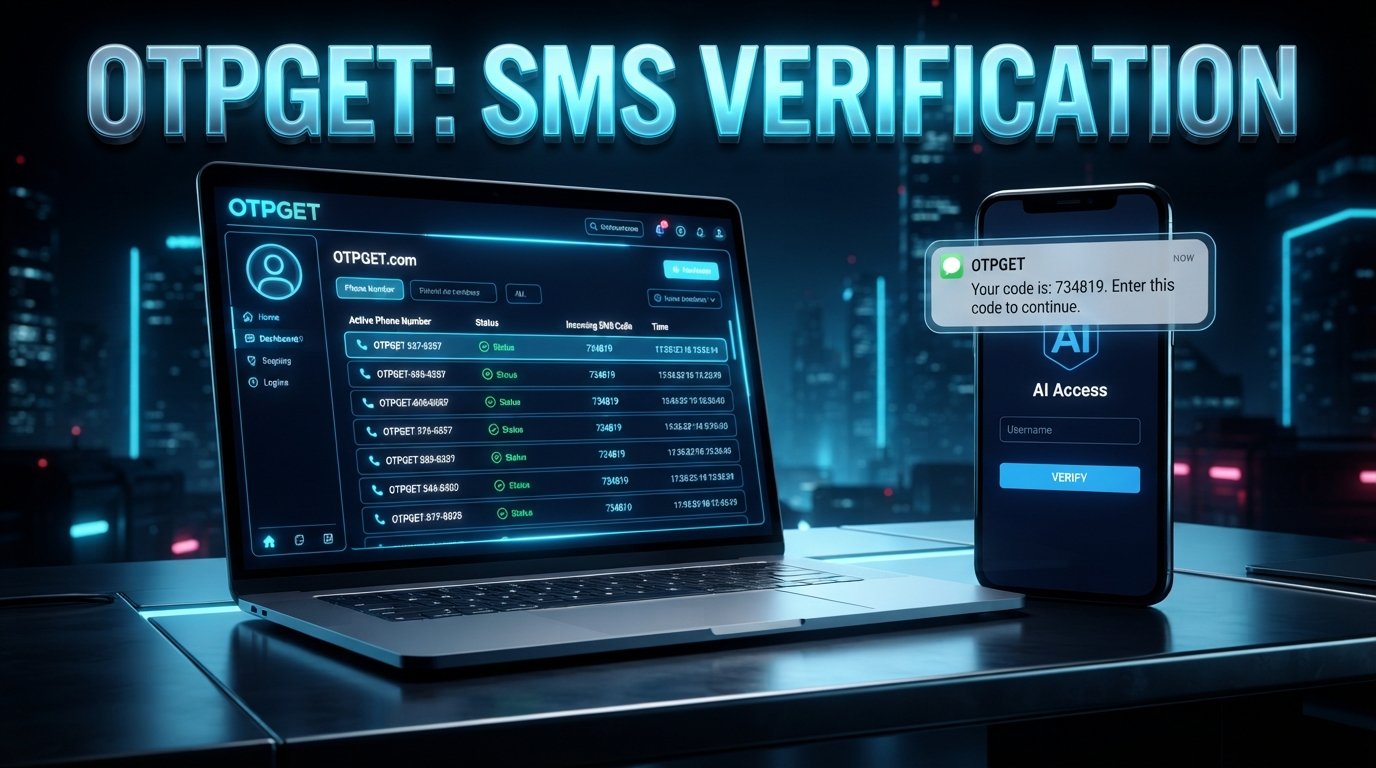
How to Get Perplexity Login Without Phone Number
Phone verification can become an unexpected hurdle when you're trying to access an online service. If you are looking for a Perplexity login without phone number, the important distinction is between avoiding the use of your personal number and attempting to bypass a service's verification requirements.
Perplexity's help resources indicate that accounts can be created with an email address, including personal or student email addresses. However, verification screens and requirements can vary depending on the account flow presented to a particular user.
If a phone-based verification step appears, one practical option is to use a virtual number service such as OTPGET where appropriate. OTPGET provides virtual numbers intended for receiving SMS verification codes, giving users an alternative to immediately providing their personal phone number.
The key is to use such a service for legitimate account verification—not to defeat security controls or gain unauthorized access.
Why Does Perplexity Ask for Phone Verification?
Phone verification is a common technique used by online platforms to confirm access to a telephone number. Depending on the service and its particular verification flow, it can help with account confirmation, abuse prevention, fraud reduction, or additional identity and access checks.
The exact reason a particular Perplexity user sees a phone verification prompt should not be assumed without confirmation from Perplexity. Its official help center documents account management and sign-in resources, but verification requirements can depend on the specific flow presented to the user.
It is also worth remembering that Perplexity supports account creation using email addresses. Therefore, encountering a phone prompt does not necessarily mean that every account creation path always requires a personal mobile number.
Can You Get a Perplexity Login Without Using Your Personal Phone Number?
Yes, there is an important distinction between not using your personal number and bypassing verification.
If Perplexity gives you an account creation or login method that does not request a phone number, you can simply use that supported method.
If a phone verification step is presented, another possibility is a virtual number, provided the target service accepts that type of number. A virtual number can receive SMS messages without being the user's ordinary personal mobile number.
That is different from trying to bypass verification altogether.
There are three scenarios to keep separate:
- No phone verification is requested: Complete the available account or login process normally.
- Phone verification is requested: A virtual number may be an option if the target service accepts it.
- Trying to circumvent verification: This is not the same thing as legitimate alternative-number verification and should be avoided.
Perplexity, rather than a third-party OTP provider, ultimately determines which phone numbers and verification methods it accepts.
How OTPGET Can Help With Phone Verification
OTPGET's virtual-number service is designed around receiving SMS verification codes through virtual phone numbers. Its published documentation describes a workflow for selecting a country and service, obtaining a number, and checking the status for an incoming SMS code.
For someone who wants a Perplexity login without using their personal phone number, this can provide a practical alternative when the relevant service accepts the selected number.
The general process is straightforward:
- Visit OTPGET and create or access your account.
- Review the available virtual-number options.
- Select an appropriate number or service if one is available for your intended verification.
- Enter the provided number into the phone-verification field on the target service.
- Request the verification code through the normal signup or login process.
- Monitor OTPGET for the incoming SMS.
- Enter the legitimate verification code into the target service.
- Complete the normal account or login process if the number is accepted.
OTPGET's documentation describes both temporary SMS numbers and longer-term rental numbers, although the appropriate option depends on the user's situation and what the target service accepts.
The important caveat is simple: OTPGET can provide the number and SMS-receiving infrastructure, but it cannot determine whether Perplexity will accept a particular number.
Benefits of Using OTPGET for OTP Verification
Using a virtual number can be useful in situations where you prefer not to provide your ordinary personal phone number.
Potential benefits include:
Less exposure of your personal number
A virtual number can separate a verification process from your everyday mobile number. This may be useful when you want to limit where your personal number is submitted.
Convenient OTP access
Instead of waiting for an SMS on your personal phone, supported OTP messages can be viewed through the service's available interface. OTPGET documents SMS OTP retrieval and activation-status checking as part of its platform.
Useful for legitimate verification scenarios
Virtual numbers can have legitimate uses for testing, account verification, business workflows, and other situations where an online number is appropriate.
Flexible number options
OTPGET publishes availability across multiple countries and offers both temporary and rental-number options. Availability can change, so users should check the platform before selecting a number.
These benefits should not be interpreted as a promise that every virtual number will work with every website.
Step-by-Step: How to Receive a Perplexity Verification Code
If a phone verification screen appears during your Perplexity account process, use this approach:
Step 1: Start with the normal Perplexity login or signup flow.
Use the official Perplexity website or app and follow the verification instructions displayed to you.
Step 2: Determine whether phone verification is actually required.
If Perplexity offers another supported sign-in or signup option, you may be able to use it instead. Perplexity's help center confirms that accounts can be created with personal or student email addresses.
Step 3: If a phone number is required, check your options.
If you do not want to use your personal number, consider whether a virtual number is appropriate for your situation.
Step 4: Use OTPGET if the target service permits the number.
Choose an available number through OTPGET and enter it into the relevant verification field.
Step 5: Request the OTP.
Submit the phone number and request the verification message through the normal Perplexity interface.
Step 6: Check for the incoming SMS.
OTPGET's published workflow allows users to monitor the number for an incoming verification message.
Step 7: Enter the code.
If the SMS arrives, enter the verification code into Perplexity's verification field.
Step 8: Finish the normal account process.
If the number is accepted and the code is valid, continue through the standard account or login flow.
Never use an OTP service to impersonate another person, access an account that does not belong to you, or circumvent restrictions imposed by a platform.
What If the Perplexity Verification Code Does Not Arrive?
A missing OTP does not necessarily mean something is wrong with your Perplexity account. Several ordinary troubleshooting steps are worth trying.
- Confirm that the selected number is intended for the relevant service.
- Check that you entered the number correctly.
- Wait briefly before requesting another code, if the interface allows it.
- Check the SMS inbox associated with the number.
- If the number is rejected, try another supported option rather than repeatedly submitting the same number.
- Look for another verification method offered by the target service.
- If you are attempting to recover an existing account, use the official account-recovery or support options provided by the service.
OTPGET's API documentation specifically includes an activation-status process that distinguishes between waiting for a code and receiving a code.
The important point is that an OTP provider can only deliver messages sent to the number. It cannot force a target platform to send or accept a verification code.
Perplexity Login Without Phone Number: Important Things to Know
Before choosing an online phone number, keep your expectations realistic.
First, verification requirements are controlled by the target service. A number that works for one website may not work for another.
Second, virtual and temporary numbers are not universally accepted. Some platforms may reject particular number types, carriers, countries, or previously used numbers.
Third, OTP availability can change. A number or service shown as available at one point may not necessarily remain available later.
Fourth, consider the type of account you're creating. If you need reliable long-term access, think carefully before using a temporary number that you may not control later. Losing access to a number can complicate future verification or account recovery.
Finally, use verification services responsibly. The safest approach is to use them only for accounts you own and for purposes permitted by the target platform's terms and verification rules.
Frequently Asked Questions
Can I create a Perplexity account without my personal phone number?
Possibly. Perplexity documents account creation using personal or student email addresses. Whether you encounter an additional phone-verification step can depend on the flow presented to you.
How can I receive a Perplexity verification code?
If Perplexity requests an SMS code, the normal process is to enter an accepted phone number and wait for the SMS. If you prefer not to use your personal number, a virtual number may be an option if Perplexity accepts it.
Can OTPGET receive verification codes?
OTPGET's published service documentation describes virtual numbers for receiving SMS OTP messages and provides an activation-status workflow for incoming codes. Whether a particular target service works with a particular number should be checked rather than assumed.
Does Perplexity accept virtual numbers?
There is no basis here to guarantee that Perplexity accepts every virtual or temporary number. Acceptance is determined by Perplexity's verification system.
What should I do if my OTP does not arrive?
Check the number, confirm that it is appropriate for the intended service, wait briefly if another request is allowed, and consider another supported option. You can also check whether Perplexity provides an alternative verification or account-recovery method.
Is an online phone number the same as a personal phone number?
No. A virtual number is a phone number provided through an online or cloud-based service rather than being your ordinary personal mobile number. OTPGET describes its virtual numbers as cloud-hosted telephone numbers used to receive SMS verification codes.
Can a temporary number be used for account verification?
It can be used where the target service accepts that type of number. Acceptance is not guaranteed, and users should consider whether they will need the same number for future account recovery.
Is it safe to share my personal phone number for verification?
Using your personal number can be perfectly appropriate when you trust the service and are comfortable providing it. If you prefer to limit personal-number exposure, a legitimate virtual-number option may be worth considering where permitted.
Final Thoughts
Finding a Perplexity login without phone number does not have to mean trying to defeat a verification system. The better approach is to understand which signup or login methods are officially available and, when phone verification is required, consider a legitimate alternative number if the target service permits it.
OTPGET can be a practical option for users who want to receive SMS verification codes through a virtual phone number rather than immediately using their personal number. Its published documentation supports SMS OTP number acquisition and code retrieval workflows.
Just remember that OTPGET does not control Perplexity's verification rules. A particular number may be accepted, rejected, unavailable, or unsuitable for future account recovery.
For legitimate account verification, the simplest strategy is to follow the target service's normal process, use an appropriate number, and keep access to any account-recovery method you may need later.
9. FAQ Section
Can I create a Perplexity account without my personal phone number?
Possibly. Perplexity states that accounts can be created with personal or student email addresses. A separate phone-verification requirement may still appear depending on the signup flow.
How can I receive a Perplexity verification code?
Use the verification method presented by Perplexity. If SMS verification is required, you need a number that the service accepts. A virtual number can be considered if permitted.
Can OTPGET receive verification codes?
Yes. OTPGET documents virtual numbers designed to receive SMS OTP messages and provides tools for checking incoming codes.
Does Perplexity accept virtual numbers?
Acceptance is controlled by Perplexity. There is no guarantee that every virtual or temporary number will be accepted.
What should I do if my OTP does not arrive?
Check the number and service selection, wait before requesting another code if allowed, review the SMS inbox, and try another supported option if necessary.
Is an online phone number the same as a personal phone number?
No. A virtual number is provided through an online service rather than being your ordinary personal mobile number.
Can a temporary number be used for account verification?
It may be used when the target service accepts it. Users should consider whether they will need continued access to the number later.
Is it safe to share my personal phone number for verification?
It can be appropriate when you trust the service and are comfortable providing the number. A virtual number can be an alternative where permitted.
10. Internal Linking Suggestions
- Anchor text: “OTPGET virtual numbers for OTP verification”
Suggested destination: OTPGET virtual-number/service page. - Anchor text: “how to receive SMS verification codes online”
Suggested destination: OTPGET educational guide or SMS OTP guide. - Anchor text: “temporary phone numbers for verification”
Suggested destination: OTPGET temporary-number information page. - Anchor text: “OTPGET API documentation”
Suggested destination: OTPGET developer/API documentation. - Anchor text: “Perplexity account and sign-in help”
Suggested destination: Perplexity's official Account & Sign-In Help Center section.
11. Suggested Image Alt Text
How to get Perplexity login without phone number using OTPGET virtual number verification
12. Suggested CTA
Need a virtual number for legitimate SMS verification? Explore OTPGET to see the numbers and OTP options currently available for your verification needs.


