How to Receive OTP SMS Online Without Using Your Personal Number
How to Receive OTP SMS Online Without Your Personal Number
Phone numbers have become a routine part of signing up for websites, apps, online services, and digital platforms. A service may ask for a number simply to send a one-time password (OTP), confirm that a number can receive SMS, or complete a temporary verification step.
For many people, the issue is not receiving the code. It is deciding whether they want to give their personal phone number to another online service.
If you want to receive OTP SMS online without your personal number, an online SMS number can provide an alternative in situations where the service being verified accepts that type of number. This can be useful for privacy-conscious users, testing workflows, temporary registrations where permitted, and separating personal communications from online activity.
The important point is that online numbers are not universally accepted. Compatibility depends on the website, application, country, number type, and verification system involved.
Why People Avoid Using Their Personal Number for OTP Verification
Sharing a phone number online is not always a problem, but not every verification request needs access to your everyday contact information.
There are several practical reasons someone may prefer an alternative number:
- Privacy: You may not want to disclose your personal number to every website requesting SMS verification.
- Separation: A separate number can keep online registrations apart from personal calls and messages.
- Testing: Developers and QA teams may need to test SMS-based verification flows without using personal numbers.
- Temporary registrations: Some legitimate, short-term activities may not require your long-term personal number.
- Reduced unwanted communication: Keeping a personal number away from unnecessary online registrations can help reduce unwanted messages.
- Personal information control: Using a separate verification number gives you more control over where your primary contact information is shared.
This does not mean that personal numbers should never be used. For important accounts where long-term recovery and account ownership matter, a number you control for the long term may be more appropriate.
What Is an OTP SMS?
OTP stands for One-Time Password. It is a temporary verification code that a website or application sends to confirm access to a phone number.
A typical SMS might contain a message such as:
Your verification code is 482731.
The code is generally designed to be used once and may expire after a limited period.
Businesses use OTP SMS verification for several reasons, including confirming that a submitted number can receive messages, supporting login or registration workflows, and adding an additional verification step.
An OTP is different from a permanent password. It is usually short-lived and should be treated as sensitive information while it is valid.
Can You Receive OTP SMS Online Without Your Personal Number?
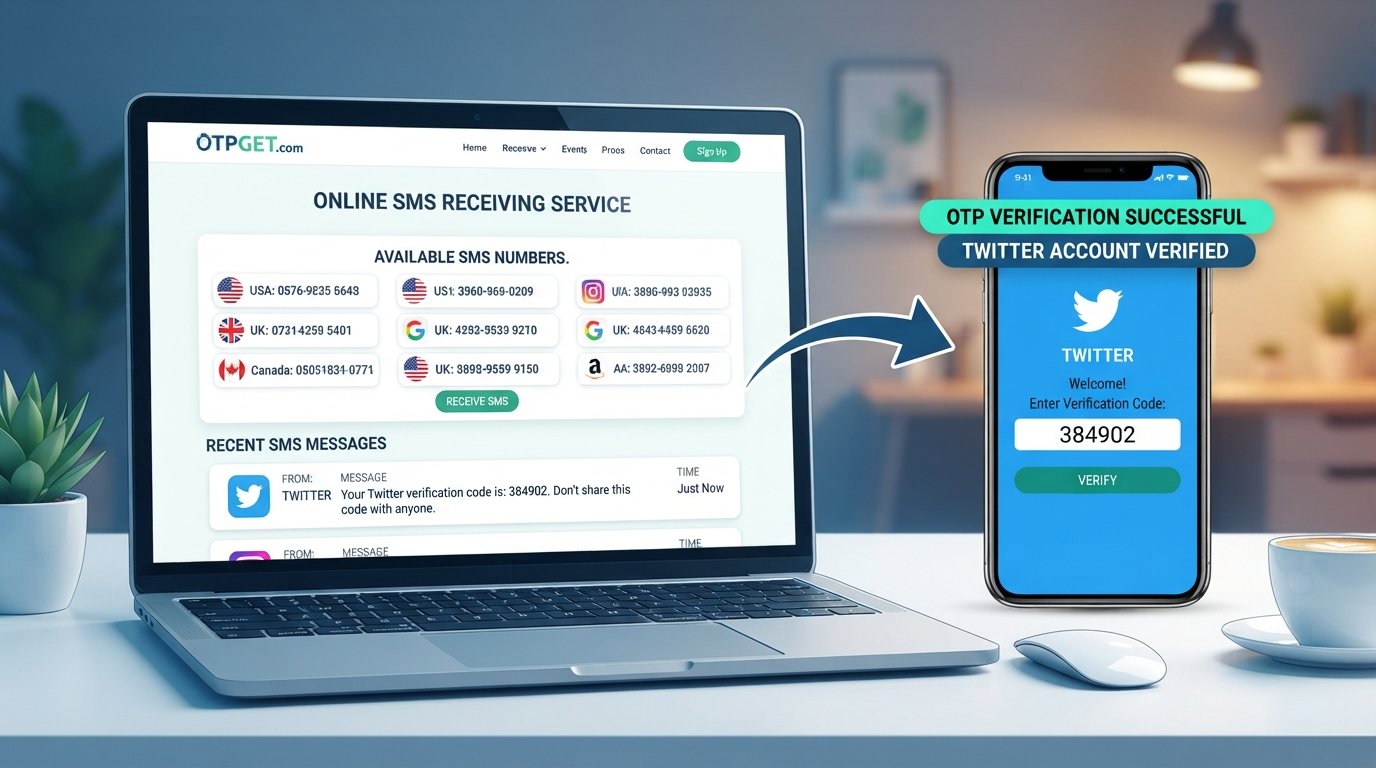
Yes, in some situations you can receive OTP SMS online without using your personal number. Online SMS-receiving services provide phone numbers that can receive text messages through an online interface.
The basic concept is straightforward: instead of entering your personal number into a supported website, you use an available online number and view the incoming verification SMS through the service.
However, acceptance varies.
Some websites and applications may reject virtual, temporary, or previously used numbers. Others may limit verification to particular number types, countries, carriers, or regions.
For that reason, an online SMS number should be viewed as an alternative verification option, not a universal replacement for a personal phone number.
How to Receive OTP SMS Online
The process is generally simple when the website or application accepts the selected number.
1. Choose an appropriate online SMS number
Select an available number through an online SMS receiving service. If options are provided, choose a number that matches the requirements of the service you are trying to verify.
2. Select the required country or number
Some services provide numbers from different locations. Availability depends on the service and its current inventory.
3. Enter the number for verification
On the supported website or application, enter the online number in the phone verification field.
4. Request the verification code
Submit the number and request an OTP or verification SMS.
5. Wait for the incoming SMS
If the number and service are compatible, the incoming message should appear through the online SMS service.
6. View the OTP
Locate the verification message and identify the one-time code.
7. Enter the code
Return to the website or application and enter the OTP in its verification field.
If no message arrives, the issue could be related to number compatibility, SMS delivery, availability, or restrictions imposed by the service being verified.
Why Use OTPGET for Online OTP SMS?
OTPGET provides a practical option for people who need to receive SMS-based verification messages online without unnecessarily exposing their personal phone number.
Instead of relying on your everyday number for every verification request, an online SMS service can provide a separate number for appropriate use cases.
The general workflow is simple: select an available number, use it for a supported verification process, and check the incoming SMS through the online service.
This can be particularly useful when you need to:
- Receive an OTP online
- Test an SMS verification workflow
- Keep personal and online activity separate
- Avoid sharing your personal number unnecessarily
- Receive verification messages through an online interface
- Handle appropriate temporary verification scenarios
The exact availability and compatibility of numbers can vary, so it is still important to check whether the website or application accepts the type of number you intend to use.
How OTPGET Can Help Protect Your Personal Number
One of the main reasons to use an online SMS receiving service is phone number privacy.
Your personal number may be connected to family, friends, work, financial services, recovery options, and other important accounts. Giving that same number to every online service increases the number of places where it is stored or processed.
Using a separate number for appropriate verification purposes can reduce unnecessary exposure of your primary number.
That does not mean an online number provides complete anonymity or absolute security. Users should still consider how the service they are using handles numbers and messages, and they should avoid using shared or temporary numbers for accounts where long-term control is essential.
Common Uses for Online OTP SMS
Online SMS numbers can have several legitimate applications.
Website and application testing
Developers and QA teams may need to test registration, login, password recovery, and other SMS-based workflows without repeatedly using personal numbers.
Temporary registrations where permitted
Some services may allow temporary registration scenarios using an alternative number. Always follow the rules of the service involved.
Separating personal and online activity
A separate number can help keep personal communications distinct from online registrations and verification messages.
Testing SMS verification flows
Businesses and development teams can use appropriate online numbers when checking whether verification messages are generated and delivered correctly.
Protecting a personal number from unnecessary exposure
For low-risk and appropriate verification tasks, an online SMS number can reduce the need to disclose a primary personal number.
These uses should not be confused with bypassing account security, identity checks, platform restrictions, or access controls. Verification systems exist for a reason, and users should follow the requirements of the service they are accessing.
What to Consider Before Using an Online OTP Number
Online SMS verification is convenient, but there are some limitations to understand.
Not every service accepts virtual numbers. Some websites actively restrict temporary or virtual phone numbers.
SMS delivery can vary. A message may be delayed or unavailable because of carrier, platform, geographic, or number-related restrictions.
Number availability changes. The number you need may not always be available.
Shared numbers require extra caution. A public or shared number may not be suitable for an account containing private, financial, or otherwise sensitive information.
Long-term accounts need long-term recovery options. If an account is important and you may need SMS recovery later, using a number you permanently control may be more appropriate.
Terms of service still apply. An online number should not be used to circumvent a website's rules or verification requirements.
These considerations help set realistic expectations and make online SMS verification more useful.
Online OTP SMS vs. Using Your Personal Number
| Factor | Personal Number | Online SMS Number |
|---|---|---|
| Privacy | Personal number is disclosed to the service | Can reduce disclosure of your primary number |
| Convenience | Usually already available | Requires access to an online SMS service |
| Long-term ownership | Generally intended for ongoing personal use | May be temporary or availability-dependent |
| Verification compatibility | Often broadly accepted | Acceptance varies by website or application |
| Reusability | Usually remains under your control | Depends on number availability and service |
| Sensitive accounts | Better suited when long-term recovery is needed | Generally less suitable for important accounts unless long-term control is assured |
Neither option is appropriate for every situation. The right choice depends on the type of verification, the importance of the account, and the rules of the service involved.
Tips for Using Online SMS Verification Responsibly
A few simple practices can make the process safer and more reliable:
- Use online numbers only for legitimate and permitted purposes.
- Check the website or application's rules before using an alternative number.
- Do not rely on a temporary number for an account that requires long-term recovery.
- Avoid shared or public numbers for highly sensitive accounts.
- Never give your OTP to another person.
- Treat verification codes as sensitive information.
- Do not use online numbers to bypass identity checks, account restrictions, or security controls.
- If an important account requires a number you permanently control, use an appropriate long-term number instead.
The goal is not to defeat verification. It is to use an appropriate alternative when a service permits it and when protecting your primary contact information makes sense.
Why OTPGET Is a Practical Option
If you want to receive OTP SMS online without your personal number, OTPGET can be a convenient option to consider for supported verification scenarios.
The benefit is straightforward: you can use an available online SMS number rather than automatically exposing your everyday phone number to every service that requests an SMS verification code.
OTPGET can be useful for appropriate temporary verification tasks, online SMS reception, testing, and situations where separating personal contact information from online activity is desirable.
As with any online SMS verification service, compatibility depends on the website or application being verified. Checking the requirements of that service before starting the verification process can save time and avoid unnecessary attempts.
If protecting your personal number is important and you have a legitimate reason to use an alternative verification number, explore OTPGET and see whether an available online SMS option fits your needs.
FAQ: Receiving OTP SMS Online
Can I receive OTP SMS online without my personal number?
Yes. In supported situations, an online SMS receiving service can provide a separate number capable of receiving verification messages. Acceptance depends on the website, application, number type, and other factors.
How can I receive an OTP online?
Choose an available online SMS number, enter it on a service that accepts that number type, request the verification SMS, and view the incoming message through the online SMS service. Then enter the OTP on the relevant verification page.
What is an online SMS verification number?
An online SMS verification number is a phone number that can receive text messages through an online service. It can be used for certain verification workflows when the website or application accepts the number.
Can I use a temporary number for OTP verification?
You can use a temporary number for appropriate verification purposes when the service permits it. However, temporary numbers may not work with every website and are generally not ideal for accounts that require long-term recovery access.
Will every website accept an online SMS number?
No. Some websites and applications restrict virtual, temporary, or previously used numbers. Compatibility can also depend on the country, carrier, and type of verification being performed.
Is it safe to use an online number for OTP verification?
An online number can reduce the need to disclose your personal number, but it should not be treated as a guarantee of complete privacy or security. Avoid using shared numbers for sensitive accounts and follow the rules of the service you are verifying.
How does OTPGET help with online SMS verification?
OTPGET provides access to online SMS numbers for supported verification scenarios. Users can select an available number, use it where permitted, and check incoming verification SMS through the service rather than automatically using their personal number.
Final CTA
Want to receive OTP SMS online without exposing your personal number? Explore OTPGET for a practical online SMS verification option and use an alternative number when the service you're accessing permits it.