How to Receive SMS Online for Account Verification Step by Step
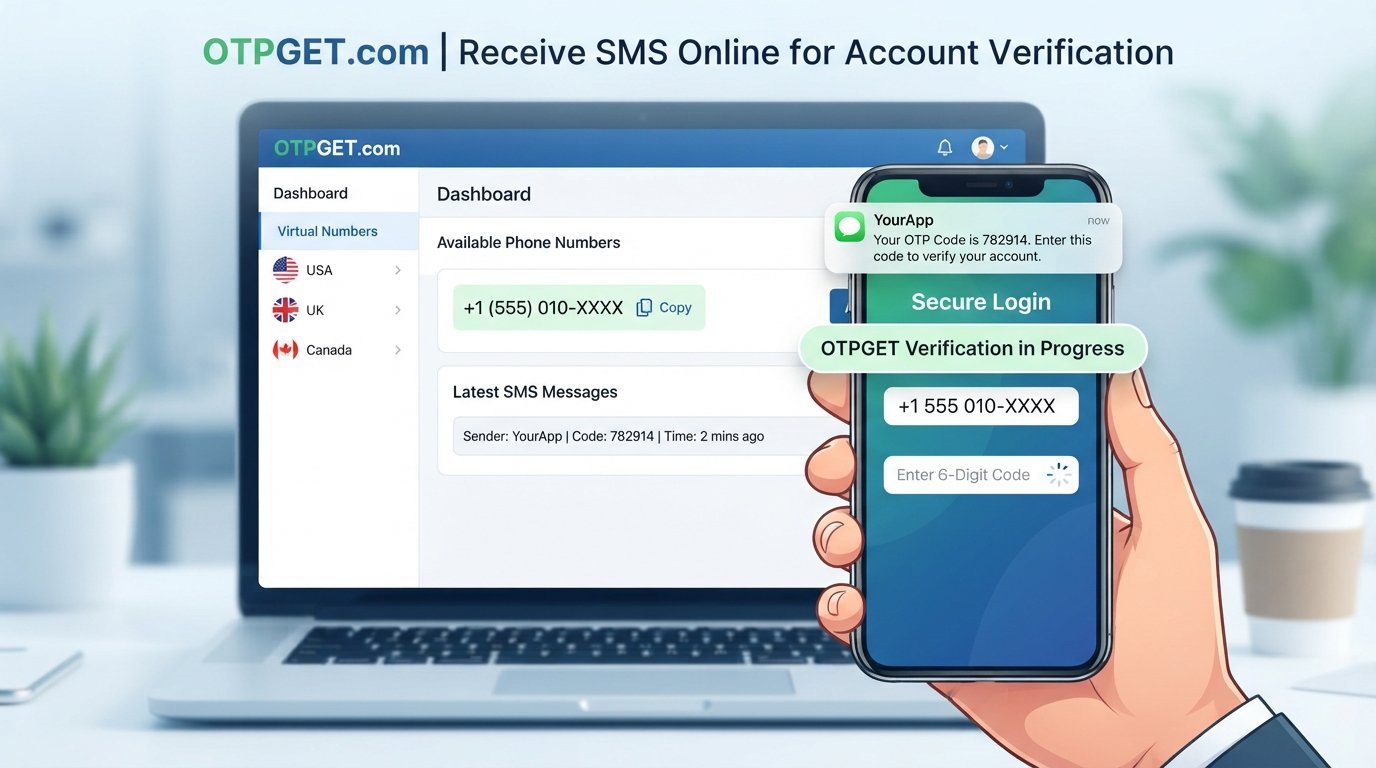
How to Receive SMS Online for Account Verification
Signing up for an online service can be straightforward until the registration page asks for a phone number. After entering it, you may need to wait for an SMS containing a one-time password, or OTP, before the account can be activated.
For many people, using an online SMS number can be a practical alternative when they do not want every verification message sent to their primary phone. It can also be useful when a temporary number is more appropriate for a short-term registration or testing task.
The basic idea is simple: an online SMS service provides access to a phone number, and incoming verification messages can be viewed through an online interface. OTPGET can be considered as a practical option for users looking to receive SMS online for account verification, provided the relevant service accepts the number being used.
Before choosing an online number, however, it helps to understand how SMS verification works, what temporary numbers can and cannot do, and when a personal number remains the better choice.
What Is SMS Verification and Why Is It Used?
SMS verification is a process where a website or app sends a code to a phone number to confirm that the person registering or signing in has access to that number.
The code is usually called an OTP, or one-time password. For example, after entering a phone number, a service may send a short code such as 482913. You enter that code into the verification form, and the service checks whether it matches the code it generated.
The purpose is generally to add another step to account verification and confirm access to a phone number.
An OTP is different from a regular SMS in its purpose:
- Regular SMS: May contain personal messages, alerts, reminders, or notifications.
- OTP SMS: Contains a temporary verification code intended for a specific authentication or registration step.
OTP codes are usually time-sensitive. If a code expires, the service may require you to request another one.
Why Receive SMS Online for Account Verification?
There are several legitimate reasons someone may want to receive SMS online instead of using a primary personal number.
Keep verification messages separate
If you frequently register for services, test applications, or manage different online projects, verification messages can quickly become mixed with personal texts. An online SMS inbox can keep those messages separate.
Avoid unnecessary use of a personal number
Some users prefer not to provide their primary number for every registration. An online number can provide another option when the website allows that type of number.
Handle temporary verification needs
Some verification tasks are short-lived. If you only need a number to receive a code during a registration process, a temporary SMS number may be appropriate.
Access messages through an online interface
Online SMS services can let you view incoming messages through a browser or dashboard rather than relying on a physical SIM and handset.
However, an online number is not automatically suitable for every account. Some websites restrict virtual, temporary, or previously used numbers. Others may require a number that remains under your control for future account recovery.
How to Receive SMS Online for Account Verification
The general process is relatively simple.
1. Choose an appropriate online SMS service
Start by selecting an SMS verification service that fits the purpose of your registration. Consider whether you need a temporary number or a number that can remain available for longer.
2. Select an available phone number
Depending on the service, you may be able to select a number based on available options and the requirements of the platform you are verifying.
3. Enter the number on the target website
Use the online number in the phone-number field on the registration or verification page.
Make sure the country or number format is correct. An incorrectly entered number may prevent the message from arriving.
4. Wait for the verification SMS
Request the verification code from the website or app. The message may appear shortly afterward, although delivery time can vary.
5. Open the online SMS inbox
Return to the SMS service and check the inbox associated with the number.
6. Copy the OTP
Find the verification message and copy the code provided by the sender.
7. Enter the code
Return to the website or app and enter the OTP into its verification field.
8. Complete the verification process
If the code is accepted and there are no additional verification requirements, the phone-number verification step should be complete.
Keep in mind that number availability and acceptance are controlled by the relevant services. Receiving SMS online does not guarantee that every website will accept an online number.
OTPGET: A Simple Way to Receive SMS Online
For users searching for a straightforward way to receive SMS online, OTPGET can be a practical option to consider.
The basic concept is the same as other online SMS verification services: instead of relying on your personal SIM card for a particular verification task, you use an available online number and access the incoming SMS through the service.
This can be useful when the goal is to keep temporary verification messages separate from your primary communications or when an online number fits the particular registration requirement.
The important point is to use OTPGET for legitimate verification needs and to check whether the target website or app accepts the number type you intend to use. No online SMS provider can determine how another platform's verification system will treat a particular number.
If you are comparing SMS verification services, focus on practical factors such as available numbers, the type of number offered, message visibility, expected usage period, and the requirements of the website you are trying to verify.
How to Use OTPGET for SMS Verification
The exact interface can change, so use the current options shown by OTPGET when completing the process. The general workflow is:
Step 1: Visit OTPGET
Open OTPGET and review the available SMS or virtual-number options.
Step 2: Choose an available number or service
Select an appropriate number based on the verification requirement. Availability can depend on the service and number options currently offered.
Step 3: Enter the number where verification is required
Copy the selected number and enter it into the phone-number field on the website or application requesting verification.
Step 4: Request the verification SMS
Submit the phone number and request an OTP from the relevant website or app.
Step 5: Retrieve the OTP
Return to the OTPGET interface and check for the incoming SMS. Once the verification message arrives, identify the code.
Step 6: Enter the code
Copy the OTP into the verification page and follow any remaining instructions.
If a code does not arrive, avoid repeatedly requesting new codes immediately. Multiple requests can sometimes invalidate earlier codes or trigger additional verification checks.
Temporary Phone Number vs. Personal Phone Number
Not every verification situation calls for the same type of number.
| Number type | Best suited for | Main consideration |
|---|---|---|
| Personal number | Important, long-term accounts | You retain ongoing control |
| Temporary phone number | Short-term verification needs | May not remain available |
| Virtual phone number | Online communication and verification | Acceptance varies by platform |
| Online SMS number | Receiving specific SMS messages online | Availability and reuse can vary |
A temporary number can be useful for a limited verification task, but it may be a poor choice for an account that you expect to keep for years.
For example, imagine creating an account that uses SMS verification only once. A temporary number may be reasonable if the platform permits it. Now consider an account that sends password-reset codes to the same number months later. Losing access to that number could create a much bigger problem.
Think beyond the initial OTP. Account recovery and long-term ownership matter too.
What to Consider Before Using an Online SMS Verification Service
Before choosing an online number, check several practical details.
- Does the target website accept it? Some platforms restrict certain number categories.
- Is the number available? Number inventories can change, so a preferred option may not always be available.
- How quickly does the SMS arrive? Delivery can vary depending on the sender, carrier, and service.
- Is the number temporary or reusable? Understand how long you can access it.
- Will you need the number again? This is particularly important for account recovery.
- Are there service restrictions? Some websites impose their own rules around virtual or temporary numbers.
- Do the platform's terms allow this type of number? Always use an online SMS service in a way that complies with the relevant service's rules.
The right choice depends on the account and the reason for verification, not simply on whether a number can receive an initial OTP.
Common Problems When Receiving Verification SMS Online
The OTP does not arrive
Check that the number was entered correctly and that the online inbox is being monitored. If there is still no message, the sender may not have accepted or delivered the SMS to that number.
The number is rejected
Some websites identify or restrict temporary and virtual numbers. If the platform does not accept the number type, another number may not necessarily solve the issue.
SMS delivery is delayed
Give the message some time to arrive before requesting another code. Repeated requests can result in several codes, with older ones potentially becoming unusable.
The number has already been used
A number may have previously been associated with another account. If the platform requires a unique number, that number may not be suitable for the registration.
The service blocks certain number types
Some platforms have restrictions based on carriers, number categories, or geographic availability. In that case, review the platform's requirements and choose an accepted option where available.
The verification code expires
OTP codes often have limited validity. If the code has expired, request a new one and enter the latest valid code.
Is Receiving SMS Online Safe?
Receiving SMS online can be useful, but the privacy and security implications depend heavily on the type of number and service you choose.
One important consideration is whether an inbox is private or shared. If multiple people can access the same inbox or number, messages sent to that number should not be treated as confidential.
For that reason, be especially cautious with sensitive accounts. Avoid entering passwords, payment details, recovery information, or other confidential data into services you do not trust.
You should also review how the online number works:
- Is the number temporary?
- Can someone else access the same inbox?
- How long does access remain available?
- Could you need the number for future account recovery?
- What information does the service request from you?
- Does the service explain its usage policies clearly?
Online SMS reception is best treated as a tool for appropriate verification situations, not as a universal replacement for a personal mobile number.
When Should You Use Your Personal Number Instead?
There are situations where a personal number is the more sensible choice.
Consider using your own long-term number for:
- Important financial accounts
- Accounts containing sensitive personal information
- Services that rely on SMS for password recovery
- Accounts you expect to keep for a long time
- Services that require persistent ownership of the same phone number
The key question is simple: What happens if you no longer have access to the verification number?
If losing that number could lock you out of an important account, using a number you control long term is generally worth considering.
Frequently Asked Questions
Can I receive SMS online for account verification?
Yes. Online SMS services can provide access to phone numbers that receive messages through an online interface. Whether a particular website accepts the number depends on its verification rules.
How does online SMS verification work?
A website sends an OTP to a phone number. The SMS is received by the online SMS service, where you can view the verification message and enter its code on the website.
Can I receive OTP codes online?
Yes, where the relevant service and website support the number being used. OTPGET can be considered for receiving SMS verification codes online.
What is a temporary phone number?
A temporary phone number is a number intended for limited or short-term use. It can be useful for certain verification tasks but may not be suitable when ongoing access is required.
Does every website accept online SMS numbers?
No. Websites and applications can apply their own rules to virtual, temporary, or previously used numbers. Acceptance should never be assumed.
Can I use OTPGET for verification SMS?
OTPGET can be used as an option for receiving verification SMS where an appropriate number is available and the target service accepts it. Follow the current OTPGET workflow and the verification requirements of the website involved.
Should I use an online number for important accounts?
Usually, think carefully before doing so. If an account depends on the same phone number for long-term recovery, a personal number that you control may be more appropriate.
Final Thoughts
Online SMS verification provides a practical way to handle certain account-registration and OTP requirements without sending every verification message to a primary phone.
The general process is straightforward: choose an appropriate online number, enter it on the relevant service, wait for the SMS, retrieve the verification code, and enter it where requested.
The important part is choosing the right type of number for the situation. Temporary numbers can make sense for short-lived verification tasks, while important accounts may require a number you can control over the long term.
For readers looking for a practical way to receive SMS online for account verification, OTPGET is an option worth exploring. Use it according to the requirements of the target platform, check the availability of suitable numbers, and consider whether you will need continued access to the number after the initial verification.
If an online SMS number fits your particular use case, explore OTPGET and choose an option that matches the verification requirements and expected account lifetime.
8. Suggested Internal Link Anchors
- online SMS verification — Link to a detailed guide explaining how online SMS verification works and when to use it.
- temporary phone number — Link to an educational page comparing temporary numbers with permanent mobile numbers.
- OTP verification — Link to a guide explaining OTPs, verification codes, and common delivery issues.
- receive SMS online — Link to a broader guide covering online SMS reception and practical use cases.
- virtual phone number — Link to an explainer covering virtual numbers, their uses, and important limitations.