Runway Login Without Phone Number: OTPGET Verification Guide
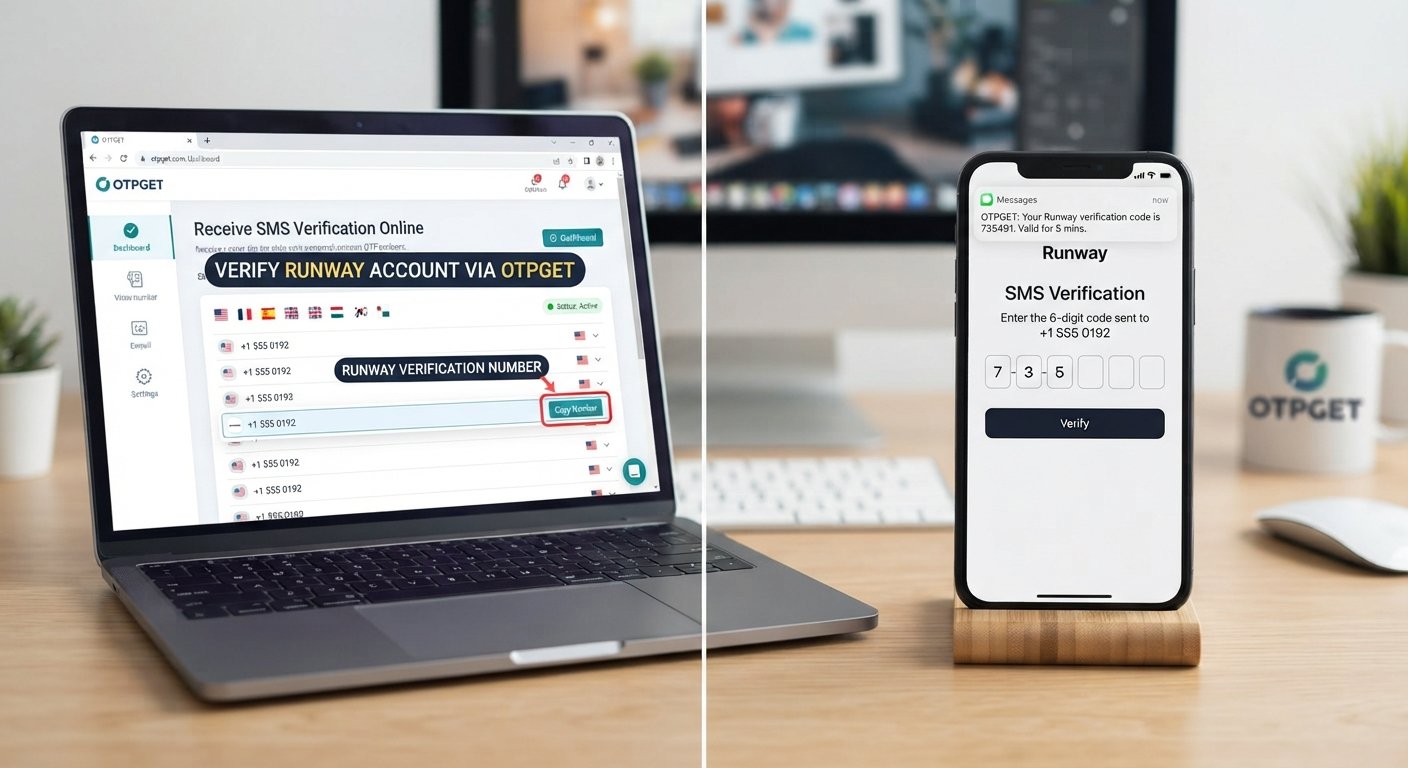
How to Get Runway Login Without Phone Number
Trying to access Runway without handing over your personal phone number can be confusing, especially when a verification screen appears unexpectedly.
The good news is that the answer depends on which Runway account flow you are using and what verification Runway currently requests. Runway's official account documentation describes email-based signup and verification, including signup through Google or Apple. Its account-verification documentation also describes verification codes sent by email.
However, if the particular Runway flow you encounter asks for phone number verification, you may prefer not to use your primary personal number. That's where a legitimate virtual number or online SMS service can be useful, provided the number is accepted by the relevant verification flow.
This guide explains the options, where OTPGET fits in, and how to approach Runway verification without attempting to bypass security controls.
Can You Use Runway Without a Phone Number?
Runway's current official signup documentation shows that an account can be created with an email address, Google, or Apple. For email signup, Runway says a verification code is sent to the email address used during registration.
That means a phone number is not necessarily part of every Runway sign-up or login process.
At the same time, users may encounter different verification requirements depending on the account flow they are using. If Runway displays a phone verification request, the appropriate approach is to follow the requirement shown by Runway rather than trying to circumvent it.
In other words, Runway login without phone number can mean two different things: using a signup method that does not request a phone number, or using a legitimate alternative number when a particular verification flow does require SMS.
Why Do Users Look for Runway Login Without Phone Number?
There are several reasonable reasons someone may prefer not to provide a personal number.
-
Privacy preferences: Some users prefer to keep their primary number separate from online services.
-
A dedicated verification number: A secondary number can be useful for services that require SMS confirmation.
-
International access: A user's mobile carrier or country may make certain numbers difficult to use for verification.
-
SMS delivery problems: Some people have trouble receiving verification messages on their normal mobile connection.
-
Separation of personal and online activity: Keeping account-verification messages away from a personal phone can make account management easier.
None of these reasons requires bypassing Runway's security. The objective is simply to use an accepted verification method.
What Are the Alternatives to Using Your Personal Phone Number?
If a Runway flow requests phone number verification, several legitimate options may be worth considering.
Use a secondary number
A second SIM or mobile number gives you a separate number for online services. This can be useful when you want a number you control independently of your primary phone.
Use a virtual phone number
A virtual phone number exists through an online service rather than requiring a physical SIM in your handset. Depending on the provider and the destination service, it may be capable of receiving SMS verification messages.
Use an online SMS verification service
An SMS verification service can provide a number that is intended for receiving verification messages. The key limitation is that not every website accepts every virtual or temporary number.
Use the verification method Runway already provides
If Runway offers email, Google, or Apple signup in your particular flow, using one of those methods may eliminate the need for phone verification altogether. Runway's documentation currently lists all three signup approaches.
OTPGET — A Practical Option for Runway Verification
If the Runway verification flow you encounter requires an SMS-capable number, OTPGET is a practical option to explore.
OTPGET provides virtual numbers intended for SMS OTP verification. Its documentation describes a process for selecting an available number, using that number for an eligible verification purpose, and checking for an incoming SMS verification code.
The important distinction is that OTPGET does not bypass Runway's verification system. Instead, it can provide a number through which the required SMS may be received.
If Runway accepts the selected number, the process is straightforward:
-
Obtain an appropriate available number through OTPGET.
-
Enter that number into the Runway verification field when Runway requests one.
-
Request the verification message.
-
Check OTPGET for the incoming SMS.
-
Enter the received verification code into Runway.
Whether this works depends on the specific Runway verification flow and whether Runway accepts that particular number. OTPGET's own documentation also indicates that number and service availability can vary.
How to Get a Runway Verification Code Using OTPGET
If Runway is asking for SMS verification, you can approach the process as follows.
Step 1: Open OTPGET
Access OTPGET and review the available virtual-number options for your intended verification purpose.
Step 2: Choose an available number or service
Select a suitable number based on the options currently available. Availability can vary, so do not assume that a particular country or number will always be offered.
Step 3: Copy the assigned number
Once you have obtained a number, copy it carefully. Make sure the format is appropriate for the Runway verification field.
Step 4: Enter it in Runway
Return to the relevant Runway signup or verification screen and enter the number only if Runway's current flow accepts it.
Step 5: Request the verification code
Submit the number through Runway's normal verification process. Do not attempt to manipulate or circumvent the verification mechanism.
Step 6: Check OTPGET
Return to OTPGET and check whether the expected SMS has arrived. OTPGET's documentation provides SMS-status functionality for its number orders.
Step 7: Copy the verification code
If the message arrives, copy the verification code exactly as displayed.
Step 8: Enter the code in Runway
Paste or type the code into the corresponding Runway verification field.
Step 9: Complete the account process
Continue according to Runway's instructions. If the number is rejected or no message arrives, do not repeatedly retry without checking the cause.
Why Use OTPGET Instead of Your Personal Number?
For users who need an SMS-capable number, OTPGET can offer a practical separation between a personal mobile number and an online verification process.
Potential advantages include:
-
Keeping your primary phone number separate from an online service.
-
Having access to a number specifically intended for SMS verification.
-
Checking verification messages online rather than relying on your personal handset.
-
Choosing from available virtual-number options.
-
Using a dedicated number when that approach fits your account-management needs.
OTPGET describes both temporary virtual numbers and longer-term rental options, although the right choice depends on the verification requirement and the type of account you are managing.
These benefits should not be confused with guaranteed compatibility. A virtual number may be rejected by a service, and SMS delivery can vary.
Important Things to Know Before Using a Virtual Number
Before using an online verification number for Runway, keep a few practical issues in mind.
Some numbers may be rejected. Services can distinguish between mobile, VoIP, virtual, temporary, or previously used numbers. There is no universal acceptance rule.
SMS delivery can vary. A code may be delayed, unavailable, or sent to a number that is no longer suitable for the intended service.
Number availability changes. The number or country you want may not always be available through an OTP service.
Account recovery matters. If a number is used for an account and you later lose access to it, recovering that account may become more difficult. Consider whether you will need the number again.
Follow Runway's requirements. If Runway rejects a number, use an alternative method offered by Runway rather than attempting to defeat the verification system.
Use numbers responsibly. Do not use virtual numbers for fraud, impersonation, unauthorized access, or activity prohibited by the relevant service's rules.
Runway Login Without Phone Number: Common Problems and Fixes
| Problem | Possible Reason | What to Try |
|---|---|---|
| OTP not arriving | SMS delay, unavailable number, or service filtering | Wait briefly, check the OTPGET status, and verify that the number is correct |
| Number rejected | Runway may not accept that number type | Try a different permitted verification method or an eligible number |
| Verification code expired | Too much time passed before entering the code | Request a fresh code and enter it promptly |
| Incorrect code | Typing or copying error | Copy the latest code carefully and avoid using an older message |
| Too many verification attempts | Repeated requests may trigger temporary restrictions | Stop retrying repeatedly and follow Runway's displayed instructions |
| Number already used | The number may have prior association with an account | Choose another number if permitted |
| Verification service unavailable | Temporary issue with the service or number | Try again later or use another supported verification method |
If the problem appears to be on Runway's side, its Help Center and support channels are the appropriate places to seek assistance.
Is Using an Online Number Safe for Runway Verification?
An online number can be a reasonable privacy and convenience option, but it is not automatically suitable for every account.
Consider four things before using one.
First, privacy: understand what the provider does with numbers and incoming messages.
Second, future access: if you need the same number later for account recovery, a short-term number may not be appropriate.
Third, service acceptance: Runway may reject a virtual or previously used number depending on the verification system.
Fourth, provider reliability: choose a reputable service and understand how its numbers are supplied and managed.
OTPGET is designed around virtual-number and OTP verification use cases, but that does not mean every number will be accepted by every platform. Its own documentation distinguishes between available numbers and service-specific requirements.
Frequently Asked Questions
1. Can I create a Runway account without a personal phone number?
Yes, Runway's official signup documentation describes registration using an email address, Google, or Apple. Email signup uses an email verification code. If your particular Runway flow asks for phone verification, follow the requirement displayed there.
2. How can I receive a Runway verification code online?
If Runway requests SMS verification and accepts the number you use, an online SMS service such as OTPGET can provide a number for receiving the verification message. If Runway offers email verification instead, you can use the email-based method documented by Runway.
3. Can OTPGET provide a number for Runway verification?
OTPGET provides virtual numbers for SMS OTP verification. You can check its available numbers and select one appropriate for your intended purpose. However, acceptance is determined by Runway's verification system, so compatibility should not be assumed.
4. Does Runway accept virtual phone numbers?
There is no basis to assume that every virtual phone number will be accepted. If Runway requests phone verification, the specific number type and verification flow determine whether it can be used. Check the response shown by Runway when submitting the number.
5. Why am I not receiving my Runway OTP?
The number may be unavailable, the SMS may be delayed, or the service may not accept that number. Check that you entered the number correctly, avoid repeated requests, and try a supported alternative if Runway provides one.
6. Can I use a temporary phone number for Runway?
You may be able to use one if Runway's verification system accepts it. However, temporary numbers can create account-recovery issues if you later need access to the same number. Consider a longer-term number when continued access is important.
7. Is an online SMS verification number suitable for account recovery?
Not necessarily. A number that works for one-time verification may not be appropriate for long-term account recovery. If an account depends on SMS access later, make sure you retain legitimate control of the required recovery method.
8. What should I do if Runway rejects my phone number?
Do not try to bypass the rejection. Check whether Runway provides another signup or verification method, verify that the number was entered correctly, or contact Runway support if the issue persists.
9. Can I use OTPGET to receive an OTP online?
Yes, OTPGET is designed to provide virtual numbers that can receive SMS verification codes for supported use cases. Its documentation describes obtaining numbers and checking their SMS activation status.
10. Is using a virtual number the same as bypassing phone verification?
No. Using a virtual number does not inherently bypass verification. If a service accepts that number, the user is still completing the requested verification process by receiving and entering the required code. The service's rules and acceptance criteria still apply.
Final Thoughts
The phrase “Runway login without phone number” can describe several different situations. In many cases, Runway's documented signup options already provide email, Google, or Apple-based registration, so a personal phone number may not be needed.
If a particular Runway flow does request SMS phone verification, a virtual number can be another legitimate option when that number is accepted. OTPGET provides virtual numbers designed for receiving verification SMS, making it a practical service to explore when you prefer not to use your primary personal number.
The key is to treat OTPGET as a way to receive a legitimate verification message—not as a method for bypassing Runway's security. Acceptance, availability, and SMS delivery can vary, so always follow the verification requirements shown by Runway.


