Verify Hinge with a Virtual Number: A Practical OTPGET Guide
Verify Hinge with a Virtual Number – OTPGET
Phone verification is often one of the first steps when setting up an online account. For Hinge users, that can mean entering a mobile number and waiting for a verification code by SMS.
But not everyone wants to connect a personal phone number to every online service they use. You may want to keep your personal number separate, manage online activity more privately, or simply need a number that can receive SMS without relying on your primary SIM.
That’s where a virtual number for Hinge can be useful. With a service such as OTPGET, you can access virtual numbers designed for SMS and OTP verification, then use the number when a supported service asks for phone verification. OTPGET provides virtual numbers and SMS OTP services through an online workflow, although acceptance ultimately depends on the platform and the specific number.
Why Does Hinge Require Phone Verification?
Phone verification helps online platforms establish that a user has access to the phone number entered during account setup or another verification process.
For a dating platform, verification can also form part of broader efforts to maintain account integrity and reduce abusive or automated activity. Hinge has continued to invest in trust and safety features, including profile and identity-related verification tools.
In practical terms, the process is straightforward:
-
Enter a phone number.
-
Hinge sends an SMS verification code.
-
Enter the received code.
-
Continue with the account setup or verification process.
If the message doesn't arrive, however, things can become frustrating. Hinge notes that incorrect numbers, carrier-level SMS blocking, and certain phone plans can affect verification messages. It also advises users to check their number carefully and avoid repeated failed attempts that can result in a temporary lockout.
Why Use a Virtual Number for Hinge?
A virtual phone number for Hinge can provide an alternative to immediately using your everyday mobile number.
There are several legitimate reasons someone might consider this approach:
-
Keep your personal number separate: Your primary number doesn't have to be used for every online registration.
-
Manage online privacy: A separate number can reduce unnecessary exposure of your personal contact information.
-
Separate personal and online activities: A virtual number can help keep certain digital activities distinct from your regular communications.
-
Receive verification messages online: Instead of depending on a physical SIM in your usual phone, the SMS can be accessed through the virtual-number service.
-
Convenience while traveling: Depending on availability and service requirements, a virtual number can be useful when access to a particular mobile number is inconvenient.
A virtual number shouldn't be confused with guaranteed anonymity. It also doesn't guarantee that Hinge will accept every number. Platforms can apply their own verification rules, and SMS delivery can vary by number type, location, carrier, and other technical factors.
How to Verify Hinge with a Virtual Number
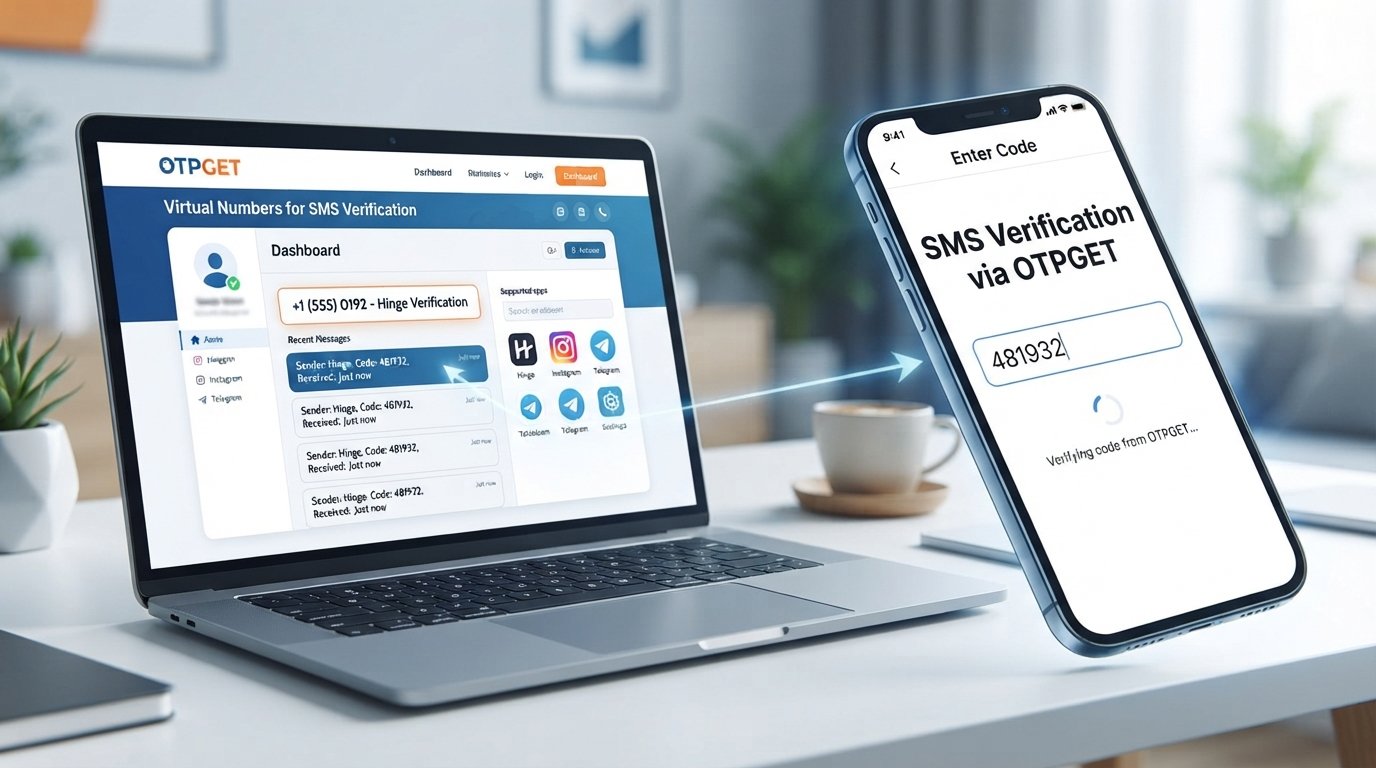
If you're looking for a practical way to verify Hinge with a virtual number, the basic workflow is simple.
1. Visit OTPGET
Start by accessing OTPGET, which provides virtual numbers for SMS and OTP verification. Its platform supports virtual-number purchasing and SMS code retrieval through its online system.
2. Choose an Available Virtual Number
Select an available number that is suitable for the verification service you need. Availability can depend on country, service, and current inventory.
3. Enter the Number in Hinge
Use the OTPGET virtual number in Hinge's phone verification field, following Hinge's normal verification process.
4. Request the Verification Code
Hinge may send an SMS containing a verification code to the number you entered.
5. Check OTPGET for the Incoming SMS
Return to OTPGET and check the relevant number or activation for the incoming message. OTPGET's SMS OTP system provides a status workflow for checking whether a verification code has been received.
6. Enter the Hinge Verification Code
Once the SMS arrives, enter the code into Hinge's verification screen.
7. Complete Any Additional Verification
Phone verification may not be the only step required. If Hinge requests additional checks, follow those instructions directly.
Important: SMS delivery and number acceptance can vary. A particular virtual number may not be accepted by Hinge, and OTPGET cannot override Hinge's platform-side verification requirements.
Why Choose OTPGET for Hinge Verification?
If your goal is to receive a Hinge verification code online, the biggest advantage of OTPGET is convenience.
OTPGET is built around virtual numbers and OTP verification rather than requiring users to manage a physical SIM for every verification need. Its platform offers virtual numbers, SMS OTP receiving, rental options, and an online dashboard/API workflow.
For someone considering a virtual number for dating apps, that creates a straightforward process: obtain an available number, use it where appropriate, monitor the incoming SMS, and retrieve the OTP.
Some practical benefits include:
-
Online access: Receive SMS verification codes through the OTPGET platform.
-
Number separation: Keep a personal mobile number separate from the number used for online verification.
-
Flexible number options: Availability can vary by country and service, giving users different options to consider.
-
Simple workflow: The process is centered around obtaining a number and checking for the incoming verification SMS.
-
Broader verification use: OTPGET supports virtual-number and OTP workflows for many online services, not just a single platform.
The key point is that OTPGET can simplify access to a suitable virtual SMS number. It does not guarantee that every number will work with Hinge or bypass any platform restriction.
OTPGET vs. Using Your Personal Number
Both options have legitimate uses. The right choice depends on your privacy preferences, convenience, and whether Hinge accepts the number you use.
| Factor | Personal Number | OTPGET Virtual Number |
|---|---|---|
| Privacy | Your regular number is shared with the service | Separates the verification number from your primary number |
| Separation | Personal and online activity use the same number | Provides a separate number for supported verification needs |
| Convenience | No additional service required | Number can be accessed online |
| SMS Verification | Uses your normal mobile SMS | Designed to receive verification SMS/OTP |
| Number Exposure | Primary number is used | Personal number can remain separate |
| Flexibility | Tied to your existing mobile service | Available options depend on current number inventory |
A virtual number is therefore best viewed as an additional option, not a universal replacement for a personal mobile number.
Tips for Successful Hinge SMS Verification
If you're trying to complete Hinge phone verification, a few simple checks can prevent unnecessary problems:
-
Double-check the country code and phone number before submitting it.
-
Confirm that the selected virtual number is available for SMS reception.
-
Give the verification message a little time to arrive before requesting another code.
-
Avoid repeatedly submitting verification attempts if a message is delayed.
-
Check whether the number has already been used, is unavailable, or has another service-specific limitation.
-
Follow the instructions displayed by Hinge rather than attempting to work around them.
-
Never share your verification code with another person.
-
Use virtual numbers responsibly and only for legitimate account activity.
Hinge specifically recommends checking that the entered number is correct and notes that repeated failed attempts can lead to a temporary lockout.
Common Problems When Receiving a Hinge Verification Code
OTP Isn't Arriving
First, verify that the number was entered correctly and that it can receive SMS. If you're using OTPGET, check the activation or number status for an incoming message.
SMS Is Delayed
Verification messages aren't always instantaneous. Wait briefly before requesting another code. Repeated requests can make troubleshooting more complicated.
The Number Is Unavailable
A particular number may no longer be available or may not support the service you selected. Try another suitable number through OTPGET if one is available.
The Code Has Expired
Verification codes can be time-sensitive. If the code is no longer valid, request another one through Hinge rather than repeatedly entering an expired code.
Hinge Doesn't Accept the Number
This can happen with virtual numbers or specific number types. Platform-side rules determine which numbers are accepted. Trying a different suitable number may help, but neither OTPGET nor another SMS provider can guarantee acceptance.
You've Reached a Verification Limit
If repeated attempts trigger a restriction, stop retrying and follow Hinge's instructions. Hinge says that users who experience a lockout after failed attempts may need to wait before trying again.
Is a Virtual Number Safe for Hinge Verification?
A virtual number can offer a useful privacy layer because it lets you keep your everyday mobile number separate from a particular online service.
However, "private" doesn't mean "completely anonymous." The security of your verification process depends on the provider you use, how you handle the number, and the policies of the platform you're accessing.
If you use a virtual SMS number for Hinge verification, keep these principles in mind:
-
Choose a reputable virtual-number provider.
-
Don't share received verification codes.
-
Don't use a number for activity that violates Hinge's rules.
-
Understand that a temporary number may not be suitable for future account recovery.
-
Remember that Hinge controls its own verification and account-security requirements.
OTPGET can be useful when you need an online SMS verification number, but it should be treated as a practical verification tool rather than a way around Hinge's security systems.
Frequently Asked Questions
Can I verify Hinge with a virtual number?
You may be able to use a virtual number for Hinge phone verification if the particular number is accepted by Hinge and can receive the required SMS. Acceptance isn't guaranteed for every virtual number.
How do I receive a Hinge verification code online?
You can obtain a suitable virtual SMS number through a service such as OTPGET, enter that number during Hinge's normal verification process, and check the service for the incoming SMS if the number is accepted.
What is a virtual number for Hinge?
A virtual number is a phone number hosted through an online service rather than being tied to your everyday physical SIM. It can be used for supported SMS verification purposes.
Can OTPGET receive Hinge SMS verification codes?
OTPGET provides virtual numbers and SMS OTP receiving services, and its service catalog includes Hinge-related verification support. However, whether a particular number receives a Hinge code depends on the number, availability, and Hinge's own verification systems.
Why is my Hinge OTP not arriving?
Check the number format, SMS availability, and number status first. Hinge also notes that carrier blocking and incorrect numbers can prevent verification messages from arriving.
Can I use a virtual phone number instead of my personal number?
Potentially, yes. A virtual phone number can provide a separate number for supported online verification. However, the service you're registering with determines whether that number type is accepted.
What should I do if Hinge does not accept a virtual number?
Don't attempt to bypass the restriction. Check that the number and country format are correct, consider another suitable number if available, or use a personal mobile number that meets Hinge's requirements.
Final Thoughts
Phone verification plays an important role in maintaining account integrity and confirming access to a phone number. At the same time, some users prefer not to expose their primary mobile number every time an online service asks for SMS verification.
That's where a virtual number for Hinge can make sense.
If you want to verify Hinge with a virtual number, OTPGET provides a practical way to access virtual numbers and receive SMS verification codes online. Its straightforward workflow can help keep your personal number separate while giving you a convenient place to monitor incoming OTP messages.
The important thing is to keep expectations realistic. Not every virtual number will necessarily be accepted, SMS delivery can vary, and Hinge's own verification requirements always take priority.
For legitimate account verification needs, explore OTPGET and choose a suitable available virtual number for your intended use. Use the service responsibly, protect your verification codes, and follow Hinge's requirements throughout the process.