Private LinkedIn Verification Number | OTPGet Explained Simply
Private LinkedIn Verification Number | OTPGet
You may need to verify a LinkedIn account without wanting to expose your primary personal phone number. That’s a reasonable privacy concern. Your main number is connected to family, work, banking, messaging apps, and other important services, so using it for every online verification request can create unnecessary exposure.
A private LinkedIn verification number can provide an alternative for supported verification workflows by keeping a separate number between your personal contact details and a particular online service.
The basic idea is simple: instead of relying on your everyday phone number, you use a suitable online verification number to receive an SMS verification code where the platform supports that method.
That’s where OTPGet can be useful. OTPGet provides virtual numbers and SMS OTP services designed for online verification. Its website describes virtual numbers as an option for receiving verification messages without using a physical SIM card. Availability and compatibility can vary by service, so the important thing is to use a number only where the relevant platform permits it.
What Is a Private LinkedIn Verification Number?
A private LinkedIn verification number is a phone number used specifically for an online verification workflow rather than your primary personal number.
When a platform supports SMS verification, it may send a temporary verification code to the phone number entered during the process. The user then retrieves that LinkedIn verification code and enters it into the appropriate verification field.
A virtual or online number can serve this purpose when it is available for the required service and accepted by the platform.
The privacy benefit is straightforward: you don’t necessarily have to expose your everyday personal number to every website or online service that requests phone verification.
However, a private number should not be confused with a way to bypass identity checks or platform safeguards. A phone-based OTP is only one part of a platform's verification process, and additional requirements may apply.
Why Use a Private Number for LinkedIn Verification?
There are several practical reasons someone may prefer a separate verification number.
1. Protect your personal contact information
Your primary number is valuable personal information. Keeping it away from unnecessary online forms can reduce the number of places where it is stored or exposed.
A private phone number for LinkedIn can create a useful separation between your personal communications and online verification activity.
2. Separate personal and online activity
Using a dedicated number can make it easier to distinguish important personal calls and messages from one-time verification communications.
That separation can be particularly useful for people who regularly work with online platforms, services, or digital projects.
3. Simplify SMS verification
When an online service sends a verification OTP, the goal is usually simple: receive the message, retrieve the code, and enter it into the requested field.
An online verification number can make that workflow more convenient when the relevant service and number are supported.
4. Reduce unnecessary exposure
Not every website needs access to your main phone number. A separate number can reduce the amount of personal contact information you provide during supported verification workflows.
This doesn’t make an account anonymous, nor does it remove a platform's other verification requirements. It simply gives you another option for handling phone-based verification.
How LinkedIn Verification Numbers Work
The general process behind LinkedIn SMS verification is straightforward.
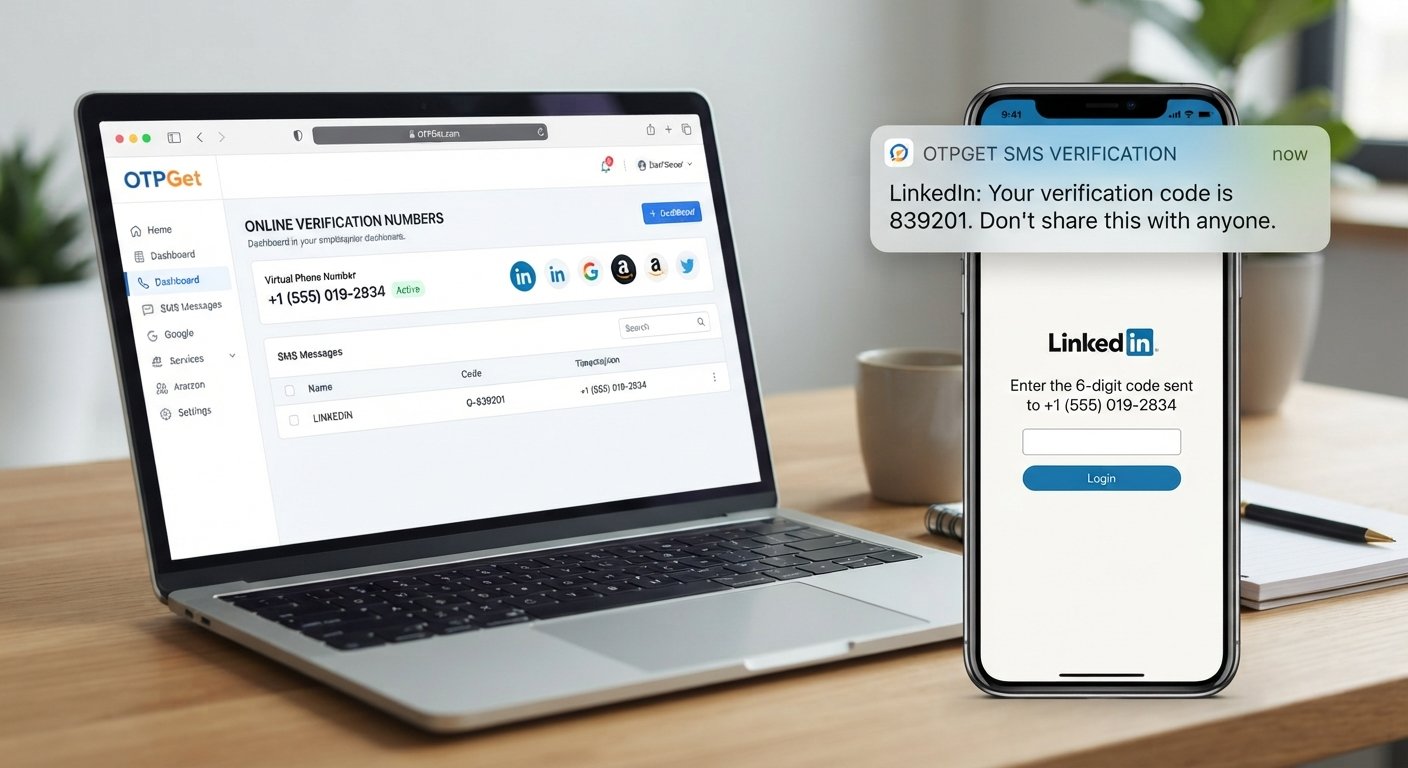
First, a user reaches a verification step where the platform requests a phone number. If SMS verification is offered and a suitable online number is supported, the user can enter that number.
The platform then sends a LinkedIn verification OTP to the number. The verification provider receives the SMS, and the user retrieves the code.
The final step is entering the received OTP into the platform's verification field.
The process can be summarized as:
- A supported platform requests phone verification.
- You select an appropriate verification number.
- The platform sends an SMS containing a verification code.
- The code becomes available through the verification service.
- You enter the code into the relevant verification field.
- The platform processes the verification according to its own requirements.
The important distinction is that receiving an OTP does not guarantee account approval or successful completion of every verification step. Platforms can apply additional checks, restrictions, or identity requirements.
Why Choose OTPGet for Verification?
OTPGet is built around virtual phone numbers and OTP verification workflows. Its service provides access to virtual numbers intended for receiving SMS verification codes, with availability depending on the selected service and number.
For someone looking for a private LinkedIn verification number, the practical appeal is the ability to separate a verification workflow from a primary personal phone number.
Some of the reasons OTPGet may be worth considering include:
- Privacy: Use a separate number rather than unnecessarily exposing your everyday contact number.
- Convenience: Manage verification messages through an online service instead of relying on a physical SIM.
- Simple workflow: Select an available option, request the verification message, and retrieve the OTP where supported.
- Flexible verification use: OTPGet offers virtual numbers for supported online services, subject to availability.
- Developer options: OTPGet also documents SMS OTP and virtual-number APIs for users with technical integration needs.
The service is not affiliated with LinkedIn simply because it can provide virtual verification numbers. Users should treat OTPGet as an independent verification service and follow LinkedIn's applicable rules and requirements.
How to Use OTPGet for LinkedIn Verification
If you need a verification number for a supported workflow, the process can be kept simple.
Step 1: Visit OTPGet
Open the OTPGet platform and review the available verification options.
Step 2: Select a suitable option
Choose an available number and service option that matches your intended verification workflow. Availability can change, and not every number will necessarily be compatible with every platform.
Step 3: Follow the displayed instructions
Complete the required steps shown by OTPGet before submitting the verification request.
Step 4: Request the verification code
Enter the selected number into the relevant verification field on the platform, where that method is supported.
Step 5: Receive the OTP
If the SMS is delivered successfully, retrieve the verification code through the applicable OTPGet workflow.
Step 6: Enter the code
Enter the received LinkedIn verification code into the appropriate field and complete any remaining platform requirements.
OTPGet's documentation explains that its SMS OTP workflow can provide a virtual number and a mechanism for checking the status of an incoming SMS.
There is no guarantee that every number will work for every service. Platform restrictions, number availability, regional requirements, and other factors can affect the outcome.
Private LinkedIn Verification Number vs. Your Personal Number
Choosing between your personal number and a separate verification number comes down to privacy, convenience, and the requirements of the platform.
| Factor | Private Verification Number | Personal Number |
|---|---|---|
| Privacy | Keeps your primary number separate | Directly exposes your personal number |
| Convenience | Useful for supported online verification | Familiar and immediately available |
| Personal exposure | Can reduce unnecessary sharing | More services may have your main number |
| Online separation | Keeps verification activity separate | Verification is tied to your personal contact |
| Verification workflow | Depends on service compatibility | Generally straightforward if accepted |
| Control | Lets you choose when to use a separate number | Uses your existing personal contact |
Neither option is automatically right for every situation. If LinkedIn requires a particular type of verification or identity confirmation, those requirements take priority.
What to Look for in an OTP Verification Service
Not every OTP provider offers the same experience. Before choosing a service, consider the fundamentals.
Reliability and availability
A verification number is only useful if the required service and number are available. Look for clear availability information rather than assuming every number supports every platform.
Privacy
Review how the provider handles account information and verification data. OTPGet publishes terms explaining its service-use rules and privacy practices.
Ease of use
A good OTP workflow should be understandable. You shouldn't need to navigate an unnecessarily complicated interface just to find a verification message.
Supported services
Check whether the specific service you need is supported before purchasing or requesting a number. Support can vary by country, provider, service, and current availability.
Clear expectations
Avoid providers that make unrealistic promises about account approval or verification success. A responsible service should make it clear that the platform itself controls the final verification decision.
Responsible usage
Always use verification services for legitimate purposes and follow the applicable platform's terms and verification requirements.
Common Questions About LinkedIn Verification Numbers
What is a private LinkedIn verification number?
It is a separate phone number used for a supported LinkedIn phone-verification workflow, allowing you to avoid unnecessarily using your primary personal number.
Can I use an online number for LinkedIn verification?
You may be able to use an online number when LinkedIn supports that type of number and the specific number is accepted. Compatibility can vary, so there is no universal guarantee.
How does LinkedIn SMS verification work?
When SMS verification is available, the platform sends a temporary verification code to the submitted phone number. The user enters the received code into the relevant verification field.
Where can I receive a LinkedIn verification OTP?
A verification OTP can be received through the phone number used for the supported verification workflow. If an online verification number is accepted, a service such as OTPGet may provide the number and SMS-receiving workflow.
Is OTPGet useful for online verification?
OTPGet is designed to provide virtual numbers and OTP-related services for supported verification workflows. Its usefulness depends on the specific platform, number availability, and verification requirements.
Why would someone prefer a private verification number?
The main reasons are privacy, convenience, and separation. A separate number can reduce the need to share a primary personal phone number during supported online verification.
Does a verification number guarantee LinkedIn account approval?
No. Receiving an OTP does not guarantee account approval, identity verification, or successful completion of every LinkedIn verification step.
Should I follow LinkedIn's verification and account policies?
Yes. Always follow LinkedIn's applicable terms, account requirements, identity checks, and verification instructions. A verification service should be used as a practical privacy tool, not as a way to circumvent platform safeguards.
Final Thoughts: Why OTPGet Can Be a Practical Choice
Giving your personal phone number to every online service isn't always necessary or desirable. When a platform supports SMS verification, a private LinkedIn verification number can provide a useful layer of separation between your everyday contact information and an online verification workflow.
The key is to choose a service responsibly. Check availability, understand how the number will be used, and remember that the platform ultimately determines whether its verification requirements have been satisfied.
OTPGet can be a practical option for users who want access to virtual numbers and OTP services for supported verification purposes. Its platform is designed around online number and SMS verification workflows, with availability depending on the service and number selected.
If privacy and convenience matter to you, a separate verification number may be worth considering instead of automatically exposing your primary phone number.
Suggested Internal Links
- Anchor: "how OTP verification works"
Suggested page: OTP Verification Guide - Anchor: "virtual phone numbers explained"
Suggested page: Virtual Phone Number Guide - Anchor: "SMS verification best practices"
Suggested page: SMS Verification Best Practices - Anchor: "how to choose an OTP service"
Suggested page: OTP Verification Service Buying Guide - Anchor: "temporary vs. rental virtual numbers"
Suggested page: Temporary and Rental Number Comparison
Suggested CTA
If you want a more private approach to supported online verification, explore OTPGet and check the available verification-number options for your needs. Choose a suitable number where supported, receive the OTP through the available workflow, and complete the platform's verification process according to its requirements.
SEO Keyword Placement Summary
Primary Keyword:
- Used in SEO title: Yes
- Used in introduction: Yes
- Used in H2: Yes
- Used in body: Yes
- Used in conclusion: Yes
- Used in CTA: Yes