How to Verify X Account with a Virtual Number – OTPGet Guide
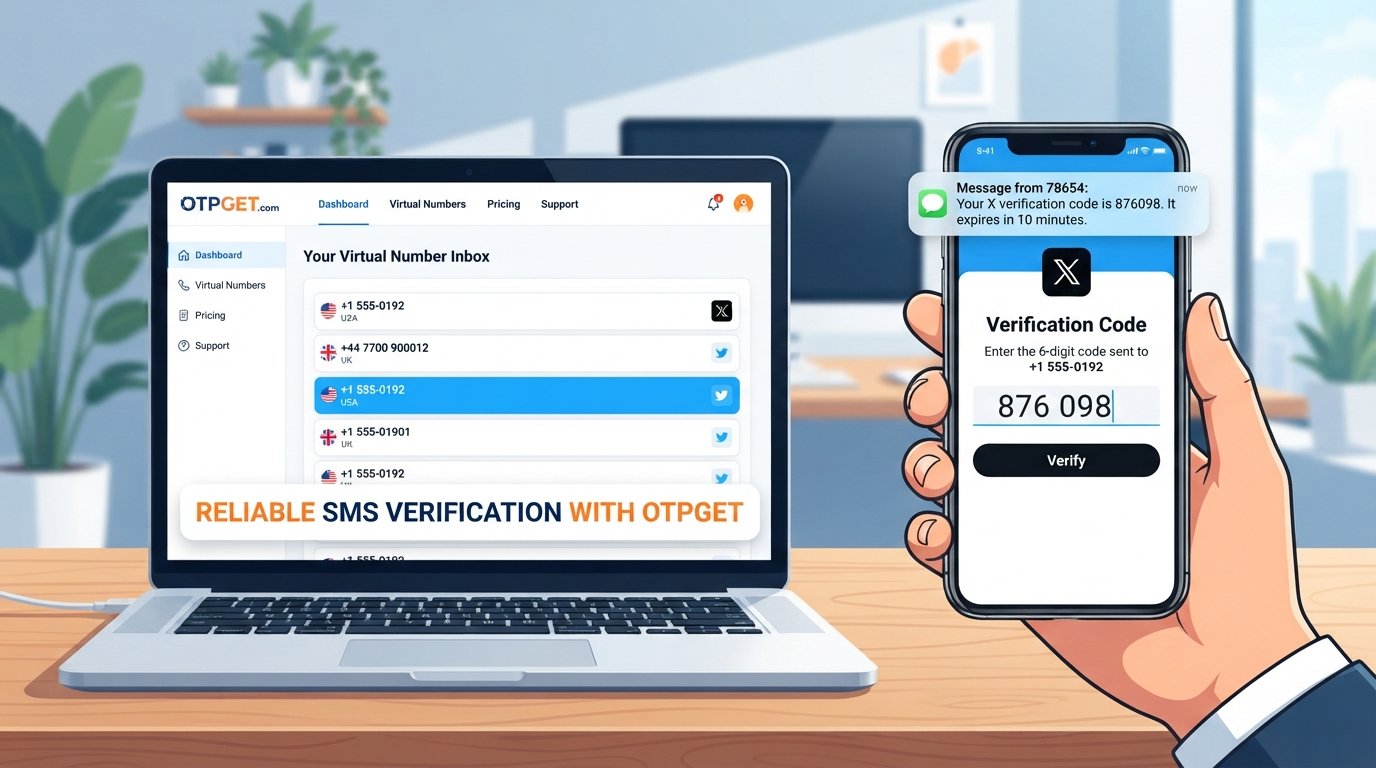
Verify X Account with a Virtual Number – OTPGet
Introduction
Phone verification can appear at different points in the X account journey, including account creation, adding a phone number, or restoring access to an account that has been locked or limited. When X uses SMS verification, it sends a code to the phone number entered during the verification process.
For users who prefer not to use their primary mobile number for an online verification workflow, a virtual phone number can be an alternative worth considering. A virtual number can receive SMS through an online service rather than directly through a personal SIM card.
OTPGet can fit into this workflow by providing a virtual number that users can use to receive an OTP, subject to the number’s compatibility with X and the requirements applied to the verification attempt.
This guide explains how the process works, what to consider before choosing a number, and what to do if the X verification code does not arrive.
Why Does X Ask for Phone Verification?
Phone verification is used by X for several account-related purposes. Official X Help documentation explains that adding a phone number can support security features and account recovery. X may also ask users to verify account ownership by phone, email, or another available method when an account is locked or limited.
During an SMS-based verification process, the basic workflow is straightforward:
- You enter a phone number.
- X sends an SMS verification code to that number.
- You retrieve the code.
- You enter it into X to complete the relevant verification step.
X notes that SMS delivery can sometimes be delayed, so a missing code does not necessarily mean the number is invalid.
If you are researching the broader verification process, a [virtual number guide] can provide useful background before choosing a number.
What Is a Virtual Number?
A virtual phone number is a telephone number that is managed through an online service rather than being tied exclusively to a physical SIM card in your personal phone.
Depending on the service and number type, incoming SMS messages can be displayed through an online account or service interface. This makes virtual numbers useful for certain online workflows where a service sends a verification code by SMS.
For example, instead of having an X verification code delivered to your everyday mobile phone, you can enter an eligible virtual number and check the associated service for the incoming SMS.
However, virtual numbers are not identical. Their availability, carrier routing, country, previous usage, and ability to receive messages can differ. That is important when considering a virtual number for X.
Can You Verify an X Account with a Virtual Number?
You may be able to verify an X account with a virtual number, but acceptance is not guaranteed.
X's documented phone-verification process requires a phone number capable of receiving the verification message. Whether a particular virtual number works can depend on factors such as:
- The number's type and carrier
- The country or region associated with the number
- Whether the number can receive incoming SMS
- Platform restrictions or verification rules
- Whether the number has previously been used or associated with accounts
- Temporary delivery or routing issues
For that reason, it is better to view a virtual number as an alternative verification method rather than a guaranteed workaround.
How to Verify an X Account with a Virtual Number Using OTPGet
If you want to verify X account with a virtual number, the general workflow is simple.
1. Choose an appropriate virtual number through OTPGet
Start by selecting a virtual number that is suitable for SMS verification. Consider the country, number type, and whether incoming SMS is supported.
2. Enter the virtual number on X
When X presents a phone-verification request, enter the selected number in the required field. Make sure the country code and number are entered correctly.
3. Request the verification code
Submit the number and request the SMS verification code. X's official documentation describes this as the normal process when verifying a phone number.
4. Check OTPGet for the incoming SMS
Open OTPGet and look for the incoming verification message associated with the selected number. If the SMS is delivered successfully, the verification code should be visible there.
5. Enter the X verification code
Copy the received X OTP into the verification field provided by X.
6. Complete the verification process
If X accepts the code and number, follow any remaining instructions shown on screen.
The exact screens and prompts can vary depending on the account and verification scenario, so follow X's instructions during the process.
Why Use OTPGet for X Verification?
The main reason to consider OTPGet is convenience. Instead of using your primary mobile number for every online verification workflow, a virtual-number service can provide a separate number for receiving an SMS code.
Potentially useful considerations include:
- Separation: Keep a verification workflow separate from your everyday mobile number.
- Convenience: Receive supported verification SMS through an online service.
- Simpler OTP management: Check the service when you need to retrieve an incoming code.
- Flexible online workflows: A virtual number can be useful when an SMS-enabled number is required.
OTPGet should not be treated as an official X verification service or as a guarantee that every number will be accepted. Compatibility remains dependent on X and the characteristics of the number being used.
For readers exploring related workflows, an [OTP verification guide] can explain how one-time codes work and why delivery can sometimes fail.
What to Do If the X Verification Code Doesn't Arrive
A missing SMS code can have several possible causes. X itself notes that SMS messages can experience delivery delays and recommends waiting before attempting another sign-in or verification action in relevant situations.
Try the following:
- Wait briefly: Give the SMS time to arrive before requesting another code.
- Check the number: Confirm that the virtual number and country code were entered correctly.
- Confirm SMS support: Make sure the selected number is capable of receiving incoming messages.
- Avoid repeated requests: Sending many code requests in quick succession may complicate the process.
- Consider another eligible number: If appropriate, try a different number that meets the service requirements.
- Check compatibility: The selected virtual number may simply not be accepted or may not receive messages from the relevant sender.
- Follow X's guidance: If verification continues to fail, use the account-recovery or verification options provided by X.
X also publishes guidance for situations involving delayed SMS codes and account access problems.
Virtual Number vs. Personal Phone Number for X Verification
Neither option is universally suitable for every situation. The right choice depends on whether you prioritize separation from your personal number, long-term access, or straightforward ownership.
| Factor | Virtual Number | Personal Number |
|---|---|---|
| Privacy | Can separate verification activity from a personal number | Directly connected to your personal mobile identity |
| Convenience | Can be accessed through an online service | SMS arrives directly on your phone |
| SMS access | Depends on the service and number's SMS capability | Generally tied to your carrier's SMS service |
| Long-term ownership | Depends on the service and number availability | Usually remains under your direct control |
| Verification compatibility | Can vary by platform and number type | Usually follows the carrier and platform requirements |
| Recovery considerations | Continued access depends on the number's availability | May be useful for future account recovery if retained |
An important point is long-term access. If a phone number remains connected to an account, losing access to that number can create problems for future recovery or verification. X specifically notes that a verified mobile number can be used in certain account-recovery scenarios.
Is Using a Virtual Number Safe for X Verification?
Using a virtual number requires the same basic security awareness as any other verification method.
Before using one, consider:
- Choose a service you understand and trust.
- Never share your X password with a number provider.
- Do not share verification codes with other people.
- Understand whether you will retain access to the number.
- Consider whether the number may be reused or unavailable later.
- Review X's applicable rules and verification requirements.
- If the number is connected to an account for recovery purposes, consider the consequences of losing access to it.
A virtual number can separate a verification workflow from a personal phone number, but that does not automatically make an account anonymous, permanently secure, or immune to platform restrictions.
If you want to explore related SMS workflows, [how to receive SMS online] is a useful supporting topic.
Frequently Asked Questions
Can I verify an X account with a virtual number?
You may be able to, provided the virtual number is accepted by X and can receive the required SMS. Compatibility is not guaranteed for every virtual number, country, carrier, or verification attempt.
How do I receive an X verification code online?
If X sends an SMS code to an eligible virtual number, you can retrieve the message through the service managing that number. With OTPGet, the general workflow is to use the selected number for the verification request and check for the incoming OTP.
Does OTPGet provide virtual numbers for SMS verification?
OTPGet can be explored as a virtual-number solution for receiving OTPs and SMS verification messages. The availability and suitability of a specific number should be checked before beginning the X verification process.
Why is my X verification code not arriving?
SMS delivery can be delayed, and the selected number may not support or receive the relevant message. Check the number, wait briefly, avoid repeated requests, and consider another eligible number if appropriate. X also provides troubleshooting guidance for SMS verification issues.
Can I use a temporary phone number for X verification?
A temporary number may work if X accepts it and the number can receive the verification SMS. However, temporary numbers can create future access considerations if you later need the same number for account recovery.
Are all virtual numbers accepted by X?
No. Virtual-number compatibility can vary based on factors such as number type, carrier, country, previous use, and X's verification requirements. A virtual number should therefore never be treated as a guaranteed verification method.
What should I do if my virtual number does not receive the OTP?
First, confirm that the number was entered correctly and supports incoming SMS. Wait before requesting another code, and if appropriate, consider a different eligible number or follow X's official account-support guidance.
Final Thoughts
For users who prefer not to use their primary phone number for an online verification workflow, a suitable virtual number can provide an alternative way to receive SMS verification codes.
The key is to choose a number that can receive SMS and recognize that X verification compatibility can vary. No virtual-number service can guarantee that every number will be accepted by X.
OTPGet can be explored as a practical option for obtaining a virtual number and receiving verification OTPs, subject to the number's availability and X's requirements.
If you're ready to explore the process, check out [OTPGet virtual numbers] and choose an option appropriate for your intended verification workflow.


